AI Tools for Writers and Authors: Plotting, Editing and Self-Publishing
A task-by-task guide for authors: which AI tools help with plotting, research, line editing, formatting and covers, where each one stops, and what Amazon KDP and the US Copyright Office say about AI-generated material.
 Roman Shalabanov
Published
11 min read
The AI tools worth an author's time save you work you do not want to do yourself. Think of keeping track of 40 characters across three books, catching the same adverb on every page, or turning a Word file into a print-ready PDF. For fiction, Sudowrite and Novelcrafter are built to keep track of your characters and world while the AI suggests. For editing, ProWritingAid and AutoCrit run reports on pacing, repetition and dialogue. For formatting, Vellum, Atticus, Reedsy Studio and Amazon's free Kindle Create turn a manuscript into ebook and print files.
Before you use any of them on a book you plan to publish, know the two rules that matter most. Amazon KDP asks you to disclose AI-generated content, and the US Copyright Office does not protect material a machine wrote. Both are quoted below. The rest of this guide goes task by task: what to use, and where each tool stops.
Where AI fits in a book project
Author tasks and the tools that fit them
| Task | Tools to try | What to watch |
|---|---|---|
| Plot, outline, story bible | Sudowrite, Novelcrafter, Claude, ChatGPT | Keep the decisions yours |
| Research for non-fiction | NotebookLM, Perplexity | Check every source |
| Drafting help | Sudowrite, Novelcrafter | AI-written text must be disclosed on KDP |
| Line editing | ProWritingAid, AutoCrit, Grammarly, LanguageTool | Accept changes one by one |
| Manuscript feedback | Sudowrite, ProWritingAid | Not a replacement for a human editor |
| Formatting | Vellum, Atticus, Kindle Create, Reedsy Studio | Check the files on real devices |
| Covers and marketing | Canva, Midjourney, chat assistants | AI images must be disclosed on KDP and may not be protected by copyright |
| Audiobooks | ElevenLabs and other voice tools | Narration rights and voice consent |
Plot and outline without handing over the story
Planning is where AI is most useful and least risky. Brainstorming does not put AI-written text in your book, and KDP counts it as AI-assisted (see the rules below).
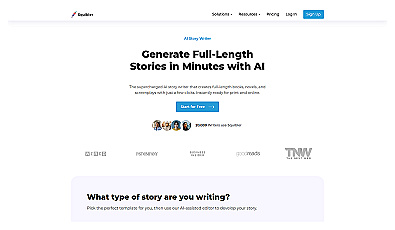
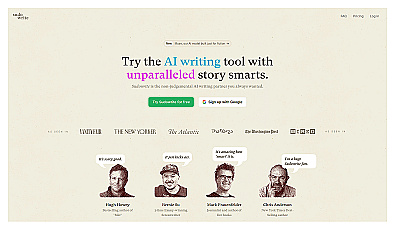
Sudowrite is built for fiction. Its Write, Rewrite, Describe and Expand features work with what it calls "story intelligence", and its plans promise to "ensure continuity across a series". The pricing page lists plans from $10 a month billed yearly, or $19 billed monthly (Hobby & Student, 225,000 credits a month), and a free trial without a card, as of November 19, 2026. Two lines in its FAQ matter to authors: "We claim no rights over anything you put into Sudowrite, nor anything Sudowrite generates for you," and "we do not use your writing to train Sudowrite or OpenAI's AI models."
Novelcrafter takes a different approach. Its Codex organizes "characters, locations, and more with automatic tracking", and you connect your own AI provider with an API key. The pricing page showed monthly prices in US dollars: Scribe at $4 a month without AI, Hobbyist at $8 with "AI (Bring your own Key)", and Artisan at $14 with chat features, after a 21-day free trial without a card. You pay the AI provider separately, so your cost depends on how much you generate.
Claude and ChatGPT work too, if you supply the bible yourself. Keep a document with your characters, timeline and rules of the world, and paste it into a project or a long chat before you ask. A prompt that keeps you in charge:
Here is my story bible and my outline for Act 2.
Do not write any scenes. Instead:
1. List continuity problems: dates, ages, names, who knows what and when.
2. Suggest three different ways the midpoint could raise the stakes,
   each in two sentences, without changing my ending.
3. Ask me five questions about the antagonist's motive that the outline
   does not answer yet.
Asking for problems and questions, not prose, keeps the ideas yours and the chat useful.
Research and fact-checking for non-fiction
Non-fiction authors spend more time on sources than on sentences. Two kinds of tool help.
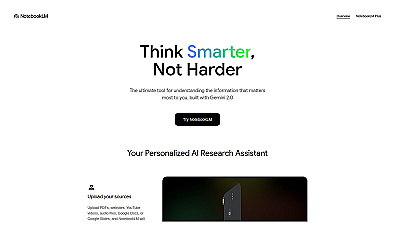
NotebookLM, which Google's help center now calls Gemini Notebook, answers questions from the sources you upload, with citations back to the passages it used. Each source can be up to 500,000 words, or 200 MB for a file you upload (Gemini Notebook Help). Load your interview transcripts, papers and notes for one chapter, and ask where two sources disagree.
Perplexity and other answer engines search the web and show sources inline. Our guide to Perplexity alternatives compares them by what they cite.
Drafting help, and what KDP asks you to disclose
Some authors use AI to draft scenes, then rewrite. Others refuse to. Either way, know where the line sits for Amazon, because it is drawn by who created the text, not by how much you edited it afterwards.
Amazon KDP's content guidelines, checked November 19, 2026, say:
- You must inform KDP of AI-generated content (text, images or translations) when you publish a new book or republish an edited one. Covers and interior art count.
- AI-generated means "text, images, or translations created by an AI-based tool". It stays AI-generated "even if you applied substantial edits afterwards".
- AI-assisted means you created the content yourself and used AI to "edit, refine, error-check, or otherwise improve" it, or to brainstorm. You do not need to disclose AI-assisted content.
- You are responsible for making sure all of it follows the guidelines, including intellectual property rights.
The US Copyright Office draws a similar line for copyright. Its registration guidance of March 16, 2023 says copyright "can protect only material that is the product of human creativity". Applicants must disclose AI-generated content that is more than de minimis and exclude it from the claim, and should not list an AI tool as an author. Its Part 2 report of January 29, 2025 went further (Copyright Office). AI outputs can be protected "only where a human author has determined sufficient expressive elements", which does not include "the mere provision of prompts". Including AI material in a larger human work "does not bar copyrightability" of the human parts.
If you do draft with AI, keep your own drafts and notes. They show what you wrote, and the editing method in how to make AI-assisted text sound like you helps you rewrite generated passages in your own voice.
Line editing and manuscript feedback
Editing tools are a low-risk place to start, because they assist rather than write.
ProWritingAid runs more than 25 reports on readability, structure, overused words, sensory details and more. As of November 19, 2026, its pricing page lists:
- Free: each report twice a day on 500 words, 10 rephrases a day and 3 runs of Story Canvas idea feedback.
- Premium: unlimited reports, one Chapter Critique a day and Outline Crafter, at $30 billed monthly or $10 a month billed yearly. A Black Friday sale halves yearly and lifetime prices until November 29, 2026.
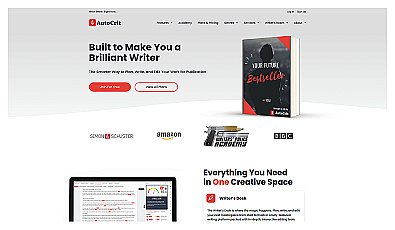
AutoCrit compares your writing style with major genres. Its pricing page lists a free plan with no word limits and selected tools (adverbs, word choice, readability), and a Pro plan with pacing, dialogue and "Strong Writing" reports, genre comparison and ePub and PDF export.
Grammarly and LanguageTool handle grammar and spelling as you type. If English is not your first language, our Grammarly alternatives guide compares them on explanations and English variants.
For feedback beyond the sentence, Sudowrite's Professional plan adds "developmental edits, line edits, and beta reads", and ProWritingAid sells Story Credits for whole-manuscript analysis. Treat these as a first pass. They do not know your market, your series plans or what your readers loved in book one.
For a quick check of a scene or a blurb, paste it into the Word Counter: it shows reading time, readability and long sentences, and highlights phrases that AI drafts overuse.
Formatting ebooks and print books
Formatting is mechanical work, and the tools here are mostly not AI. They can still save you days of fiddly layout.
Book formatting tools, checked November 19, 2026
| Tool | Platforms | Price | Output |
|---|---|---|---|
| Vellum | Mac only (macOS 14 or newer) | $199.99 ebooks, $249.99 ebooks and paperbacks | Store-specific ebooks, print |
| Atticus | Browser app on Windows, Mac, Linux, Chromebook | $147 one-time payment | Ebook and print |
| Kindle Create | Desktop app from Amazon | Free | Kindle ebook and paperback |
| Reedsy Studio | Browser | Free core features; paid tiers from $4.99/month | EPUB, print-ready PDF |
Sources: Vellum, Atticus, Kindle Create, Reedsy Studio.
KDP recommends Kindle Create for text-heavy books with simple layouts. For paperbacks it does not support tables, footnotes, endnotes or images that bleed to the page edge, so a book with those needs another tool. Atticus says you "pay once" and get updates. Vellum lists $199.99 for unlimited ebooks and $249.99 for ebooks and paperbacks, and runs only on a Mac. Scrivener, a long-standing app for organizing a manuscript in sections, is available for macOS, Windows and iOS, with licences sold separately for each.
If your draft lives in a chat or a Markdown editor, paste it into Markdown to Word & Google Docs first, so headings and italics arrive as real formatting.
Covers, blurbs and audiobooks
Covers. You can mock up a cover in Canva or generate art in Midjourney, but two rules from above apply. KDP counts an AI-generated cover as AI-generated content you must disclose. And the Copyright Office's 2023 guidance describes a graphic novel whose human-written text was protected while its Midjourney images were not. A cover you cannot protect is easier for others to copy. One safe pattern: use AI images for mood boards, and hire a designer for the final cover. Our image prompt guide helps with the mood boards.
Blurbs and ads. A chat assistant is good at giving you ten versions of a hook. Paste your own synopsis, ask for variants of 150 words or less, then rewrite the best one yourself. Run the result through the AI Text Cleaner before you paste it into a store form, and read why AI text has hidden characters if a form rejects it.
Audiobooks. AI narration usually costs less than a human narrator, but check two things first: whether your publishing contract gives you audio rights, and whether the voice tool's licence covers commercial audiobooks. Never clone a narrator's voice without written consent. Our guide to ElevenLabs alternatives compares licences and voice-cloning rules.
Protect your manuscript
An unpublished manuscript is valuable. Before you paste chapters into any tool:
- Read the training policy. Sudowrite says it does not train on your writing. For chat assistants, our privacy checklist for AI tools lists where to switch training off in ChatGPT, Claude and Gemini.
- Check ownership terms. Look for a clear statement that the vendor claims no rights to your input or output, as Sudowrite's FAQ does.
- Keep your own copies. Store drafts outside any single app, in a format you can open without it.
- Mind other people's words. Pasting a book you are reviewing, or a co-author's chapter, into a tool shares their work too. Ask first.

FAQ
Do I have to disclose AI use when I publish on Amazon KDP?
Only for AI-generated content: text, images or translations created by an AI tool, including covers, even if you edited them heavily. If you wrote the content and used AI to edit, check or brainstorm, KDP calls it AI-assisted and does not require disclosure.
Can I copyright a book written with AI?
The US Copyright Office protects the parts a human author created, including creative selection and arrangement. Material whose expressive elements were determined by AI is not protected, and prompts alone are not enough. When you register, you disclose and exclude the AI-generated parts. This is not legal advice.
What is the best AI tool for fiction writers?
For drafting help and a story bible, Sudowrite and Novelcrafter are built for fiction. For editing, ProWritingAid and AutoCrit run reports tuned to your genre or document type. A common setup is one of each, plus a general assistant for brainstorming.
Will AI tools train on my manuscript?
It depends on the vendor and the plan. Sudowrite says it does not use your writing to train models. Personal plans of some chat assistants train on chats unless you switch it off. Read the policy before you upload a full manuscript.
Is there a free tool to format a book for KDP?
Yes. Amazon's Kindle Create is free and prepares ebooks and paperbacks, and Reedsy Studio's core writing and formatting features are free, with EPUB and print-ready PDF export.