AI Tools for Data Analysis Without Code: Spreadsheets, CSV Files and Dashboards
Built from the tasks people actually do with data: clean a CSV, write a formula, build a pivot table, make a chart, classify text and ask a dashboard a question. For each one, the tools that fit and the limits their makers document.
 Roman Shalabanov
Published
11 min read
You do not need code to analyze data with AI any more. For most people the best setup is two tools. Use the AI inside your spreadsheet or BI tool for files you already work in. Add one chat assistant that writes and runs code on an uploaded file, for messy exports and one-off questions. Specialist tools earn a place when you need privacy, bulk text classification or live data.
This guide starts from the tasks: clean a CSV, write and fix formulas, build a pivot table, make a chart, classify text in bulk and ask questions about a dashboard. For each task you get the tools that fit and the limits their makers document, checked in November 2026. We compare documentation, not our own test runs, so try your real file on a free plan before you commit.
Pick a tool by task
AI tools for common data tasks (November 2026)
| Task | Inside Excel or Sheets | Chat assistant that runs code | Specialist tools |
|---|---|---|---|
| Clean a messy CSV | Claude for Sheets and Excel, Copilot in Excel | ChatGPT, Claude, Julius | AskCSV (in-browser), Quadratic |
| Write, fix or explain formulas | Copilot in Excel, Gemini in Sheets, Claude for Excel | ChatGPT, Claude | GPTExcel, Better Analyst |
| Summarize with a pivot table | Copilot in Excel, Gemini in Sheets | ChatGPT, Julius | GPTExcel |
| Make a chart | Copilot in Excel, Gemini in Sheets | ChatGPT, Claude, Julius | Better Analyst |
| Classify or summarize text columns | Sheets AI function, Numerous, SheetAI | ChatGPT, Claude | – |
| Ask a dashboard a question | – | – | Power BI Copilot, Tableau Pulse, ThoughtSpot |
| Pull live data into a sheet | Coefficient | Julius (database connectors) | Equals, Hex |
If you are not sure which category your job falls into, the AI Tool Finder picks tools from our directory by task and budget.
Clean a messy CSV file
Exports from CRMs, shops and ad platforms arrive with mixed date formats, duplicates, blank rows and numbers stored as text. A chat assistant that runs code fixes these in one pass and can give you a cleaned file back.
ChatGPT writes and runs Python on files you upload. OpenAI's help center lists .xls, .xlsx and .csv among supported files and puts the limit for CSV files and spreadsheets at "approximately 50 MB, depending on the size of each row". Free users can upload 3 files a day. The Python environment "cannot make external web requests", so upload everything the analysis needs (OpenAI: data analysis, file uploads).
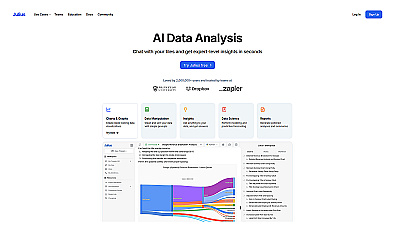
Claude has code execution and file creation on every plan, Free included. Anthropic documents a 30 MB limit per file for that feature, and Claude can hand back an .xlsx file with working formulas (Anthropic: create and edit files). Julius is built for data work: you upload a file and ask in plain English. Its free plan runs on a daily credit allowance, and Plus costs $20 a month billed monthly, as of October 23, 2026.
- Remove columns you do not need, especially names, emails and phone numbers.
- Upload the file and ask for a profile first: row count, column types, blanks, duplicates and odd values per column.
- Read the profile, then say exactly which fixes to apply.
- Ask for the cleaned file plus a change log that counts the rows changed or removed by each fix.
- Compare row counts and a few rows against the original before you use the result.
Here is a CSV export of our orders. Do not change anything yet.
1. Tell me the number of rows and columns.
2. For each column: data type, number of blanks, number of distinct values and 3 example values.
3. List problems you see: mixed date formats, duplicates, numbers stored as text, stray spaces.
Then wait for my instructions.
If the file cannot leave your computer, AskCSV analyzes CSV, TSV and Excel files in the browser. The file stays on your device, and the AI sees only the columns you pick, at most 10 sample rows and 100 rows of each result, plus summary figures. A free trial gives about 5 answers without sign-in, and $5 a month covers about 100 answers, per its site in November 2026. Quadratic is an AI spreadsheet that supports Python, SQL and JavaScript alongside formulas, for when you want to see the code.
Write, fix and explain spreadsheet formulas
This is where AI inside the spreadsheet helps most, because it can see the workbook.
- Copilot in Excel (part of Microsoft Copilot, formerly Microsoft 365 Copilot) can "perform calculations and apply formulas across multiple sheets". It needs a Microsoft 365 subscription that includes Copilot (Microsoft Support).
- Gemini in Google Sheets, part of Gemini, creates formulas and tables. It needs an eligible Google Workspace or Google AI plan, and Excel files must be saved as Google Sheets first (Google Docs Editors Help).
- Claude for Excel is an add-in for Pro, Max, Team and Enterprise plans. It answers questions about a workbook with cell-level citations, traces errors to their cause and keeps formula links intact when you change assumptions (Anthropic). Claude for Google Workspace, in beta for Pro, Max, Ultra, Team and Enterprise plans, writes and fixes formulas and cleans data inside Sheets (Claude Help).
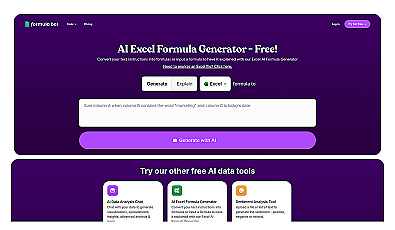
- GPTExcel writes and explains formulas for Excel, Google Sheets, LibreOffice Calc and Airtable, plus SQL and regular expressions.
- Better Analyst, formerly Formula Bot, has grown from a formula generator into an analysis and dashboard tool with connectors.
Explain what this formula does, one step at a time, in plain English.
Then list every case where it returns an error or a wrong result, and give a fixed version.
Formula: [paste formula]
Sample data: [paste 5 rows with headers]
Summarize data with pivot tables
A pivot table answers "how much, by what". AI tools build one from a sentence such as "revenue by region and month, with a total row".
Copilot in Excel creates "charts, PivotTables, and shapes with editable links to source data", so you can edit the result like one you built yourself. Gemini in Sheets lists pivot tables among its actions; it shows a preview card that you apply. GPTExcel builds native Excel pivot tables, slicers and pivot charts from a plain-English request.
In ChatGPT, Claude or Julius, ask for the grouped table and the code that produced it. The result is a static table, so you rebuild it when the data changes.
Turn data into charts
All of these tools draw charts. The difference is whether the chart stays connected to your data.
- ChatGPT returns charts as images, and bar, line, pie and scatter charts can switch to an interactive view. OpenAI warns it "may choose an analysis method or chart type that does not match your intent" at first, so name the chart type, columns and grouping.
- Gemini in Sheets: Google says generated charts do not update when the source data changes.
- Copilot in Excel links charts to the source data.
- Claude draws charts as PNG files through code. In Sheets, the Claude add-in can add a chart to the file itself.
- Julius produces charts and reports from uploaded files or connected sources.
Ask for the table behind every chart. A chart is easy to misread; the table shows whether the numbers are right.
Classify and summarize text columns in bulk
Survey answers, support tickets and product reviews sit in spreadsheets as free text. AI functions run a prompt on each cell, which works for sorting, tagging and short summaries.
Google Sheets has an AI function: =AI("prompt", [range]), where the range is optional. Google's help page says it outputs text only and cannot see the rest of your spreadsheet. It generates only the first 350 selected cells per selection, and usage limits apply (Google: AI function). It needs an eligible Workspace or Google AI plan.
Numerous adds an =AI function to Google Sheets and Excel without API keys. SheetAI works in Google Sheets: it is free with your own API key, and hosted plans start at $12 a month, per its site in November 2026.
Ask questions about dashboards and live data
If your company already has a BI tool, use its AI assistant first. It reads the same data model as the dashboard, so its answers start from the numbers your team already reports.
Power BI Copilot can summarize a report, answer questions about its data and draft report pages. Microsoft lists firm requirements: a paid Fabric capacity (F2 or higher) or Power BI Premium (P1 or higher), and "a Power BI Pro or Premium Per User (PPU) license alone isn't sufficient". Prompts can run to 10,000 characters, and multilingual use "isn't officially supported" yet (Microsoft Learn).
Tableau Pulse, on Tableau Cloud, follows metrics and sends digests by email, Slack and Microsoft Teams. Its Tableau Agent answers questions about your metrics with a model that "draws upon pre-calculated insights" instead of analyzing your raw data (Tableau Help). ThoughtSpot sells Spotter, which it calls an AI analyst, as part of its analytics platform.
When the problem is getting live data into a sheet in the first place, Coefficient connects Google Sheets and Excel to sources such as HubSpot, Salesforce and GA4. Equals syncs your team's tools into a managed Snowflake warehouse and answers follow-up questions on dashboards. Hex connects to data warehouses and databases, for teams that work in SQL with AI help. Julius lists Postgres, BigQuery and Snowflake connectors on its Business plan, as of October 23, 2026.
Protect company data and check the numbers
Spreadsheets hold customer lists, salaries and revenue. Before you upload one, check which plan you are on and what it does with your files. Consumer and business tiers of the same assistant can differ in training and retention settings; our guide on whether ChatGPT is safe for company data compares them.
- Upload less. Delete columns the question does not need, and replace names with IDs.
- Prefer local or approved tools for sensitive files. AskCSV keeps file data in the browser, and your company's Microsoft 365 or Google Workspace AI may already be approved.
- Watch files from outside. Anthropic warns that external files "can contain hidden instructions" that manipulate the Excel add-in, and recommends using it only with trusted spreadsheets.
- Mind sharing. Google notes that content Gemini adds to a sheet may be visible outside your domain if the file is shared externally.
Anthropic also says Claude for Excel is not recommended for "final client deliverables without human review" or "audit-critical calculations without verification". That advice applies to every tool here.
- Check the row count after every step against the original file.
- Compare totals with a plain SUM or COUNT that you run yourself.
- Open 10 random rows of the output and find them in the source.
- Ask the tool to show the code or formula it used, and read it.
- Run the same request on a small sample where you already know the answer.
Tools in this guide


Browse more in the data and analytics categories of our directory.
AI Tool Finder Answer three questions and get matching tools from our directory.FAQ
Can ChatGPT analyze an Excel file?
Yes. You can upload .xls, .xlsx and .csv files, and ChatGPT runs Python to summarize, transform and chart them. OpenAI puts the limit for spreadsheets at about 50 MB, and Free users can upload 3 files a day, as of November 2026.
What is the best free AI tool for data analysis?
Start with the free plan of a chat assistant that runs code: ChatGPT, Claude and Julius all have one. For private files, AskCSV keeps the file in your browser and gives about 5 free answers to try. Spreadsheet AI such as Gemini in Sheets and Copilot in Excel needs a paid plan.
Can AI make a pivot table for me?
Yes. Copilot in Excel and Gemini in Sheets create pivot tables from a sentence, and GPTExcel builds native Excel pivots. Check the grand total against a plain SUM of the source column.
Is it safe to upload company data to an AI tool?
It depends on the tool, your plan and your company's policy. Remove columns you do not need, use tools your company has approved, and read the vendor's data controls before uploading anything confidential.
Do I still need to know Excel?
You need enough to check the result: read a formula, compare totals and spot a wrong chart. The AI writes the formulas; you remain responsible for the numbers.