Product Launch Checklist
Work through the launch step by step. Your progress stays in this browser.
Runs in your browser. Nothing is uploaded.
How to use the checklist
Tick each step as you finish it. Your progress is saved in this browser, so you can close the page and come back later. Use the stage filter to focus on what is next, and "Hide completed steps" to see only what is left.
The 60 steps are grouped by when they usually happen:
- Before launch. Product and positioning four or more weeks out, then the website and search setup, then the assets and audience work of the final two weeks.
- Launch day. What to check in the morning, how to handle comments and bugs during the day, and what to write down in the evening.
- After launch. Following up with new users in the first week, and turning the launch into steady growth over the first month.
Each step describes an action, not the rules of a particular platform. Launch sites change their guidelines on timing, self-promotion and asking for support, so read the current rules of every place you post before launch day.
If you are short on time
Not every step matters equally. If you have a week instead of a month, do these first:
- Make sure sign-up, the first useful action and payment work on a phone.
- Rewrite the first screen of your landing page so it says what the product does and for whom.
- Install analytics and prepare tagged links for every place you will post.
- Prepare a share image, screenshots and a short launch post.
- Tell the people who already know you, and plan to answer every comment on the day.
The rest makes the launch smoother and the results easier to read, but these five decide whether visitors understand the product and whether you can see what worked.
Tools for the launch steps
Several steps link to free tools on this site that you can use straight away:
| Step | Tool |
|---|---|
| Share image for social posts and chats | OG Image Generator |
| Screenshots in browser or phone frames | Screenshot Mockup Generator |
| Favicon and app icons | Favicon Generator |
| Titles, descriptions and link previews | Meta Tags & Social Preview |
| Structured data for your product | Schema Markup Generator |
| AI crawler rules and llms.txt | AI Crawler robots.txt Generator, llms.txt Generator |
| Campaign links for each channel | UTM Builder |
Directories keep sending visitors after the launch spike is over. When your product is ready, get it listed on Ask AI For It.
Taking the list into your task tool
Export the checklist at any time. Copy as Markdown gives a task list with checkboxes that works in most note apps and in GitHub issues. Download CSV gives one row per step with its stage, group, details, status and link, which spreadsheets and most task and database tools can import. Progress is not synced anywhere, so export before you switch browsers or clear site data.
How far ahead should I start?
Four to six weeks gives you time to fix onboarding, prepare assets and build some presence in the communities you plan to post in. With less time, start with the five priorities above.
Is my progress saved?
Yes, in this browser's local storage. Nothing is sent to our server. Clearing site data or switching browsers starts a fresh list, so export a copy if you need it elsewhere.
Can I import the checklist into Notion or Trello?
Download the CSV and import it as a table or database in tools that accept CSV files, or paste the Markdown task list into a page or card. Each tool's import options change from time to time, so check its help pages.
Does it cover the rules of Product Hunt or Hacker News?
No. The steps are deliberately general so they stay correct. Rules for posting, timing and asking for support change, so read each platform's current guidelines before you post.
Should I launch on several sites on the same day?
You can, but every launch needs someone answering comments. Many makers spread launches over a few days or weeks so each one gets full attention.
What if the launch is quiet?
That is common, and it is not the end. Talk to the users who did sign up, improve the product and the page, and use the next feature as a reason to launch again.
Marketing tools from our directory
Browse: Marketing
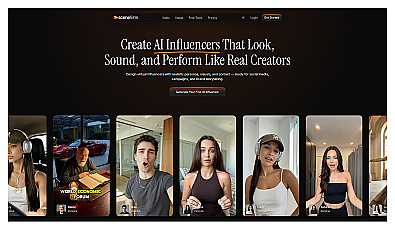
Generate engaging virtual influencers and social media content.
Automated Pinterest pin creation from website content.
Distributing press releases and connecting brands with media outlets.