SaaS Metrics Calculators
Pick a metric to calculate it with your own numbers. Formulas are shown with every result.
Runs in your browser. Nothing is uploaded.
Seven calculators for the numbers investors and founders ask about most. Each one shows its formula and works with your own figures.
Which calculator answers which question
Each calculator covers one metric and shows its formula next to the result, so you can check the math and repeat it in a spreadsheet.
| Question | Metric | Calculator |
|---|---|---|
| How much recurring revenue do we have? | MRR and ARR | MRR & ARR |
| How many customers do we lose each month? | Churn, retention, NRR | Churn rate |
| What is a customer worth? | Lifetime value | LTV |
| How long until a new customer pays for itself? | CAC and payback | CAC payback |
| Do customers earn more than they cost to win? | LTV:CAC | LTV:CAC ratio |
| Are growth and profit in balance? | Rule of 40 | Rule of 40 |
| How many customers do we need for a revenue goal? | Customers to goal | Customers to MRR goal |
How the metrics fit together
The metrics build on each other. MRR divided by paying customers gives average revenue per account (ARPA). ARPA, gross margin and churn give lifetime value. Sales and marketing spend divided by new customers gives acquisition cost, and comparing it with monthly gross profit gives the payback period. LTV divided by CAC tells you whether the whole loop makes money.
That chain is why one weak input spoils several results. If churn is understated, LTV, LTV:CAC and the time to your revenue goal all look better than they are.
Getting the inputs right
- Revenue. Count recurring subscription revenue only. Trials, setup fees and one-off services are not MRR. Annual plans count as the yearly price divided by 12.
- Gross margin. Revenue minus the cost of serving customers: hosting, third-party APIs (including AI model usage), payment fees and support. For many AI products this is lower than for classic SaaS, and it moves LTV a lot.
- Churn. Measure it on customers who were paying at the start of the period. With fewer than a few hundred customers, average several months before you rely on the number.
- Spend. Include salaries of the people who sell and market, not only ad budgets.
Early-stage numbers
Before you have a year of history, most of these metrics are estimates. That is fine for planning, as long as you treat the results as ranges. Rerun the calculators each month with fresh numbers and watch the direction rather than a single value.
Every calculator can be embedded on your own site: open a metric and use the "Embed this calculator" box. Looking for software that tracks these numbers for you? Browse finance and analytics tools in our directory.
Which metrics matter most at an early stage?
MRR growth and churn. They tell you whether people pay and whether they stay. LTV, CAC and their ratio become reliable once you have a few hundred customers and a steady acquisition channel.
Should I use monthly or annual figures?
Monthly figures are easier to keep consistent across calculators. If you know annual churn, convert it: monthly churn = 1 − (1 − annual churn)^(1/12). The churn calculator also shows the annual equivalent of a monthly rate.
Why do the LTV calculators use gross margin instead of revenue?
Because revenue is not what you keep. A customer who pays $50 a month but costs $10 to serve contributes $40 a month toward paying back acquisition costs and running the company.
Are my numbers saved or sent anywhere?
No. The calculations run in your browser. Your inputs are remembered only in this browser's local storage, so the form is filled in when you come back. "Reset to example" replaces them with the example figures.
Can I put a calculator on my own site?
Yes. Every metric page has an "Embed this calculator" box with an iframe code. The embedded version works the same way and links back to the full page.
Finance tools from our directory
Browse: Finance, Business, Analytics

AI-driven platform for trading research and strategy validation.
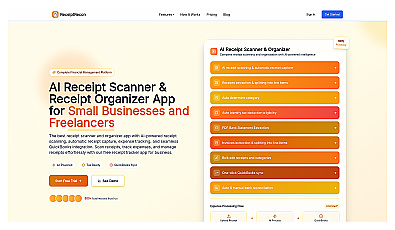
AI-powered scanner and organizer for receipts and expenses.

Advanced consumer data analysis for smarter marketing decisions.



Discover your ideal audience with targeted marketing strategies.