OG Image Generator
Pick a template, add your title and logo, and download a share image.
Runs in your browser. Nothing is uploaded.
How to make an Open Graph image
- Pick one of the twelve templates. Each has its own layout and colours, and the thumbnails show your text as you type.
- Write the title. The font size shrinks until it fits, and long titles wrap onto three or four lines depending on the template.
- Add a tagline, your site or brand name and, if you like, a logo. PNG and SVG logos with a transparent background look best.
- Choose a title font and, if the template colours don't suit your brand, a solid colour or a two-colour gradient.
- Download the PNG, upload it to your site and point your
og:imagetag at it.
Everything is drawn on a canvas in your browser. Your text and logo are not sent anywhere, and the tool remembers your last settings on this device so you can make a matching image for the next page.
Where the image appears
When someone shares a link, Facebook, LinkedIn, X, Slack, Discord, WhatsApp and iMessage read the page's Open Graph tags and show the image in the preview card. A clear image with a readable title gets noticeably more clicks than a card with a cropped photo or no image at all.
| Platform | Size it uses | Notes |
|---|---|---|
| 1200 × 630 | Smaller images are shown as a small square thumbnail | |
| 1200 × 627 | 1200 × 630 works; the difference is cropped | |
| X (Twitter) | about 1.91:1 | Needs twitter:card set to summary_large_image |
| Slack, Discord | 1200 × 630 | Shown smaller, so the title must be large |
| WhatsApp, iMessage | 1200 × 630 | Some views crop to a square from the centre |
The tags look like this:
<meta property="og:image" content="https://example.com/og/launch.png">
<meta property="og:image:width" content="1200">
<meta property="og:image:height" content="630">
<meta name="twitter:card" content="summary_large_image">Fonts and limits
You can use the system font, which needs no download, or one of four open-source fonts: Inter, Space Grotesk, Playfair Display and JetBrains Mono. A font file (13–25 KB) downloads only when you pick it. These files cover Latin letters; other scripts and emoji fall back to fonts installed on your device, so they may look different on another computer.
The output is always a PNG at 1200 × 630 px. There is no free-form editor: you can't move elements around or add extra text boxes. If you want to show your product instead of a title card, put a screenshot in a frame with the Screenshot Mockup Generator, and check how the whole card looks with the Meta Tags & Social Preview tool. For more design tools, browse the Design and Images categories.
What size should an OG image be?
1200 × 630 pixels, a ratio of 1.91:1. It is the size Facebook recommends and the one most other platforms handle well, including LinkedIn, X, Slack and Discord.
Why does the old image still show after I changed it?
Platforms cache previews. Use the Facebook Sharing Debugger or the LinkedIn Post Inspector to fetch the page again, or give the new file a different name so the URL changes.
Can I use the images commercially?
Yes. The templates and the fonts (all under the SIL Open Font License) can be used in any image you make, including for paid products. Make sure you have the right to use the logo you add.
Is my logo uploaded anywhere?
No. The logo is read by your browser and drawn on the canvas on your device. Nothing is sent to our server.
Why does my title look smaller than I expected?
The tool picks the largest size at which the whole title fits the template. Shorter titles get bigger text. If the title is cut with an ellipsis, shorten it or choose a template that allows four lines, such as Split.
Design tools from our directory
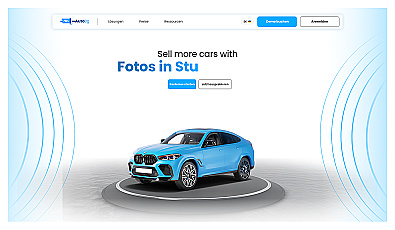
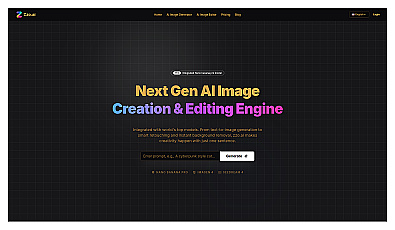
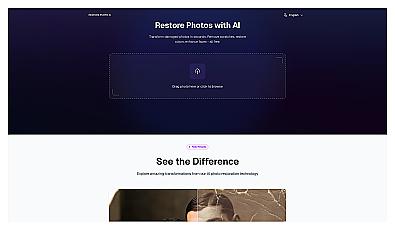
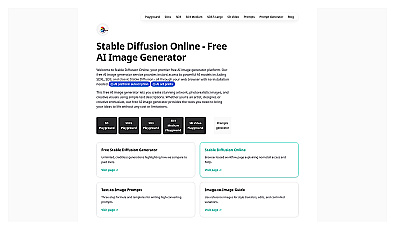
Create stunning AI-generated images from text descriptions.
AI-driven image and video editing with natural language commands.