Word Counter & Readability Checker
Count your text, check it against platform limits and find the sentences that slow readers down.
Runs in your browser. Nothing is uploaded.
Review
Long sentences have + words (amber) or + words (red). Hover a highlight for details. This is an editing aid, not an AI detector: people use these phrases too.
Your text appears here with long sentences, passive voice, adverbs, doubled words and overused phrases highlighted.
Overused phrases
| Found | Times | Try instead |
|---|---|---|
None found. Phrases like “delve into”, “tapestry” and “it’s important to note” show up here with plainer options.
Most repeated words
Click a word to highlight it in the text. Common words like “the” and “with” are skipped.
Words you use often show up here.
How to use the word counter
- Type or paste your text. The counts update as you go.
- Check the length against the limits on the right, or enter your own.
- Look at the readability score, then scroll to Review to see which sentences pull it down.
- Switch highlights on and off with the buttons above the text, and click a repeated word to find every use of it.
What is counted
- Words are runs of letters or digits. Contractions like "don't" and hyphenated words like "state-of-the-art" count as one.
- Characters include spaces and line breaks. An emoji or an accented letter counts as one character.
- Sentences end at a full stop, question mark or exclamation mark, and at every line break, so list items and headings count on their own. Abbreviations such as "e.g." and "Dr." do not end a sentence.
- Reading time assumes 238 words a minute, a typical adult reading speed. Speaking time assumes 140 words a minute.
Readability scores
Flesch Reading Ease runs from 0 to 100; higher means easier. It is based on two things only: average sentence length and average syllables per word. Most web copy and documentation reads best at 60 or above. Flesch–Kincaid Grade turns the same inputs into a US school grade.
Syllables are counted with a spelling heuristic rather than a dictionary, so a few words are off by one. Over a few hundred words the errors mostly cancel out.
What the highlights mean
- Long sentences: 25 words or more in amber, 35 or more in red.
- Passive voice: a form of "be" or "get" followed by a past participle, as in "the report was written". Some adjectives look the same ("she is tired"), so check before you rewrite.
- Adverbs: words ending in -ly. Many are fine; cut the ones that repeat what the verb already says.
- Doubled words: "the the" and other slips.
- Overused AI phrases: words and stock phrases that show up far more in AI drafts than in edited writing, such as "delve into", "tapestry" and "it's important to note". Each comes with plainer options.
This is an editing aid, not an AI detector. People wrote "moreover" long before chatbots did, and a text with none of these phrases can still be machine-written.
Platform limits
X counts links as 23 characters and emoji as 2, and the counter follows that rule. Google cuts titles and descriptions by pixel width, so those limits are approximate. Platforms change their rules from time to time; add your own limit if yours differs.
Does this tell me if a text was written by AI?
No. It points out phrases that AI drafts overuse so you can edit them. AI detectors are often wrong, and this tool does not try to be one.
Is my text saved?
No. Everything runs in your browser and nothing is uploaded. Only your highlight settings and custom limit are kept in this browser.
Why is my count different from Word or Google Docs?
Editors treat dashes, numbers with commas and some symbols differently. The differences are usually a few words per thousand.
What is a good Flesch Reading Ease score?
For general readers, 60 to 70. Technical documentation often lands between 40 and 60. Below 30 is hard going even for experts.
Can I use it for other languages?
Word and character counts work for most languages that separate words with spaces. Readability scores and highlights are tuned for English.
Writing tools from our directory
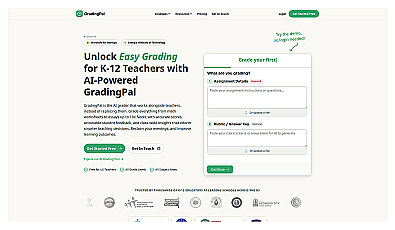
AI assistant for efficient grading and personalized student feedback.

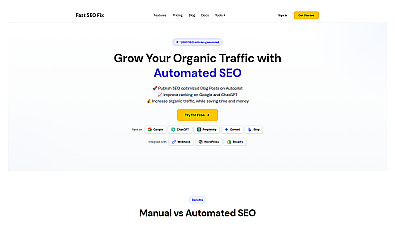
Automated content generation for SEO optimization and traffic growth.
Transform ideas into engaging stories through collaborative writing.
AI-driven advertising copy generator for quick, high-quality ads.