Favicon Generator
Start from a letter, an emoji or your logo and download every favicon size in one ZIP.
Runs in your browser. Nothing is uploaded.
One to three characters read best at 16 px.
System fonts, so letters look slightly different on Windows and macOS.
Type or paste an emoji (only the first one is used), or pick one below. PNG files use your system's emoji style; the SVG favicon shows each visitor's own.
Style
Web manifest
Preview
Add a letter, an emoji or an image to see the icons.
| File | Download |
|---|---|
|
How to make a favicon
- Choose a source: one to three letters, an emoji, or your own logo as PNG, JPEG, WebP or SVG.
- Set the background colour (or make it transparent), the shape and the padding. The preview shows the icon in a browser tab and at every size.
- Enter your site name. It goes into the web manifest that Android uses when someone adds your site to the home screen.
- Download the ZIP, put the files in the root folder of your site and paste the HTML snippet into the head of every page.
Everything is generated in your browser. The favicon.ico file is built by this page from PNG images at 16, 32 and 48 px, the same way modern design tools do it.
What's in the ZIP
| File | Size | Used by |
|---|---|---|
favicon.ico |
16, 32 and 48 px | Every browser, plus Google search results |
favicon.svg |
Scales to any size | Chrome, Edge, Firefox and recent Safari versions (text and emoji sources only) |
apple-touch-icon.png |
180 × 180 | iPhone and iPad home screens |
icon-192.png |
192 × 192 | Android home screens, through the manifest |
icon-512.png |
512 × 512 | Install prompts and splash screens |
site.webmanifest |
– | Name, icons and theme colour for Android |
The HTML snippet links them all:
<link rel="icon" href="/favicon.ico" sizes="32x32">
<link rel="icon" href="/favicon.svg" type="image/svg+xml">
<link rel="apple-touch-icon" href="/apple-touch-icon.png">
<link rel="manifest" href="/site.webmanifest">
The sizes="32x32" on the ICO line stops Chrome from preferring the ICO over the SVG. When you start from an image there is no SVG file, so the snippet leaves that line out.
Tips for an icon that reads at 16 px
- One or two letters beat a full logo. At 16 px a wordmark turns into a grey smudge. Use the first letter of your brand, or the symbol from your logo without the text.
- Use strong contrast. Browser tabs are light or dark depending on the user's theme. A solid background keeps the icon visible on both.
- Mind the padding. A circle or rounded square needs some padding so the letter doesn't touch the edge; 10–16% is a good start.
- Start big. For an image source, use a square file of 512 px or more, or an SVG. Smaller images are enlarged for the 180, 192 and 512 px files and look soft.
Limits
Letters use system fonts, so they look slightly different on Windows, macOS and Android. Emoji in the PNG files use your system's emoji style; the SVG favicon shows each visitor's own emoji font. An uploaded SVG is turned into PNG and ICO files but is not copied into the set, because the background and shape settings could not be applied to it. Need a share image to match? Make one with the OG Image Generator, and find more tools in Design and Websites.
What sizes does a favicon need?
A favicon.ico with 16, 32 and 48 px images covers browsers and search results. Add a 180 px Apple touch icon for iOS and 192 and 512 px PNG files listed in a web manifest for Android. An SVG favicon is optional and stays sharp at every size.
Where do I put the files?
In the root folder of your site, so they open at addresses like https://example.com/favicon.ico. Then add the HTML snippet to the head of every page. Some browsers look for /favicon.ico even without a link tag.
Why doesn't my new favicon show up?
Browsers cache favicons hard. Open the icon's address directly, reload with the cache cleared, or try a private window. Google search results can take days or weeks to update.
Can I use an emoji as a favicon?
Yes. Pick the Emoji source, choose any emoji and a background. Emoji designs belong to Apple, Google, Microsoft and others, so check the licence of the emoji style you use if the icon is part of a commercial brand.
Is my logo uploaded?
No. The image is read and resized by your browser. Nothing is sent to our server.
Design tools from our directory

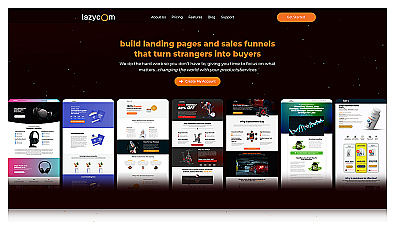
Create professional landing pages and sales funnels effortlessly.