Screenshot Mockup Generator
Drop or paste a screenshot and frame it for your launch gallery or social posts.
Runs in your browser. Nothing is uploaded.
How to frame a screenshot
- Take a screenshot of your app or site and drop it on the page, choose the file, or paste it straight from the clipboard with Ctrl+V or ⌘V.
- Choose a frame: a browser window, a phone or no frame at all. Browser and phone frames come in light and dark versions.
- Pick a size. Use a preset for the place you will post the image, or keep "Fit screenshot" to wrap the frame around your image at its own resolution.
- Set the background, padding, shadow and corner radius.
- Download the PNG or copy it to the clipboard and paste it into your post.
The frames are drawn in code, not taken from photos of real devices, so they stay sharp at any size and don't show anyone's trademark. Your screenshot never leaves your browser.
Sizes for launch posts
| Preset | Size | Use it for |
|---|---|---|
| Product Hunt gallery | 1270 × 760 | Gallery images on a Product Hunt launch |
| X post | 1600 × 900 | Single images in a post, shown at 16:9 |
| LinkedIn post | 1200 × 627 | Images in a feed post |
| Open Graph | 1200 × 630 | The og:image of a page, shown when a link is shared |
| Square | 1080 × 1080 | Instagram and carousels |
| Fit screenshot | Your screenshot plus padding | Docs, blog posts, README files |
With a fixed size, the framed screenshot is scaled to fit inside the padding and centred. If your screenshot is smaller than the space it has to fill, the tool tells you it has been enlarged, because enlarged screenshots look soft. A screenshot taken on a high-density (Retina) screen is usually large enough for every preset.
Good to know
- Phone or browser. Tall screenshots switch to the phone frame and wide ones to the browser frame when you add them. You can change it back at any time.
- Transparent background. Choose Transparent to get a PNG with only the frame and its shadow, ready to place on your own slide or page design.
- Address bar. Type your domain to show it in the browser frame, or clear the field to hide the address bar.
- Limits. Output is PNG only. The "Fit screenshot" size is capped at 6000 px on the longest side to stay within browser memory limits. Copying an image to the clipboard needs a recent Chrome, Edge, Safari or Firefox.
Need a title card rather than a product shot? The OG Image Generator makes one from a template. For launch planning, see the Product Launch Checklist, and find more tools in the Design and Marketing categories.
Is my screenshot uploaded?
No. The image is read and drawn by your browser on a canvas on your device. Nothing is sent to our server, so you can safely frame screenshots of private dashboards.
What size are Product Hunt gallery images?
Product Hunt recommends 1270 × 760 pixels for gallery images. The first gallery image is the one most people see, so it should show the product clearly at a small size.
Why does my screenshot look blurry?
It was smaller than the space it had to fill and was scaled up. Take the screenshot on a larger or high-density screen, crop it closer, or pick a smaller preset.
Can I paste a screenshot instead of saving a file?
Yes. Take the screenshot to the clipboard, click anywhere on this page and press Ctrl+V (⌘V on a Mac). The "Paste from clipboard" button does the same in browsers that allow it.
Does it work for phone screenshots?
Yes. Choose the phone frame. It has even bezels, rounded corners and a camera cut-out for portrait screenshots.
Design tools from our directory
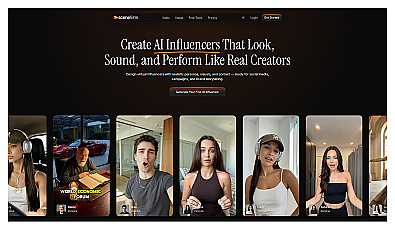
Generate engaging virtual influencers and social media content.
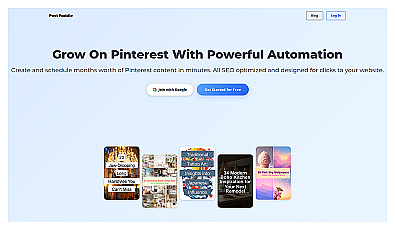
Automated Pinterest pin creation from website content.