AI Tools for Small Business Owners: A Starter Stack Under $50 a Month
One paid assistant, four free plans and one upgrade where you lose the most time. The stack, the prices we read on each vendor's page on November 5, 2026, and what to leave out until you need it.
 Roman Shalabanov
Published
10 min read
A small business can cover its everyday AI jobs for under $50 a month. The recipe: one paid general assistant for $20, free plans for design, meeting notes, website chat and automations, and one paid upgrade for the job that eats the most of your time. With monthly billing, the two stacks below come to $40.00 and $49.99 before tax, using prices we read on each vendor's own pricing page on November 5, 2026.
The order matters more than the brands. Buy one assistant first and use it every day for a month. Then upgrade the single tool whose free limit you keep hitting. Everything else stays on a free plan until its limit gets in your way.
The starter stack, with prices checked November 5, 2026
Each row is one job, one tool and the plan you start on. Prices are in US dollars, per user, before tax.
Starter stack for one owner, checked November 5, 2026
| Job | Tool and plan | Per month | What the plan includes |
|---|---|---|---|
| Writing, email, planning | Claude Pro | $20 ($17 billed annually) | The paid Claude plan for one person |
| Marketing graphics | Canva Free | $0 | Canva's free plan |
| Meeting notes | Fathom Free | $0 | Unlimited recordings and transcripts, instant AI summaries |
| Website chat | Tidio Free | $0 | 50 billable conversations a month, 50 one-off AI agent conversations |
| Automations | Zapier Free | $0 | 100 tasks a month, two-step Zaps |
| Base stack | $20.00 | ||
| Upgrade A: meetings | Fathom Premium | +$20 ($16 annually) | Advanced summaries, AI action items, a meeting assistant |
| Upgrade B: automations | Zapier Pro | +$29.99 ($19.99 annually) | 750 tasks a month, multi-step Zaps |
Sources: Claude pricing, Fathom pricing, Tidio pricing, Zapier pricing.
Source: Claude, Fathom and Zapier pricing pages, checked November 5, 2026; before tax
Show data
| Stack | Monthly billing | Annual billing |
|---|---|---|
| Base | $20 | $17 |
| Base + Fathom Premium | $40 | $33 |
| Base + Zapier Pro | $50 | $37 |
Buy only one upgrade at first. Both together come to $69.99 a month on monthly billing, over the budget. On annual billing all three paid plans add up to $52.99.
Set up the stack in one afternoon
You do not need a consultant for this. Most steps take under half an hour, and the free plans let you stop at any point.
- Sign up for the free plans of two assistants. Run the same three real tasks through both and note which draft needed less editing.
- Pay for that one, then turn off model training in its settings before you paste anything about customers.
- In Canva, make three templates you will reuse: a square post, a story and a flyer, with your logo and colors.
- Install Fathom and test it on an internal call before a client call. Add a line about recording to your meeting invites.
- Write a plain FAQ page with your hours, prices, delivery times and returns. Then add the Tidio widget to your site.
- Build one Zapier automation for the task you retype most often, such as form entries into a spreadsheet.
- After 30 days, look at which free limit you hit most. That tool gets your one paid upgrade.
Pick one assistant and give it your daily writing
A general assistant is the tool you will open most often. It drafts the reply to a two-star review, the quote for a new client, the job ad, the return policy and the email you have been putting off. One $20 plan covers all of that.
Your main options as of November 2026:
- Claude Pro costs $20 a month, or $17 a month if you pay $200 for a year. Prices exclude tax.
- ChatGPT Plus was listed at $20 a month on the pricing page we saw on October 23, 2026. That page shows local prices in some countries.
- Gemini may already be in your email plan. Google's Workspace pricing page lists Gemini in Gmail and the Gemini app on Business Starter, and Gemini in Docs, Sheets, Drive and Meet from Business Standard up (Google Workspace pricing).

To choose, run the same three real tasks through each free plan for a week, then pay for the one whose drafts need the least editing. For a job-by-job comparison, see ChatGPT vs Claude vs Gemini.
A prompt you can reuse for review replies:
You write replies for [business name], a [type of business] in [city].
Tone: warm, direct, no corporate phrases, under 90 words.
Reply to this review. Thank them, address the specific complaint,
say what we will do about it, and invite them to contact [name/email].
Do not offer refunds or discounts unless I say so.
Review: [paste review]
For 50 more templates like this one, see prompt templates for everyday work.
Make marketing graphics on a free plan first
Social posts, flyers, menu boards and a simple logo do not need a paid design tool on day one. Start free and upgrade when you hit a specific wall, such as a template or feature you need every week.
- Canva Free covers most small-business formats. Canva Pro adds premium content and more AI tools, but the price we saw was regional, so check yours on Canva's pricing page.
- Adobe Express has a free plan with a limited number of generative AI credits. Its Premium plan includes 250 generative credits a month (Adobe Express plans).
- Microsoft Designer is free with a Microsoft account and, as of October 23, 2026, gave you a monthly allowance of AI credits. Microsoft's Designer FAQ licenses it for personal, non-commercial use, so check the terms before you use it for business graphics.
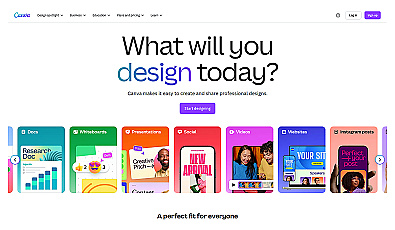
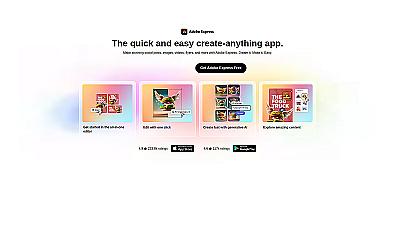

A habit that saves more time than any upgrade: make one template per format you post often, with your colors, logo and fonts, then duplicate it. AI image tools are good at backgrounds and product scenes. They are bad at exact text, so add prices and dates yourself.
Stop taking notes in client calls
An AI notetaker joins your video calls, writes a transcript and sends a summary with action items. For a service business, this can be the first upgrade worth paying for.
- Fathom Free records and transcribes an unlimited number of calls and writes instant AI summaries. Premium, at $20 a month or $16 billed annually, adds advanced summaries, AI-generated action items and a chat assistant for your meetings.
- Otter's free Basic plan gives 300 transcription minutes a month, with up to 30 minutes per conversation (Otter pricing).
- Fireflies covers the same job and also works across email, chat and CRM, according to its site.
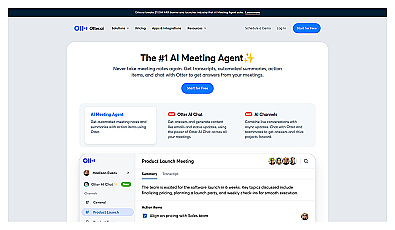
Automatic meeting note capture for better focus and organization.
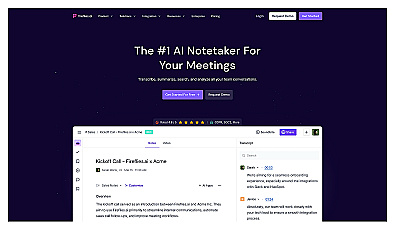
Tell everyone on the call that you record it. Recording-consent rules differ by country and state, so check the rule where you and your clients are. This is general information, not legal advice.
Answer routine customer questions on your website
Many small businesses answer the same few questions over and over: hours, prices, delivery times, returns. A chat widget with an AI agent can answer those from your own content and pass everything else to you.
- Tidio Free includes 50 billable conversations a month. A conversation counts only once you reply or start it, and the free plan includes 50 one-off conversations with Lyro, its AI agent. Lyro as a paid add-on is listed from $32.50 a month billed annually, which would push this stack past $50.
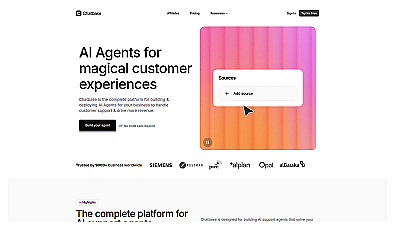
- Chatbase lets you connect your own data sources, set the agent's role and add guardrails, without code.
- Fin by Intercom is Intercom's customer-service AI agent, aimed at businesses with a support team and a help desk.
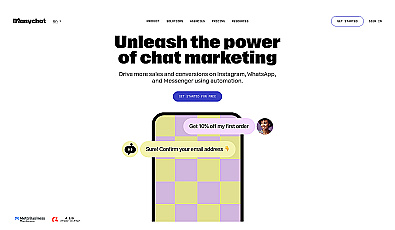
- ManyChat automates replies in social media direct messages, which suits shops that sell through Instagram.
An AI agent is only as good as the content you give it. Write a plain FAQ page first, with real prices and policies, and point the bot at it. Send refunds, complaints and anything about money to a person.
Connect your apps so you stop copying data by hand
If you retype the same details into two places every day, an automation can do it. Typical first automations: a website form entry becomes a spreadsheet row and a confirmation email, or a paid invoice triggers a thank-you note.
- Zapier Free gives you 100 tasks a month with two-step Zaps, one trigger and one action. Pro starts at $29.99 a month, or $19.99 a month billed annually, for 750 tasks and multi-step Zaps. Zapier Agents has its own free plan with 400 activities a month.
- Make Free gives you 1,000 credits a month (Make pricing).
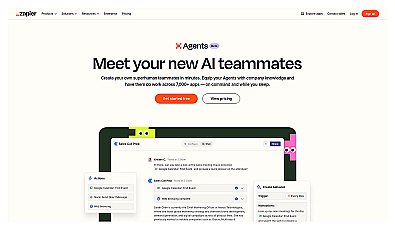
Create AI assistants to automate everyday business tasks.
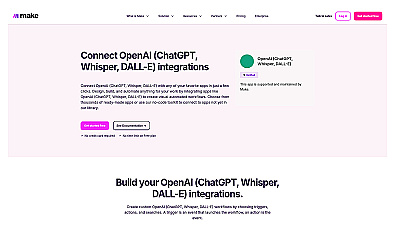
Create automated workflows to connect apps and streamline tasks.
Before you choose, count how often each automation would run in a month. A form that gets 10 entries a day runs about 300 times, which is already past Zapier's free 100 tasks. For a full comparison of how Zapier, Make and n8n count usage, see Zapier vs Make vs n8n.
Leave these out of your first month
The cheapest AI tool is the one you do not buy yet. Hold off on these until the base stack shows you a gap:
- All-in-one AI marketing suites. Your assistant and Canva can cover posts and emails until you know what is missing.
- A second AI writing tool. If your assistant drafts well, a separate copywriting app duplicates it.
- Seats for the whole team. A business plan makes sense once several people share data. Claude's Team plan, for example, starts at $25 per seat a month on monthly billing, or $20 billed annually, for 2 to 150 seats.
Before you paste business data into any tool:
- Leave out card numbers, passwords and government ID numbers.
- Turn off model training on every consumer plan you use.
- Use a business plan once staff share customer data in the tool.
- Keep a list of which tools have access to which accounts, and remove access when someone leaves.
Not sure which tool fits a job that is not on this list? The finder suggests tools from our directory by task and budget, with free options first if you want them.
AI Tool Finder Answer three questions and get matching tools from our directory.FAQ
Can a small business run on free AI tools only?
For light use, yes. The free plans of ChatGPT, Claude or Gemini, Canva, Fathom, Tidio and Zapier cover a lot. If you use an assistant every day, its free message cap is the limit you are likely to notice first, which is why it is the first thing in this stack to pay for.
Is ChatGPT Plus or Claude Pro better for a small business?
ChatGPT Plus was listed at $20 a month on October 23, 2026, and Claude Pro at $20 a month on November 5, 2026. Quality differs by task, so run three of your real tasks through each free plan for a week and pay for the one that needs less editing.
When do I need ChatGPT Business or Claude Team instead?
When more than one person uses the tool for work and shares customer or company data in it. Business plans add admin controls and different data terms. As of November 2026, Claude Team starts at $25 per seat a month on monthly billing.
Is it legal to record calls with an AI notetaker?
Rules on recording consent differ by country and state. Tell every participant that you record, and check the rule where you and your clients are. This is general information, not legal advice.
How current are these prices?
We read each price on the vendor's own pricing page on November 5, 2026, except ChatGPT Plus, last read on October 23, 2026. Vendors change prices and limits often and some show local prices, so check the page before you subscribe.