50 Prompt Templates for Everyday Work: Email, Reports, Meetings and Analysis
Fifty prompt templates grouped by task, from a reply to an upset customer to a pre-mortem. Each one already states the task, context and format; you fill in the [brackets].
 Roman Shalabanov
Published
12 min read
Copy a template, replace every [bracket] with your details, paste your email, notes or data where the template shows """, and send it. If the first answer misses, reply with what to change instead of starting over. That is the whole method.
Every template follows the same few rules: one clear task, the facts the assistant cannot guess, who the result is for, and a format with a length limit. For why those rules work, see How to Write Better Prompts, which walks through 12 patterns from the OpenAI, Anthropic and Google prompting guides.
How to use these templates
- Fill every bracket. A leftover
[deadline]makes the assistant guess. The AI Prompt Builder counts unfilled placeholders for you. - Paste, do not describe. The real email or transcript beats a summary of it. The triple quotes keep your material apart from the instructions.
- Keep the limits. Word counts and "use only the notes below" lines are there on purpose.
- Check what matters. Names, numbers, dates and commitments go out under your name, so read them before you send.
- Mind confidential data. Do not paste customer records, contracts or financials unless your company's plan and policy allow it. See is ChatGPT safe for company data.
Email prompts
1. Reply to an upset customer
Write a reply to the customer email below. The problem: [what went wrong]. What we will do: [fix, refund or next step]. What we cannot offer: [limit]. Calm and direct, no excuses, under 150 words, ending with one clear next step.
"""
[paste email]
"""
2. Follow up when nobody replied
Write a short follow-up to [name] about [topic]. I wrote on [date] asking for [request]. Restate the ask in one sentence, make it easy to answer yes or no, and offer [alternative]. Friendly, under 80 words.3. Say no politely
Write an email declining [request] from [person, role]. Reason: [real reason]. What I can offer instead: [alternative or nothing]. Make the no clear in the first sentence. Warm, under 120 words.4. Ask for more time
Write an email to [person] asking to move [deliverable] from [date] to [new date]. Reason: [reason]. Done so far: [progress]. Offer what they can have by the original date. Under 120 words.5. Announce a change to clients
Write an email telling [audience] that [what changes] on [date]. Put the change and date in the first line, explain why in two sentences, say what they need to do, and name a contact: [contact]. Plain language, under 180 words.6. Introduce two people
Write an email introducing [person A, role, company] to [person B, role, company]. Why they should talk: [reason]. Suggest one concrete next step. Under 100 words.7. Summarize a long thread
Summarize the email thread below for someone who was not on it: the decision or open question in one sentence, who wants what, deadlines, and what is expected from [me or my team]. Bullets, under 150 words.
"""
[paste thread]
"""
8. Turn rough notes into an email
Turn my notes into an email to [recipient, role] whose goal is [goal]. Keep every fact and number exactly as written, fix the order and add a subject line. Under [N] words.
"""
[paste notes]
"""
9. Make my email shorter
Rewrite my email to half its length. Keep the request, the deadline and all numbers, and move the ask to the first paragraph. Then list what you removed.
"""
[paste email]
"""
10. Escalate a problem
Write an email escalating [problem] to [manager or team]: what happened, the impact so far ([numbers]), what I have tried, and the decision I need by [date]. Factual, no blame, under 200 words.Meeting prompts
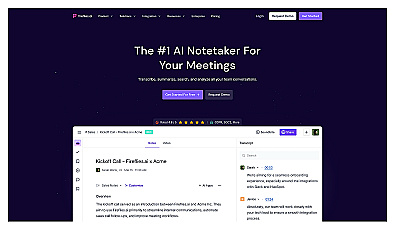
Templates 13 to 15 work with transcripts from a meeting recorder such as Otter.ai or Fireflies, or with your own notes.
11. Draft an agenda
Draft an agenda for a [length]-minute meeting with [attendees and roles]. Goal: [decision or outcome]. Put the decision first, and give each item a time, an owner and anything to read beforehand.12. Write a pre-read
Summarize the document below as a one-page pre-read for [meeting]: the question the meeting must answer, the three facts that matter most, the options, and open risks. Bullets.
"""
[paste document]
"""
13. Minutes from a transcript
Turn this transcript into minutes with four sections: Decisions, Action items (owner, task, due date), Open questions, Numbers mentioned. Use only the transcript, and write "not stated" where an owner or date is missing.
"""
[paste transcript]
"""
14. Action items as a table
List every action item in the notes below as a table: Task, Owner, Due date, Depends on. Put tasks without an owner in a separate list called "Needs an owner".
"""
[paste notes]
"""
15. Follow-up after a meeting
Write a follow-up email to [attendees] after our meeting on [topic]: decisions, each action with owner and date, and the next check-in date. Under 150 words, based only on these notes:
"""
[paste notes]
"""
16. Questions for a one-to-one
I have a one-to-one with [person, role]. Context: [projects, concerns, recent wins]. Suggest 8 open questions that help me understand [workload, career plans or blockers]. No yes-or-no questions.17. Stand-up update
Turn these notes into a stand-up update of three lines: Done, Doing today, Blocked by. Each line under 20 words; name people only where I need something from them.
"""
[paste notes]
"""
18. Prepare a difficult conversation
I need to talk to [person, role] about [issue]. Facts: [examples with dates]. Outcome I want: [outcome]. Write a 3-sentence opening, three questions to understand their side, and two replies if they disagree. Respectful and direct.Report and document prompts
19. Weekly status report
Write a weekly status report on [project] for [audience] with four sections: Status (on track, at risk or off track, and why), Done this week, Next week, Risks and help needed. Use only my notes:
"""
[paste notes]
"""
20. Executive summary
Summarize the document below for [audience] who has two minutes: the recommendation first, then three supporting facts, the cost or risk, and the decision needed. Maximum 200 words.
"""
[paste document]
"""
21. Proposal outline
Outline a proposal for [idea] to [decision-maker]: problem, solution, cost and resources, expected result and how we measure it, risks, timeline. Under each heading, list the questions I must answer and the data I need.22. One-page project brief
Write a one-page brief on [project] that a new team member can read in five minutes: goal, audience, in and out of scope, deadline, owner, success measure, and links to [sources]. Headings and short bullets.23. Rewrite for another audience
Rewrite the text below for [new audience]. Keep every fact and number, replace jargon with plain words, explain any term that must stay, and keep roughly the same length.
"""
[paste text]
"""
24. Compare two versions
Compare version A and version B. List every change in meaning, not wording, as a table: Section, Version A, Version B, Why it matters. Ignore formatting and typo fixes.
Version A: """[paste]"""
Version B: """[paste]"""
25. Report to slide outline
Turn this report into an outline for [number] slides for [audience]. For each slide: a title that states the point as a full sentence, three bullets, and the chart or table to show.
"""
[paste report]
"""
26. FAQ from a policy
Write the 8 questions employees are most likely to ask about the policy below, with answers taken from the policy. If the policy does not answer a question, say so instead of guessing.
"""
[paste policy]
"""
27. Consistency check
Proofread the document below without rewriting it. Return a table of location, problem and fix. Check spelling, grammar, inconsistent terms, numbers that contradict each other, and names or dates that differ between sections.
"""
[paste document]
"""
Analysis and spreadsheet prompts
These work best in an assistant that can open files and run code. Our guide to AI tools for data analysis covers which ones do, and their limits.
28. Profile a dataset first
Before any analysis, describe the attached file: rows and columns, what each column contains, blanks, duplicates and odd values. Then suggest 5 questions this data can answer. Do not invent columns.29. Find the trends in a table
Find the 3 most important trends in the table below, with the exact numbers that show them. Use only this data and say if something cannot be calculated. Give two possible explanations to check for each trend.
"""
[paste table]
"""
30. Explain a formula
Explain this spreadsheet formula step by step in plain English, then show what it returns for an example row. Formula: [formula]. The referenced columns contain: [description].31. Write a formula
Write a [Excel or Google Sheets] formula that [goal]. Column [A] holds [contents], column [B] holds [contents], headers in row 1. Explain how it works and how it handles blanks and errors.32. Weighted scoring of options
Compare [options] for [decision] with these weighted criteria: [criterion: weight, ...]. Score each option 1 to 5 per criterion, justify each score in one line from the facts below, and show weighted totals.
Facts: [facts]
33. Themes in survey answers
Group the survey answers below into themes. For each: a short name, how many answers mention it and two direct quotes. Put the rest under "Other" and show the total count.
"""
[paste answers]
"""
34. Find a root cause
Problem: [what went wrong, when, how often]. Known facts: [facts]. Run a 5 whys analysis. Mark each answer "known" or "assumption to verify", and end with the checks that would confirm the root cause.35. Commentary on monthly numbers
Write commentary on the KPI table below for [audience]. For each KPI: change against last month in percent and absolute terms, one likely reason from my notes, and a flag if it moved more than [threshold].
Notes: [notes]
"""
[paste table]
"""
36. Check my calculation
Recalculate this step by step and show your working. Tell me whether my result is right, and if not, point to the step where it goes wrong.
Calculation: [paste calculation]
Planning and decision prompts
37. Break a project into tasks
Break [project] into tasks for [N] people with a deadline of [date]. For each task: description, hours, dependencies and a suggested owner role. Group them into weekly milestones and mark the critical path.38. Prioritize a to-do list
Sort my to-do list into four groups by impact and effort, with one line per task explaining why. My main goal this [week or month] is [goal].
"""
[paste list]
"""
39. Run a pre-mortem
Imagine it is [date] and [project] has failed. Based on this plan, give the 10 likeliest reasons, rate each for likelihood and impact, and add one early warning sign and one prevention step.
Plan: [paste plan]
40. Decision memo
Write a decision memo on [decision] for [decision-maker]. For each option ([options]): cost, benefits, risks, and what we would need to believe for it to win. End with my recommendation, [option], in two sentences.41. Turn a goal into key results
Turn this goal into one objective and three measurable key results for [team] in [quarter]: [goal]. Baseline: [numbers]. Each key result needs a number and a measurement method. Flag any that depend on other teams.42. Plan my week
Plan my week. Fixed meetings: [list with times]. Tasks with estimates and deadlines: [list]. I focus best in the [morning or afternoon]. Give a day-by-day plan with 90-minute focus blocks and a daily buffer, and tell me what will not fit.Team and customer prompts
43. Team announcement
Write a [Slack or Teams] message announcing [news] to [team]. News in the first line, then why it matters, what changes for them and who to ask. Under 100 words, friendly, no corporate phrases.44. Document a process
Turn my description into a process document: purpose, who does it, tools, numbered steps, what "done" looks like and common mistakes. Ask me about unclear steps instead of filling gaps.
"""
[paste description]
"""
45. Job post
Write a job post for a [role] at [company], [location or remote]. Must-haves: [list]. Nice to have: [list]. Salary range: [range]. First 90 days: [list]. Plain language, under 350 words.46. Feedback for a colleague
Help me give [colleague] feedback on [behavior]. Example: [situation, what they did, the result]. Use situation, behavior, impact, then one question that invites their view. Specific and kind, under 120 words.47. Post about a milestone
Write a LinkedIn post about [milestone] for [audience]. Include this detail: [number or fact]. Open with a statement, not a question, end with [call to action], and stay under 150 words.48. Answer a sales objection
A prospect said: "[objection]". Our product: [one line]. Facts I can use: [pricing, results, features]. Write three replies under 60 words each: one that asks a question, one that answers with a fact, one that proposes a next step.49. Summarize customer feedback
Summarize this feedback for the product team in three groups: problems, feature requests and praise. Order items by frequency with counts and one quote each. Do not merge different problems.
"""
[paste feedback]
"""
50. Reusable support reply
Write a reusable support reply for customers who ask [question]. Correct answer: [answer and steps]. Give the steps as a numbered list, add [help article link], and say what to do if the steps fail. Under 120 words.Save the templates you use every week
Retyping a template each Monday wastes the time it saves. Keep the ones you reuse close at hand:
- Projects in ChatGPT and Claude hold files and instructions for a set of related chats, so a status-report project can keep your report format and project brief.
- A text expander or notes app works with every assistant, including Gemini and Perplexity.
- The AI Prompt Builder turns a template into a structured prompt with role, context, audience and format fields, and lets you download it as a .txt file.
For final polish on emails and documents the assistant drafted, a dedicated editor helps, such as Grammarly.


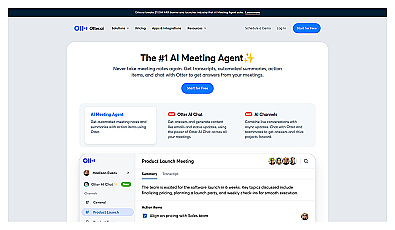
Automatic meeting note capture for better focus and organization.
FAQ
Do these prompts work in Claude, Gemini and Copilot?
Yes. They use plain instructions and no features specific to one product. Templates 28 to 36 need an assistant that can read files if you attach a spreadsheet instead of pasting a table.
Why do the templates ask the assistant to use only my notes?
Assistants fill gaps with plausible guesses. Limiting them to your material, and asking them to say "not stated" when something is missing, makes invented names, dates and numbers easier to spot.
Should I start prompts with "You are an expert"?
Only when a role changes the answer, for example a recruiter reviewing a cover letter. A clear task and the right context matter more.
Can I paste confidential information?
Only if your company's plan and policy allow it. Business tiers of most assistants handle data differently from consumer plans, so check before you paste customer data, contracts or financials.