Grammarly Alternatives for Non-Native English Writers
If English is your second language, you need more than red underlines. Here is how Grammarly's alternatives compare on explanations, English variants, rewriting versus correcting, and what happens to the text you paste.
 Roman Shalabanov
Published
10 min read
If English is not your first language, the best Grammarly alternative depends on what you want from a checker. To learn from your mistakes, pick a tool that explains each correction: LanguageTool does this for free and also checks 30+ other languages. To sound fluent fast, DeepL Write rewrites whole sentences. For academic papers, Trinka and Paperpal are built for formal research writing. To get explanations in your own language, ask a chat assistant such as ChatGPT, Claude or Gemini with the prompt below.
This guide compares these options on the things that matter to second-language writers: explanations, English variants, correcting versus rewriting, and privacy. Prices and limits come from each vendor's own pages, checked on November 19, 2026. We did not run accuracy tests, so the last section shows you how to test them on your own writing in fifteen minutes. For every product in the category, see the Grammarly alternatives list in our directory.
What Grammarly's free plan does, and where it stops
Grammarly is now part of the Superhuman suite, but the writing assistant still has its own plans page. As of November 2026:
- Free fixes spelling and grammar mistakes, shows your tone and includes 100 AI prompts a month.
- Pro adds full-sentence rewrites, tone adjustment, "Write fluently in English", plagiarism and AI-text detection and 2,000 prompts a month. It costs $12 a month billed annually ($144 a year) or $30 month to month (Grammarly Support).
Three details matter if English is your second language. First, Grammarly lets you pick American, British, Canadian, Australian or Indian English under "I write in" (Grammarly Support). Second, the feature aimed at you, "Write fluently in English", is Pro only. Third, Grammarly now checks other languages, but unevenly. Its languages page says spelling and basic grammar work in more than 20 languages. Clarity, fluency and tone suggestions cover only six (English, Spanish, French, German, Portuguese and Italian), and free users can accept up to 3 of those a day.
Grammarly alternatives compared
Grammar and writing assistants, checked November 19, 2026
| Tool | Best for | Free plan | English variants | Paid from |
|---|---|---|---|---|
| Grammarly | Corrections as you type | Spelling and grammar, 100 AI prompts a month | US, UK, Canada, Australia, India | $12/month billed annually |
| LanguageTool | Checking English and your own language | 2,000 characters per text field, 3 AI rephrasings a day | US, UK, Canada, Australia, New Zealand, South Africa | Shown by region |
| DeepL Write | Fluent rewrites of a sentence | Free web version | US, UK | Write Pro add-on, €6.99/user/month billed annually |
| QuillBot | Paraphrasing and summaries | Paraphraser up to 125 words at a time | Not checked | See vendor page |
| ProWritingAid | Long documents and fiction | 500 words per report, 2 runs a day, 10 rephrases a day | Not checked | $10/month billed yearly, $30 monthly |
| Trinka | Academic and technical papers | 5,000 words a month | Not checked | See vendor page |
| Chat assistants | Explanations in your own language | Free plans | Any you ask for | Free |
"Not checked" means we did not find it on the vendor's pages, not that the feature is missing. LanguageTool and DeepL show prices in your local currency, so what you see may differ.
Learn from corrections: LanguageTool and Grammarly
A correction you accept without understanding comes back in your next email. If you want to improve your English, pick a checker that tells you why.
LanguageTool is the strongest free option for multilingual writers. Its language list covers 31 languages plus spell checking for Norwegian, and English comes in Australian, Canadian, British, New Zealand, South African and US variants. That matters if you write in English at work and in Polish, Portuguese or German at home: one add-on checks both. The free plan checks up to 2,000 characters per text field, about 300 words, and Premium raises that to 150,000 (LanguageTool Premium). Prices load by region, so check the page in your country.
Grammarly is the tool most people compare with, and its English variants include Indian English, which LanguageTool does not list. If your workplace writes in Indian English, that is a reason to stay. Run the same paragraph through both free plans and keep the one whose explanations you understand.
Sound fluent: DeepL Write and QuillBot rewrite for you
Rewriting tools do something different. Instead of marking errors, they hand you a new version of your sentence. That is fast, and it often sounds more natural than what you wrote. The risk is that the new version says something slightly different from what you meant, and as a non-native writer you may not notice.
DeepL Write comes from the company behind the DeepL translator. Its API documentation lists the languages it improves: German, British and American English, Spanish, French, Italian, Japanese, Korean, European and Brazilian Portuguese and Chinese. Write Pro, an add-on for DeepL's paid plans, costs €6.99 per user a month billed annually, VAT included, as shown in euros on November 19, 2026 (DeepL Pro).
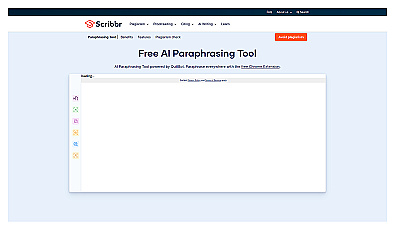
QuillBot is best known for its Paraphraser, which rewrites a passage in different modes. In mid-November 2026 its Premium page listed the free Paraphraser at up to 125 words at a time. The page did not load for our check on November 19, so see QuillBot Premium for current prices.
If a rewrite sounds polished but not like you, the editing method in how to make AI-assisted text sound like you helps you put your own voice back.
Long documents, fiction and academic papers
ProWritingAid focuses on long-form writing and fiction. As of November 19, 2026 its pricing page gives free users each line-editing report twice a day on 500 words, plus 10 rephrases a day. Premium is $30 billed monthly or $10 a month billed yearly ($120), and a Black Friday sale halves the yearly and lifetime prices until November 29, 2026. Authors will find more fiction tools in AI tools for writers.
Trinka and Paperpal are built for researchers who write in English as a second language. Trinka's pricing page lists a free Basic plan with 5,000 words a month, and technical spell checks, consistency checks and style-guide corrections (APA, AMA, ACS, AGU, IEEE) on its plans. Paperpal's prices load in the browser, so compare them on its pricing page.
Students should also check their school's rules before using any of these on graded work. Our guide to AI tools for students covers what Grammarly's Authorship report records.
Get explanations in your own language with a chat assistant
A chat assistant can explain English grammar in Turkish, Hindi or Vietnamese, which a grammar checker usually cannot. ChatGPT, Claude and Gemini all do this on their free plans. The trick is to ask for a teacher, not an editor: if you only say "fix this", you get a rewritten text and learn nothing.
You are my English writing tutor. My first language is [your language].
Correct the text below, but keep my words wherever they are already correct.
Then list each change in a table: original, correction, and a one-sentence
explanation in [your language]. Mark which mistakes are typical for
[your language] speakers. Do not change facts, names or numbers.

"""
[paste your text]
"""
Two habits keep this useful. Ask for the table every time, so you see patterns: if half your corrections are articles ("a", "the") or prepositions, that is what to study. And keep a personal list of the mistakes you repeat; after a month, paste the list into new chats and ask the assistant to watch for those first. The AI Prompt Builder can turn this into a reusable template.
Chat assistants have limits. They sometimes "correct" English that was already right, and their explanations can be confidently wrong. When an explanation surprises you, check it in a grammar reference or ask the assistant for two example sentences.
What happens to the text you paste
Writing tools see everything you check: contracts, health details, customer emails. Here is what each vendor documents, as of November 2026.
- Grammarly says it does "not and will not sell" your content. You can stop Grammarly from using your content to train its models by switching off Product Improvement and Training in your account settings (Grammarly Trust).
- DeepL treats free and paid users differently. Its privacy policy says texts sent to the free Translator and Write are processed "to train and improve our neural networks", while texts from Pro subscribers are deleted after processing and "will not be used to improve the quality of our services".
- LanguageTool says texts you write through the browser add-on "are usually not saved"; texts in its own editor are saved to your account (LanguageTool Premium FAQ).
- Trinka sells a Confidential Data plan whose promise is "No data storage. No AI training" (Trinka pricing).
- Chat assistants on personal plans may use your chats for training unless you opt out. Our privacy checklist for AI tools lists the settings for ChatGPT, Claude and Gemini.
The free option already on your computer is worth knowing too. Microsoft retired the Editor browser extensions for Edge and Chrome on October 31, 2025; their writing help now lives in Edge's built-in proofing tools (Microsoft Support). If your company manages Edge or Microsoft 365, that may be the checker IT already approves.
How to test a checker on your own writing in 15 minutes
Accuracy depends on your first language, your field and your typical mistakes, so test on your own text rather than trusting a review.
- Take 300 words you wrote yourself, before any correction. An old email or report is ideal.
- Run the same text through two or three free plans: for example Grammarly, LanguageTool and DeepL Write.
- Count the corrections you agree with, the ones you reject and the ones you cannot judge. The last group shows where you need explanations.
- Check that the variant setting matches your audience (US, UK or another).
- Paste the original into a chat assistant with the tutor prompt above and compare its list with the checkers'.
- Run the final version through the Word Counter to see sentence length and readability, and through the AI Text Cleaner if you pasted from a chat window.
Pick the tool whose corrections you agreed with most and whose explanations you understood. Many people end up with two: a free checker that runs everywhere, and a chat assistant for the sentences they want to understand.
Enhance writing quality by catching grammar and punctuation errors.
Enhance your writing with style and clarity suggestions.
FAQ
What is the best free Grammarly alternative for non-native speakers?
LanguageTool, if you also write in another language: it checks 30+ languages and six English variants, and explains its corrections. If you only need English and want short explanations, Grammarly's own free plan is still a good option.
Is DeepL Write better than Grammarly?
They do different jobs. DeepL Write rewrites sentences so they sound fluent; Grammarly marks errors and explains them. Use a rewriter when speed matters and a checker when you want to learn. Check that every rewrite keeps your meaning.
Can ChatGPT replace Grammarly?
For explanations, often yes, especially in your own language. For checking text as you type in email, documents and forms, a browser checker is faster. Many writers use both.
Does Grammarly support British English?
Yes. You can choose American, British, Canadian, Australian or Indian English in the "I write in" setting, and the choice applies across Grammarly's apps.
Is it safe to paste confidential text into a grammar checker?
Only if the vendor's terms fit your data. Switch off training where you can, prefer paid plans that promise deletion, such as DeepL Pro, and follow your company's rules for client and personal data.