Otter.ai vs Fireflies vs tl;dv: AI Meeting Note-Takers Compared
Three popular AI note-takers side by side: what each free plan really includes, what a team of five pays, how the bot joins your call, what to tell people before you record, and which vendors train AI on your meetings. Checked November 2026.
 Roman Shalabanov
Published
11 min read
Pick Fireflies if your meetings run in several languages or you want the most free transcription. Pick Otter if you meet mostly in English and want the lowest paid price for a small team. Pick tl;dv if your team is in Europe, wants its meeting data stored in the EU, and records sales or customer calls in Google Meet, Zoom or Teams.
All three join your calls as a bot, write a transcript, summarize it and push action items to other apps. The real differences are in the free plan limits, the languages, the price per seat and what each vendor does with your recordings. Every price and limit below was read on the vendor's own pages on November 19, 2026. None of this comes from our own tests: run a real meeting through the free plan of the two you like best before you pay.
Otter, Fireflies and tl;dv at a glance
Otter vs Fireflies vs tl;dv (checked November 19, 2026)
| Otter | Fireflies | tl;dv | |
|---|---|---|---|
| Free plan | 300 min a month, 30 min per meeting | Bot transcription without a minute cap, 400 min of storage | Recordings and transcripts without a cap, AI notes limited |
| Cheapest paid plan, billed yearly | Pro, $8.33 per user a month | Pro, $10 per seat a month | Pro, €18 per seat a month |
| Same plan, billed monthly | $16.99 | $18 | €29 |
| Transcription languages | 6 | 100+ | 30+ in its help center list |
| Platforms the bot joins | Zoom, Teams, Google Meet | Zoom, Google Meet, Teams and others | Google Meet, Zoom, Teams |
| Longest meeting, cheapest paid plan | 90 minutes | 2 hours | 3 hours |
| Bot-free desktop recording | Yes | Yes | Yes |
| Says it does not train AI on your meetings | No | Yes | Yes |
tl;dv lists its prices in euros. Otter's pricing page also shows lower starred prices that, per its footnote, are valid only with an India-issued credit card; the table uses the standard prices.
What each free plan really gives you
The headline "free forever" hides very different limits. Here is what each vendor documents.
Otter Basic
- 300 transcription minutes a month per user, shared between live meetings and imported files, with no rollover.
- 30 minutes of transcription per conversation, so longer calls are not transcribed in full.
- 3 audio or video imports for the life of the account.
- Only your 25 most recent conversations stay in your history.
- 20 AI chat questions a month, 3 per conversation.
- Transcription in English, Spanish, French, German, Japanese and Chinese.
Source: Otter pricing.
Fireflies Free
- The bot can auto-join and transcribe meetings with no cap on the number of transcripts.
- Summaries and uploads use transcription credits. You get 3 to 10 credits when you sign up, depending on whether you start from the website, the Chrome extension or the mobile app.
- 400 minutes of storage. When it fills up, you delete old recordings to save new ones.
- 20 AI credits a month for AskFred and other AI features.
- Uploads up to 100 MB and 150 minutes per file. Downloading transcripts needs a paid plan.
- Transcription in more than 100 languages; recordings stop at 2 hours.
Sources: Fireflies pricing and What's included in the Fireflies Free plan. The pricing page puts the storage at 400 minutes per team, while the help article says 400 minutes per seat. If several colleagues share a free workspace, ask Fireflies which applies before you rely on it.
tl;dv Free
- Recordings, transcripts and timestamped notes without a cap.
- Full AI notes for your first 10 meetings. After that, AI notes cover only the first 10 minutes of each meeting.
- 10 AI prompts, 10 scheduled AI reports, 20 integration credits, 4 clips and 5 file uploads. These limits are for the lifetime of the account and do not renew monthly.
- Recordings are kept for 3 months and move to archived storage after 3 days.
- No overlapping meetings, and Pro users get priority when tl;dv's servers are busy, so a free recording can be skipped.
- Every plan stops at 3 hours per meeting.
Source: What are the limits of the Free plan? in tl;dv's help center.
What a team of five pays
The paid plans differ in what they meter: Otter caps minutes, Fireflies caps storage and AI credits, and tl;dv caps meeting length. This worked example prices five people on the two main paid tiers of each tool. It uses list prices from the vendors' pages on November 19, 2026, not a quote.
Worked example: five users, price per month (checked November 19, 2026)
| Plan, 5 users | Billed yearly | Billed monthly | Main limit |
|---|---|---|---|
| Otter Pro | $41.65 | $84.95 | 1,200 meeting minutes per user a month, 90 min per meeting |
| Otter Business | $99.95 | $150 | Unlimited meetings, 4 hours per meeting |
| Fireflies Pro | $50 | $90 | 8,000 storage minutes per seat, 2 hours per recording |
| Fireflies Business | $95 | $145 | Unlimited storage, 3 hours per recording |
| tl;dv Pro | €90 | €145 | 3 hours per meeting |
| tl;dv Business | €145 | €195 | 3 hours per meeting |
What the numbers mean in practice:
- Otter Pro runs out at about 20 hours of meetings per person a month. That is the 1,200-minute cap. Heavy meeting schedules belong on Business, which also lets the bot join 3 meetings at once. Otter Pro and Basic workspaces hold up to 5 members.
- Fireflies Pro transcribes and summarizes without a minute cap, but it stores 8,000 minutes per seat. Business adds unlimited storage, team analytics and conversation intelligence.
- tl;dv's paid plans add unlimited AI summaries for single meetings, analytics and integrations. tl;dv also markets coaching playbooks and CRM updates to sales and customer success teams; check which plan includes the ones you need.
- Discounts are not uniform. Otter's Business plan was $24 for the first 3 months for first-time subscribers on monthly billing. Otter gives students and teachers with a .edu address 20% off Pro.
How the note-taker gets into your meeting
All three tools work in two ways.
As a bot. You connect your calendar, and the note-taker joins every meeting that has a Zoom, Google Meet or Teams link, or only the ones you choose. It shows up in the participant list as a separate attendee, so everyone can see it. Otter's auto-join settings let the bot join every calendar event with a video link, only meetings you host, only external or only internal meetings (in workspaces with a business domain), or only the ones you pick. You can also invite Fireflies by adding [email protected] to a meeting.
Without a bot. Each vendor now has a desktop app for Mac and Windows that records your computer's audio while you sit in the call:
- Otter's desktop app records "with your headphones on and no bot in the meeting" on macOS 13 or later and Windows 10 or later.
- Fireflies' desktop app captures system audio and works for phone calls and in-person conversations too. Fireflies says this mode does not save audio or video files, only the transcript and notes. Its desktop app can also play an audio consent message or post a notice in the meeting chat; both are on by default.
- tl;dv's bot-free recording records audio only: your microphone and anything playing on your computer, including music and notifications. It does not capture video, screen sharing or chat.
Bot-free recording is handy for platforms the bots do not support and for calls where a visible bot would feel awkward. It also removes the most visible signal that tells others they are being recorded, so unless a consent notice runs, nobody may know.
Tell people before you record
Some general rules are worth knowing:
- United States. Federal law allows a recording when one party to the conversation consents, unless it is made to commit a crime or a tort (18 U.S.C. § 2511(2)(d)). Several states go further and require the consent of all parties to a confidential conversation; section 632 of the California Penal Code is the best-known example. With participants in several states, people usually follow the strictest rule.
- EU and UK. A recording with voices and names is personal data under the GDPR. You need a lawful basis for recording, and you have to tell people what you record, why and for how long you keep it.
- The vendors put it on you. On bot-free recording, tl;dv's help center says: "It is your responsibility to inform participants and follow applicable privacy laws." Fireflies' guide says: "Some states require everyone's consent."
A simple routine covers most situations. Say at the start that the meeting is being recorded and transcribed, and add a line to the calendar invite. Turn recording off when someone asks. Do not record by default in meetings with candidates, patients or anyone you would not want to surprise. Otter's Enterprise plan can email a recording disclaimer to attendees automatically, but no setting replaces asking.
Do they train AI on your recordings?
This is where the three differ most, as of November 2026.
- Otter: Its privacy policy, effective June 16, 2026, lists "training our proprietary AI technology on de-identified audio recordings and on transcriptions (which may contain Personal Information)" among its purposes. It also uses data labeling providers that create training and evaluation data.
- Fireflies: Its pricing page states that "Fireflies does not use your meeting data to train AI models, and our AI vendors are contractually barred from training on it." Fireflies lists SOC 2 Type II, and HIPAA support with a BAA on Enterprise.
- tl;dv: Section 9 of its privacy policy says the company "does not use Customer Content, including meeting recordings, transcripts, notes, files, or other data processed through the Services, to train, fine-tune, or improve" generative AI models. tl;dv is run by a German company, tldx Solutions GmbH, and its About page says recordings, transcripts and meeting data are processed and stored in the EU. The privacy policy adds that limited parts of transcripts sent to AI features are processed in the EU or the US, depending on the AI hosting location you pick in your preferences.
Any of these tools still sends your meeting to the vendor's cloud and to its AI providers. If a conversation must not leave your laptop, transcribe it locally instead; see free transcription software that doesn't upload your audio. For a broader view of what to share with AI tools at work, read is ChatGPT safe for company data.
Other note-takers to shortlist
If none of the three fits, these are worth a trial, as of November 2026:
- Fathom has a free plan with unlimited recordings and transcriptions, and lets you choose between a bot and bot-free capture (in beta).
- Granola never sends a bot; it captures your device audio on every plan. Its free Basic plan keeps 30 days of meeting history.
- Jamie also runs on your device without a bot and records in-person meetings from a laptop or phone.
- Read AI, Krisp and Circleback offer notes, summaries and follow-up automations around your calls.
- Built into your meeting app. Zoom's own assistant, now called ZoomMate, gives free Zoom accounts meeting summaries for 3 hosted meetings a month (Zoom). Google Meet's "Take notes for me" needs an eligible Google Workspace edition or Google AI plan.
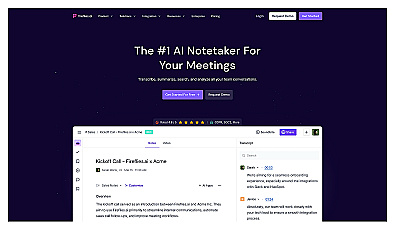
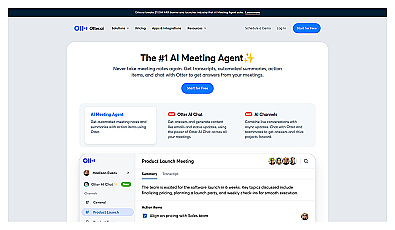
Automatic meeting note capture for better focus and organization.
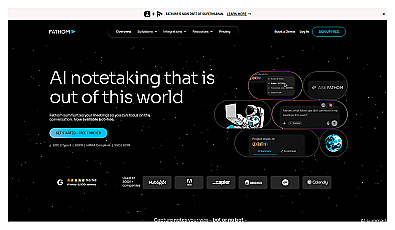

Meeting recorder producing transcripts, summaries, and action items
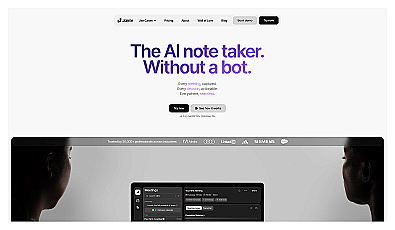
Automatically generates concise meeting summaries for teams.
Automated meeting recorder and transcription service.
Want a shortlist for a different job? The AI Tool Finder suggests tools from our directory by task and budget, and the communication category lists every meeting tool we track.
AI Tool Finder Answer three questions and get matching tools from our directory.FAQ
Which is better for non-English meetings, Otter or Fireflies?
Fireflies. As of November 2026 it transcribes more than 100 languages and Otter six: English, Spanish, French, German, Japanese and Chinese. tl;dv's help center lists more than 30, although its About page claims 100+.
Can Otter, Fireflies or tl;dv record without a bot joining the call?
Yes. All three have a desktop app for Mac and Windows that records your computer's audio instead of sending a bot. You then need to tell participants yourself, because nobody sees a note-taker join.
Is the Fireflies free plan really unlimited?
Transcription through the auto-joining bot has no cap. Summaries and uploads use the small pool of transcription credits you get at sign-up, storage stops at 400 minutes, AI credits are 20 a month and downloads need a paid plan.
Does tl;dv's free plan expire?
No, but its AI limits are lifetime limits: full AI notes for your first 10 meetings, then only the first 10 minutes of each meeting. Free recordings are deleted after 3 months, and tl;dv notifies you 4 weeks before so you can download them.
Do I need consent to record a meeting with an AI note-taker?
Often, yes. Some US states require every participant's consent, and in the EU recordings fall under the GDPR. Announce the recording, note it in the invite and ask your legal team about calls with customers or candidates. This is general information, not legal advice.