Perplexity Alternatives for Research with Citations You Can Check
Assistants and search engines that link every claim to a source, compared by what they search, what the free plan allows and how long their research reports run. Plus a five-minute routine to check that a citation really says what the answer claims.
 Roman Shalabanov
Published
11 min read
The best Perplexity alternative depends on what you need the citations for. For quick answers with links, ChatGPT search, Gemini and Ask Brave do the same job for free. For long reports with dozens of sources, the deep research modes in ChatGPT, Gemini and Claude (Claude's needs a paid plan) compete directly with Perplexity's Research mode. For privacy, Brave and Kagi keep less of your history. And if you want the whole pipeline on your own machine, GPT Researcher is an open-source agent that writes cited reports.
This guide compares them by what the vendors document: how each shows sources, what it searches, the free plan and the cheapest paid plan, all checked on November 19, 2026. We did not score answer quality; the last section shows how to test three tools on your own question. This article covers research on the open web. For scholarly papers, a paper search engine fits better.
What Perplexity's free plan gives you, and where it stops
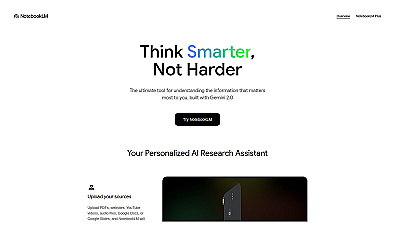
Perplexity answers questions from a live web search and adds "numbered citations linking to the original sources," in its help center's words. You can narrow a session to sources such as Web or Academic.
The limits are where people start to look around. Perplexity's plan comparison lists, as of November 19, 2026:
- Free: 3 Pro Searches a day, 1 Research query a month, limited file uploads and no advanced models.
- Pro: $17 a month billed yearly on the pricing page. Perplexity's own October 2026 blog post lists Pro at $20 a month. Pro has weekly and monthly limits for "average use".
- Max: $167 a month billed yearly ($200 a month in the same blog post).
- Education Pro: $10 a month for verified students and educators.
All users also get a limited number of monthly queries to premium sources such as Wiley, Statista, PitchBook Essentials and CB Insights, according to the premium data sources page. That is a real advantage for business research, and none of the alternatives below documents the same set.
To see every product in the category, open our Perplexity alternatives list or the Research category.
Perplexity alternatives compared (as of November 2026)
Cited research assistants, checked November 19, 2026
| Tool | How it shows sources | What it searches | Long-report mode | Free tier | Cheapest paid plan |
|---|---|---|---|---|---|
| Perplexity | Numbered inline citations | Web, academic, premium data | Research: 1 a month free | 3 Pro Searches a day | $17/month billed yearly |
| ChatGPT | Inline citations and a Sources panel | Web; your files; chosen sites in deep research | Deep research, limited on Free | Search included | Go or Plus (price by region) |
| Gemini | Citations in Deep Research reports | Google Search, plus Gmail and Drive if you allow | Deep Research, free subject to demand | Search and Deep Research | Google AI plans (price by region) |
| Claude | Citations on every web answer | Web; connected apps | Research, paid plans only | Web search included | $17/month yearly, $20 monthly |
| Mistral Vibe | Inline links and a Sources panel | Web, your docs, connected tools | Deep research skill, more on Pro | Limited messages and searches | $14.99/month before tax |
| Ask Brave | Sources for key claims | Brave's own web index | Deep Research mode | Free in any browser | ✗ (free) |
| DuckDuckGo Search Assist | Links to one or two sources | Web | No | Free | ✗ (free) |
| Kagi Assistant | Cited sources, with relevance | Kagi Search, with lenses | Research, Ultimate plan | Trial: 100 searches, 100 Assistant uses | $5/month (Starter) |
| GPT Researcher | Citations in the report | Web and your local files | It is the long-report mode | Free, open source | You pay for model and search APIs |
"Free" means different things here. Brave and DuckDuckGo are free search engines with an AI answer on top, while Gemini and ChatGPT ration long research on their free plans.
Best free options for cited answers
If you need an answer with links you can click, you do not have to pay.
ChatGPT search. OpenAI's help article on web search says answers that use search can include citations: select one to open the source, hover over it on desktop to preview it, or open Sources to see everything the answer drew on. The same article advises you to open a cited source and check its date. Deep research is listed as "limited" on the free plan and "expanded" on Plus on OpenAI's plans page. Before a deep research run starts, you can point it at specific websites or uploaded files.
Gemini. Gemini's free plan includes Deep Research, which, Google's limits page warns, "may be unavailable during periods of high demand" for users without a Google AI plan. Deep Research uses Google Search by default, and you can add your Gmail or Drive or upload your own files (Deep Research help). Google's Workspace help describes the output as a report with findings and citations.
Ask Brave. Brave's answer engine is "free and available on any browser or platform," according to its launch post. Short answers come with "references to sources to back up the key claims" (Brave Search help), and Ask Brave adds follow-up chat and a Deep Research mode for questions where thoroughness matters more than speed. Brave says it serves results "from its own, built-from-scratch index" (Brave Search), so its sources can differ from the others.
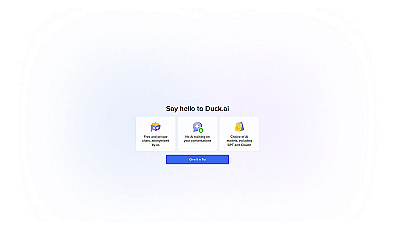
DuckDuckGo Search Assist. Search Assist answers some searches with a short AI summary that "always link[s] directly to one or two sources" (DuckDuckGo help). You can set it to appear often, sometimes, only on demand or never. It is a summary, not a research mode, but it is the quickest way to see a source next to an answer.
Claude. Claude's pricing page lists web search on the free plan, and Anthropic's help center says answers that use it include citations. Its multi-step Research mode starts at Pro.
Best for long research reports
Every major assistant now has a mode that plans a set of searches, reads many pages and writes a cited report. They take minutes instead of seconds, and the plans ration them.
- ChatGPT deep research lets you choose websites or uploaded files before it starts, follow its progress and interrupt it to change which sources it uses. Limits vary by plan, and the app shows how many runs you have left.
- Gemini Deep Research browses "up to hundreds of websites", and a thinking panel lets you follow what it has learned so far (overview). Google includes it on the free plan, subject to demand.
- Claude Research runs several linked searches and can also read connected tools such as Google Workspace. It needs a paid plan, from $20 a month or $17 billed yearly.
- Mistral Vibe, which Mistral calls "formerly Le Chat" (product page), now runs deep research as a built-in skill in its Work mode, which returns "a structured brief with citations" (docs). Its pricing page says Pro, at $14.99 a month excluding taxes, gets more deep research reports than Free.
- Perplexity Research gives free users one report a month, with monthly limits on Pro and higher limits on Max.
Best for privacy: Brave and Kagi
If you research topics you would rather not attach to an account, the search engines are the better fit than the chat apps.
Ask Brave is free in any browser. Brave says your questions and conversations "are never used for training in any capacity", that chats are encrypted and expire after 24 hours of inactivity, and that it does not keep IP addresses (launch post, September 2025). Brave also says all AI features in its search can be switched off.
Kagi is a paid search engine that calls itself "100% user funded. 0% advertising" on its homepage. Its pricing, checked November 19, 2026: a free trial with 100 searches and 100 Assistant interactions, then Starter at $5 a month (300 searches), Professional at $10 (unlimited searches) and Ultimate at $25, plus sales tax. Kagi Assistant combines models from several vendors with optional Kagi Search results (help). Its research assistants come in two modes: Quick on every plan and Research on Ultimate only. Kagi says their answers are "expected to be sourced and referenced" (Kagi blog). By default, Assistant threads "expire 24 hours after the last message", and its privacy policy says it loads no analytics or telemetry.
For how the mainstream assistants treat your chats, including which plans train on them, see our privacy checklist for AI tools.
Run your own research agent, or build citations into an app
GPT Researcher is an open-source research agent under the Apache 2.0 licence. Its repository describes it as "the first open deep research agent designed for both web and local research", one that produces "research reports with citations" and can "aggregate over 20 sources". Point it at a folder and it also reads your PDFs, Word files, spreadsheets and Markdown. Besides OpenAI, it can call other providers or a local model through an OpenAI-compatible endpoint. You need to be comfortable running a Python or Docker project, and you pay the model and search providers you plug in.
If you are building a product that needs cited answers, you can buy the search layer instead of building it. Prices as listed on November 19, 2026:
- Exa gives $10 of free credit each month. Search starts at $4 per 1,000 requests, and its Answer endpoint, "an LLM answer to a question, with citations", costs $5 per 1,000 (pricing).
- Tavily includes 1,000 API credits a month free, then $0.008 per credit pay as you go, or $30 a month for 4,000 credits (pricing).
- You.com now sells "AI Search and Inference" to developers and enterprises, per its homepage.
Our explainer on retrieval-augmented generation shows how search results become cited answers inside these products.

Get quick, clear summaries from search results.
Check that a citation says what the answer claims
A citation tells you where the assistant says it looked. It does not prove the page supports the sentence next to it.
The Tow Center for Digital Journalism tested this in March 2025. It gave eight AI search tools excerpts from 200 news articles, 1,600 queries in all, and asked each tool to identify the source article's headline, publisher, date and URL (Columbia Journalism Review).
60%+
of queries answered incorrectly across the eight tools
37%
of queries Perplexity answered incorrectly
154
Grok 3 citations that led to error pages, from 200 prompts
Source: Tow Center for Digital Journalism, March 2025
The tools have changed since 2025, but the habit has not. Before a claim goes into anything you publish or decide on:
- Open the link. A dead page or a home page instead of an article is a red flag.
- Find the sentence. Use Ctrl+F (⌘F on a Mac) with a distinctive word from the claim. If you cannot find it, the citation does not support the claim.
- Check the date. An answer can cite a 2021 page for a 2026 price.
- Follow the chain. If the page quotes a study, a law or a company statement, open that original and cite it instead.
- Look for disagreement. Ask the same question in a second tool. Where the two cite different facts, read both sources yourself.
Pick one in five minutes
Take a question with a checkable answer, such as a price, a date or a rule. Ask it in Perplexity's free tier, one free assistant (ChatGPT, Gemini or Claude) and one search engine (Ask Brave or Kagi's trial). Count the cited links that open, load the right page and contain the claim, and note which tool admitted it found nothing. The Tow Center found the tools "generally bad at declining to answer" questions they could not answer accurately. Keep the tool whose sources held up.
If none of these fits, our AI Tool Finder pulls research tools from the directory by budget and audience, with free plans first if you ask. For a wider comparison of the three big assistants, see ChatGPT vs Claude vs Gemini, and for options that work without an account, our free ChatGPT alternatives.
AI Tool Finder Answer three questions and get matching tools from our directory.FAQ
What is the best free alternative to Perplexity?
For cited web answers, ChatGPT search, Gemini and Ask Brave are all free. Gemini's free plan also includes Deep Research for long reports, though Google may pause it when demand is high. Ask Brave works in any browser.
How much does Perplexity Pro cost?
On November 19, 2026, Perplexity's pricing page listed Pro at $17 a month billed yearly. Perplexity's own October 2026 blog post lists Pro at $20 a month. Education Pro costs $10 a month for verified students and educators.
Which AI search engine has the most accurate citations?
No independent test covers all current tools. In the Tow Center's March 2025 test of eight tools, Perplexity answered 37% of queries incorrectly and Grok 3 94%, and the group as a whole was wrong on more than 60%. Treat every citation as something to check.
Can I run a Perplexity-style research tool myself?
Yes. GPT Researcher is an open-source agent (Apache 2.0) that searches the web and your local files and writes a cited report. You supply the model and search API keys, or a local model.
Which Perplexity alternative is best for academic papers?
None of these is built for scholarly literature. Perplexity can narrow a session to academic sources, but for papers use a dedicated search engine such as Consensus or another tool that searches paper databases, then open each paper before you cite it.