Notion AI Alternatives for Notes and Team Knowledge Bases
Notion no longer sells its AI as a cheap add-on. Here is what a team wiki or a personal notes app with AI costs elsewhere, which ones answer questions from your own pages, and which keep your notes on your own device.
 Roman Shalabanov
Published
10 min read
If you want Notion's AI without Notion's Business plan, the right alternative depends on who the notes are for. For a team knowledge base that answers questions from your pages, look at Confluence with Rovo or Slite. For docs and tasks in one tool, ClickUp bundles its AI into its Business plan. If your company already pays for Google Workspace or Microsoft 365, start with Gemini Notebook (formerly NotebookLM) or Copilot Workspaces (formerly Copilot Notebooks) before you buy anything. For personal notes that never leave your laptop, Obsidian, AppFlowy and AFFiNE keep files local and let you choose whether to add AI.
Below, each option is compared by what its vendor documents: which plan includes AI, the cheapest price with AI, whether there is a free plan and where your notes are stored. Prices and limits were read on the vendors' own pages on November 19, 2026. We did not test answer quality, so the last section gives you a 30-minute trial plan using your own pages.
How Notion sells its AI in November 2026
Notion's AI FAQ is direct: "Notion AI is available on Business and Enterprise Plans." Users on Free and Plus "get a limited number of complimentary AI responses" to try it out. Moving from Free to Plus does not renew that allowance.
On the pricing page, with yearly billing, Plus is $10 and Business $20 per member a month ($12 and $24 with monthly billing). Business includes the Notion Agent, AI Meeting Notes and Enterprise Search across connected apps such as Slack and Google Drive. Each member gets 1,500 Standard and 500 Select credits a month, according to Notion's plan guide. Custom Agents cost extra: $10 per 1,000 Notion credits after a free try. If meeting notes are the main draw, compare dedicated note takers in Otter vs Fireflies vs tl;dv.
Notion's security page says that by default "neither Notion nor our AI providers use your Customer Data to train any models". On Free, Plus and Business, the AI provider keeps your data for up to 30 days; Enterprise gets zero data retention with most models.
So the usual reason to look elsewhere is price. At $20 per member a month, a team of ten pays $2,400 a year, and a solo user who wants AI pays the same $20 a month as a team member. For every product in the category, see our Notion AI alternatives list.
Notion AI alternatives compared
Notes and knowledge base tools with AI, checked November 19, 2026
| Tool | Best for | Cheapest plan with AI | Free plan | Where notes live |
|---|---|---|---|---|
| Notion | All-in-one workspace | Business, $20/member/month yearly | ✓, AI trial only | Notion's cloud |
| Confluence + Rovo | Company wiki, Jira teams | Standard, $5.78/user/month | ✓ 10 users, no Rovo | Atlassian cloud |
| Slite | Small-team knowledge base | Basic, $10/member/month yearly | ✗ (14-day trial) | Slite's cloud |
| ClickUp | Docs plus tasks | Business, $17/user/month yearly | ✓, no AI | ClickUp's cloud |
| Gemini Notebook | Q&A over a set of documents | Free | ✓ 50 sources per notebook | Google's cloud |
| Obsidian | Personal notes you own | Community plugins only | Yes | Local Markdown files |
| Reflect | Personal notes on a Mac | Your own AI key | ✓ on Mac | Local Markdown files |
| AppFlowy | Open-source Notion-style workspace | Local AI free with Ollama | Yes | Device, cloud or self-hosted |
| AFFiNE | Local-first docs and whiteboards | AI add-on, $8.9/month yearly | Yes | Device, with optional cloud |
Seat prices add up differently. ClickUp, Slite and Notion quote yearly billing in the headline, so compare the yearly total for your real headcount, AI credits included, not the headline number.
For a team wiki that answers questions
The core job of AI in a knowledge base is answering "where is our policy on X?" from your own pages, with a link to the page it used. Our RAG explainer shows how that search-then-answer step works. Three tools make it a main feature.
Confluence with Rovo. Atlassian includes Rovo, its AI, in every paid Confluence plan; the Free plan, which covers up to 10 users, does not have it. According to Atlassian's Rovo credits page, Rovo Search uses no credits, while Chat and Agents draw on a monthly allowance of 25 credits per user on Standard, 70 on Premium and 150 on Enterprise, pooled across your organization. A basic Rovo Chat message costs 10 credits, so the Standard allowance runs out fast for regular chat users. From December 3, 2026, usage beyond that is billed pay as you go at $0.01 per credit, on by default, and admins can turn it off. On November 19, 2026, the pricing page listed Standard at $5.78 and Premium at $11.16 per user a month. If your team already lives in Jira, Rovo's credits pool across both.
Slite. Slite is built as a knowledge base first. Its pricing lists Basic at $10 per member a month billed yearly, with Ask, its AI search and answers (30 questions per seat a month), and an AI writing assistant (30 AI edits per user a month). Pro, at $20, adds the Slite Agent and search across your connected tools. There is no free plan, only a 14-day trial without a credit card.
GitBook is worth a look if the knowledge base is public product documentation rather than an internal wiki. Its pricing is per site: Essential costs $65 per site a month billed yearly and adds AI Assistant Ask, so readers get AI answers from your docs.
For docs and tasks in one place
Many teams use Notion because tasks, docs and databases sit together. ClickUp is the closest match among the large project tools. Its pricing page showed, on November 19, 2026:
- Free Forever: no Brain AI.
- Core, $9 per user a month billed yearly: Brain as a trial, plus 1,000 AI credits per user a month.
- Business, $17 per user a month billed yearly: Brain included, unlimited standard models and 1,500 credits per user a month, pooled.
- Extra AI credits cost $10 per 10,000.
ClickUp puts tasks, docs and its AI in one tool, which is the same promise Notion makes. The trade-off is learning a tool that is project management first and a wiki second.
If your company already pays for Google or Microsoft
Before you add another subscription, check what your office suite already includes.
Gemini Notebook, the tool Google used to call NotebookLM, answers questions only from the sources you add. Its chat help says responses "only use data from your sources", and selecting a citation takes you to the quote in context. Without a paid plan, Google's plan page allows 100 notebooks and 50 sources per notebook, each up to 500,000 words. It suits a fixed set of documents, such as an onboarding pack or a handbook, more than a wiki that changes daily.
Microsoft's Copilot Notebooks, which Microsoft now calls Copilot Workspaces, collect files, pages, meeting notes and links so Copilot can answer from them. Microsoft's support page says they need a Microsoft Copilot or Copilot Chat licence and are also available to Microsoft 365 Personal, Family, Premium and Pro subscribers. You can open a notebook in OneNote for a fuller workspace.
For personal notes that stay on your device
If the notes are yours alone, you may not need a cloud workspace at all.
Obsidian "stores your notes locally as plain text Markdown files" (obsidian.md). The app is free, including at work: its pricing FAQ says you are not required to buy the $50 a year commercial licence. Sync costs $4 per user a month billed yearly. Obsidian's pricing page lists no built-in AI; you add AI through community plugins, which you install and vet yourself, and each plugin decides where your text goes.
Reflect now describes itself as "an open-source note-taking app with daily notes, backlinks, and local Markdown files" (reflect.app). It is free on Mac and paid on iPhone and iPad. Its AI can find answers with links to your notes, but you connect your own API key, and notes marked private are excluded from AI access.
Evernote lists an AI Assistant, semantic search and AI meeting transcription on its plans page. The free plan stops at 50 notes and one notebook, so it is a trial more than a home for your notes.
Open-source and local-first workspaces
If you like Notion's blocks and databases but want control over where data lives, two open-source projects copy the model.
AppFlowy has a free Personal plan and Pro at $12 per member a month billed yearly ($16 monthly), and you can self-host it (pricing). Its local AI runs models through Ollama on your own machine, and AppFlowy says it is "now FREE for everyone to use" (AppFlowy blog). You need a computer that can run a local model; our guide to running an LLM locally covers the hardware.
AFFiNE combines docs and whiteboards and calls itself "local-first by design", with workspace data on your device and optional cloud sync. Its pricing lists a free plan with unlimited local workspaces and up to 3 members per workspace, Pro at $6.75 a month and Team at $10 per seat. AFFiNE AI is a separate add-on at $8.9 a month billed yearly. The self-hosted open-source edition is free; AFFiNE says licensing varies by component, so read it before you deploy.
Organize documents, manage projects, and collaborate seamlessly.
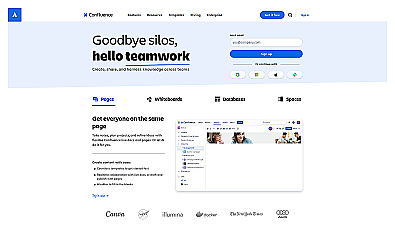
Collaborative workspace for teams to create and share knowledge.
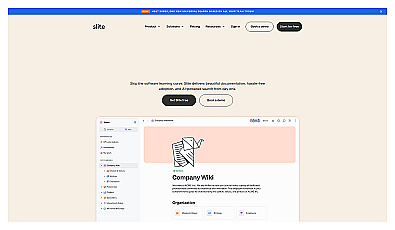
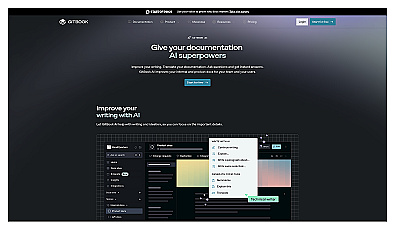
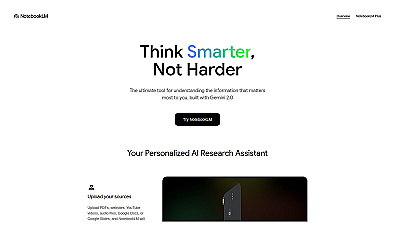
Capture and organize thoughts in one convenient location.
Before you switch: export, permissions and a 30-minute test
Moving a knowledge base is mostly a data job, and the AI is the easy part.
Notion's export gives you Markdown and CSV, HTML or PDF. A whole-workspace export supports HTML, Markdown and CSV, can take up to 30 hours, and the download link expires after 7 days. Pages you cannot access, such as other members' private pages, are left out.
- Export one teamspace as Markdown and CSV, and open a few files to check that tables, callouts and links survived.
- Import 20 real pages into two candidates, including your three most-read policies and one outdated page.
- Ask each tool five questions your team really asks. Check that every answer links to the right page and that none quotes the outdated one.
- Check permissions: ask about something in a restricted page while logged in as a member who should not see it.
- Compare the yearly cost for your actual headcount, including AI credits.
If you need to hand an exported Markdown page to someone who works in Word or Google Docs, our Markdown to Word converter keeps the headings, lists and tables when you paste.
Markdown to Word & Google Docs Paste an AI answer and copy it into Word or Google Docs with formatting.FAQ
Is Notion AI free?
Not fully. Free and Plus workspaces get a limited number of AI responses to try it. Regular use needs the Business plan, $20 per member a month billed yearly as of November 19, 2026, or Enterprise.
Can I still buy Notion AI as an add-on?
Notion's AI FAQ and pricing page, read on November 19, 2026, list Notion AI only with the Business and Enterprise plans, and neither page offers an AI add-on for Plus. Business and Enterprise workspaces can buy extra Notion credits.
What is the cheapest alternative to Notion AI for a team wiki?
Among the team wiki tools in this guide, Confluence Standard listed the lowest per-user price with AI included, $5.78 per user a month on November 19, 2026. Its 25 Rovo credits per user a month cover only a few chat messages, though Rovo Search is free. Slite Basic is $10 per member a month billed yearly.
Which Notion alternative keeps my notes private?
Obsidian and Reflect store notes as local Markdown files. AppFlowy can run its AI through a local model, and AFFiNE keeps workspaces on your device unless you turn on cloud sync. With any cloud AI, read the vendor's data terms first.
Does Notion train its AI on my workspace?
Notion says that by default neither it nor its AI providers use customer data to train models, and that AI providers keep data for 30 days or less on Free, Plus and Business.