AI Tools for Social Media Managers: Planning, Captions and Analytics
A social media manager's week, job by job: planning a month of posts, writing captions for each network, repurposing video, scheduling, replying and reporting, with prices checked in November 2026 and the AI labels Meta, TikTok and YouTube expect.
 Roman Shalabanov
Published
12 min read
Three kinds of AI tools help a social media manager most. The first is the writing and reporting features inside the scheduler you already use. The second is one general assistant, such as ChatGPT, Claude or Gemini, for planning. The third is a video clipper that turns long content into short posts. You rarely need a separate caption generator on top. What AI should not do alone is the work that carries your brand's risk: approving posts, answering angry customers and deciding what to say when something happens in the news.
This guide follows the job, not a product list: planning, writing, repurposing, scheduling, community management, reporting and labeling. Prices and plan limits come from each vendor's own pricing page, and the labeling rules from Meta, TikTok, YouTube and LinkedIn, all checked on November 19, 2026. We have not run these tools on a live account, so each section tells you what to test during a free trial.
Where AI fits in a social media manager's week
Before you add a tool, decide which tasks it should take over. AI is good at volume and variants. It is weak at judgment, context and anything that can go wrong in public.
Social media tasks: what AI does well and what stays with you
| Task | What AI does well | What stays with you | Tools to try |
|---|---|---|---|
| Monthly plan | Expands pillars into post ideas and dates | Priorities, launches, sensitive dates | ChatGPT, Claude, Gemini, Loomly |
| Captions | First drafts in several lengths and tones | Brand voice, facts, claims | Scheduler writers, Predis, Ocoya |
| Repurposing | Finding clips, vertical reframing, captions | Choosing what is worth posting | OpusClip, Vizard, Klap, Repurpose.io |
| Design | Resizing one design to every format | The idea and the brand check | Canva, Adobe Express, VistaCreate |
| Scheduling | Suggested posting times | Approvals, pausing during a crisis | Buffer, Hootsuite, Sprout Social, Later |
| Comments and DMs | Suggested replies, sorting by sentiment | Complaints, refunds, anything legal | Sprout Social, Hootsuite, Planable |
| Reporting | Summaries of what changed | Which numbers matter to the business | Native analytics, GA4, Brandwatch |
Spend your tool budget on the volume rows. The judgment rows need a calendar slot, not a subscription.
Turn a campaign brief into a month of posts
Planning means turning a few business goals into a calendar: which content pillars, how often on each network, and what goes out on launch days and holidays. This is thinking work, and a chat assistant does it well. ChatGPT, Claude and Gemini all handle it; our comparison of the three covers their free limits.
The quality of the plan depends on what you tell the assistant. A prompt like this one gives you a draft calendar you can edit instead of a list of generic ideas:
You are helping me plan social posts for [brand], a [product] for [audience].
Goals this month: [e.g. 200 demo sign-ups; feature launch on the 14th].
Networks and frequency: LinkedIn 3 times a week, Instagram 4, TikTok 3.
Content pillars: [3 or 4 pillars, with one past post for each].
Dates to avoid or handle with care: [list].
Return a table: date, network, pillar, post idea, format (carousel, reel,
text post), and the one action we want from the viewer.
Do not invent statistics, prices or customer quotes.
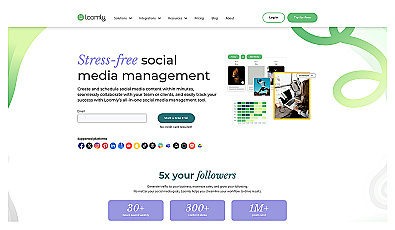
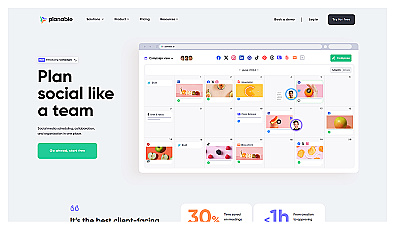
Then move the plan into the calendar your team works in. Loomly and Planable are built around a shared calendar with approval steps. Loomly's Starter plan includes an AI Assistant chat, and Planable lets you create your first 50 posts free with no time limit.
What to test on a trial: give two tools the same brief and the same voice note, and count how many of their post ideas you would actually publish.
Write captions that fit each network
The same announcement needs a different shape on LinkedIn, Instagram, TikTok and X: a different opening line, length, call to action and use of hashtags. Ask for each network separately instead of one caption pasted everywhere.
Writers built into schedulers. If you already pay for a scheduler, start there, because the draft lands next to the calendar and the approval flow:
- Buffer includes its AI Assistant on every plan, including the free one (Buffer pricing).
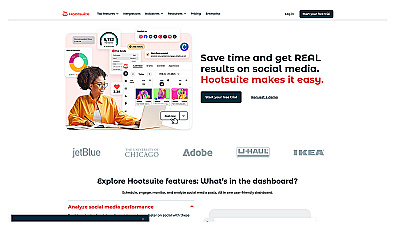
- Hootsuite runs every plan on Wisdom, its AI assistant, and includes 100 AI credits a month on Standard, Professional and Advanced. Hootsuite says its generator writes "captions for every social media network" and can "repurpose top-performing posts" (Hootsuite plans).
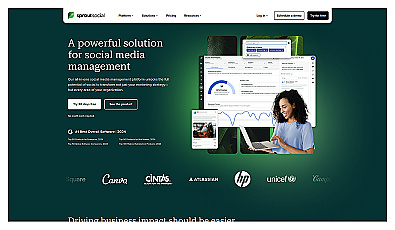
- Sprout Social includes its Trellis AI agent, and adds Enhance Post by AI Assist from the Professional plan up (Sprout Social pricing).
- Later includes 5 AI credits a month on Starter and 50 on Growth (Later pricing).
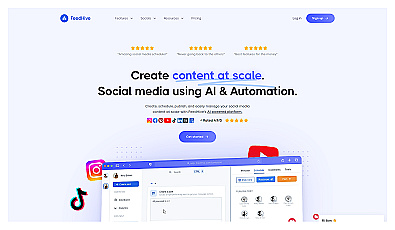
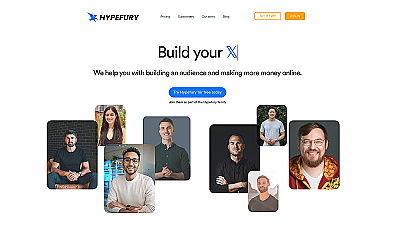
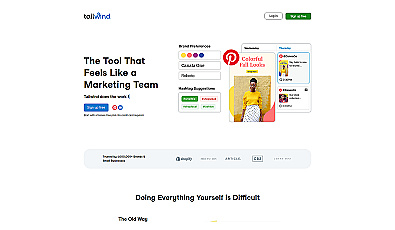
Standalone writers. Predis generates posts, ads and short videos from a prompt. Ocoya writes, designs and schedules posts and can draft replies, and FeedHive combines AI writing with scheduling and automated workflows. Hypefury suggests what to post next and publishes to several networks. For Pinterest, Tailwind adds keyword research and a pin creator to its scheduler.
Limits. AI captions drift toward the same openings and the same superlatives, and they invent facts with confidence: a "20% faster" claim, a customer count, a quote. Delete every number you cannot source. Our guide on editing AI-assisted text has a checklist for making drafts sound like your brand.
Repurpose one long piece into a week of short posts
One webinar, podcast episode or long video can feed a week of posts, and this is often where AI saves the most time.
Clips from long video. OpusClip, Vizard and Klap find moments that work on their own, reframe them to vertical and add captions. Captions is an AI video editor for the same short formats. Our guide to AI tools for YouTubers compares their free-plan catches, such as watermarks and export windows, so we will not repeat them here.
Distribution. Repurpose.io automates the next step: it publishes your videos to Instagram Reels, TikTok, YouTube Shorts and other accounts so you do not upload each one by hand.
Design variants. Canva can resize one design for other formats with Magic Resize, individually or in bulk. As of November 19, 2026, Magic Resize and Canva's Social Content Planner are listed for Pro, Business and Enterprise, not the free plan (Canva pricing). Adobe Express and VistaCreate cover the same templates-and-resize work; see our comparison of Canva, Adobe Express and Microsoft Designer.
If you only need exact pixel sizes, use the free Image Resizer. Its presets include an Instagram portrait post (1080 × 1350), stories, Reels and TikTok (1080 × 1920), a LinkedIn post image (1200 × 627), an X post image (1600 × 900) and a Pinterest pin (1000 × 1500). It runs in your browser, so client images are not uploaded.
Limits. Automatic reframing can cut off on-screen text and second speakers, and clippers pick moments by speech and energy, not by your campaign. Expect to reject most suggestions and watch every clip before it is scheduled.
Image Resizer, Compressor & Converter Resize, compress and convert JPEG, PNG and WebP images in your browser.Choose a scheduler by its AI and its price
Most teams pick a scheduler for its calendar, approvals and network coverage, and the AI comes with it. Here is what the main options include, read on their pricing pages on November 19, 2026. Prices are in US dollars as shown to us and can differ by region and billing period.
Schedulers with AI features, checked November 19, 2026
| Scheduler | Free option | Entry price | AI included |
|---|---|---|---|
| Buffer | Free plan: 3 channels, 10 scheduled posts per channel | Essentials $5 per channel a month, billed yearly | AI Assistant on every plan |
| Hootsuite | 14-day trial | Standard $99 per user a month, billed annually | Wisdom, 100 AI credits a month |
| Sprout Social | 30-day trial | Essentials $79 per seat a month billed annually, $99 monthly | Trellis AI agent; AI Assist for posts from Professional |
| Later | 14-day trial | Starter $18.75 a month, billed yearly | 5 AI credits a month (50 on Growth) |
| Loomly | Free trial, no card | Starter $49 a month billed yearly, $65 monthly | AI Assistant chat |
| Planable | First 50 posts free | See pricing page | AI replies in the social inbox add-on |
Buffer and Later are not in our directory yet; the others are, along with more options in the Social media category.
What to test on a trial: connect your real accounts, schedule a week, and check three things the pricing page does not show: whether approvals fit your team, whether the AI writer respects your voice note, and how the mobile app handles a last-minute change.
Manage social media scheduling and analytics effortlessly.
Manage social media interactions and analyze performance seamlessly.
Answer comments and DMs without sounding automated
Community management is where AI help is most useful and most dangerous. Suggested replies save time on the hundredth "where do I find the link?", but a confident wrong answer to a refund request becomes a screenshot.
Tools that help with the inbox:
- Sprout Social adds Enhance Reply by AI Assist and sentiment in its Smart Inbox on the Advanced plan, listed at $399 per seat a month, billed annually.
- Hootsuite includes a single inbox for messages on its Standard plan.
- Buffer lists a community inbox on its free plan.
- Planable sells a social inbox add-on with AI replies and sorting by sentiment.
Set three rules before anyone turns these on. First, AI drafts, a person sends. Second, complaints, refunds, safety issues and anything that sounds like a legal threat go to a named person with no AI draft at all. Third, do not paste customers' personal details into a personal chat assistant account; our guide on company data and ChatGPT explains which plans keep your data out of training.
Measure what worked: platform analytics, UTM links and listening
Start with each network's own analytics. They are free and they are the only source with real reach and watch-time data.
Traffic to your website. Every link you post in a bio, story, post or comment should carry UTM parameters. Google Analytics 4 puts a visit in its Organic Social channel when the source matches its list of social sites or when the medium is one of "social", "social-network", "social-media", "sm", "social network" or "social media". Paid Social needs a source from that list and a paid medium such as cpc (Google Analytics Help). A known social source such as instagram still lands in Organic Social, but a custom source with a custom medium, such as linkinbio with bio-link, matches neither rule and can end up Unassigned. Build the links with the UTM Builder, and keep names consistent with our UTM naming convention.
AI summaries. Sprout Social describes Trellis as a way to turn data overload into clarity, and Hootsuite's Wisdom also analyzes performance. Use these summaries to find what to look at, then check the numbers yourself before they go into a client report.
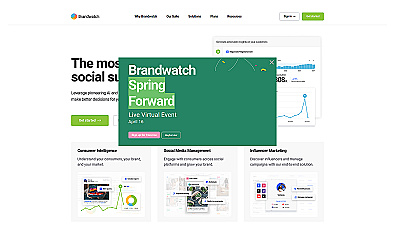
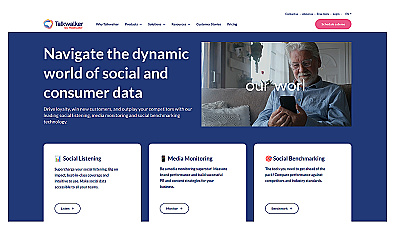
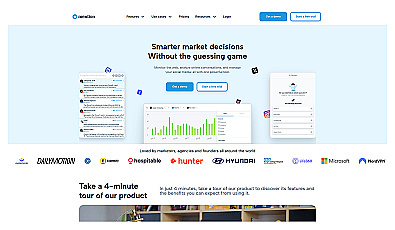
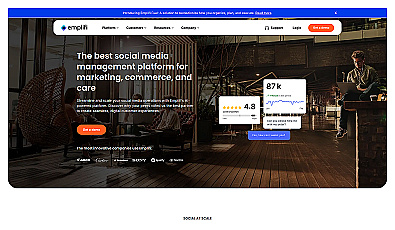
Listening. To hear what people say about the brand outside your own posts, use a listening tool: Brandwatch, Talkwalker (now sold as Lumen within Hootsuite's suite), Mention, Emplifi or Sprinklr for large teams. Automatic sentiment misreads sarcasm and slang, so read a sample of "negative" mentions before you report a trend.

Label AI content the way each platform asks
Each platform publishes its own rule, and they share one idea: realistic AI-made or AI-altered media needs a label, while ordinary editing does not.
AI labels on major platforms, checked November 19, 2026
| Platform | What needs a label | How it works | If you skip it |
|---|---|---|---|
| Meta (Facebook, Instagram, Threads) | Organic posts with photorealistic video or realistic-sounding audio that was digitally created or altered | Use Meta's AI disclosure option when you post; Meta also adds an "AI info" label when it detects industry signals | Meta says it "may apply penalties" |
| TikTok | "AI-generated or significantly edited content that shows realistic-looking scenes or people" | Add TikTok's AI-generated content label when you post; TikTok also reads Content Credentials to label some AI content made elsewhere | Content "may be removed, restricted, or labeled by our team" |
| YouTube | "AI-generated or altered content that seems realistic" | Choose Yes under AI use in the Attributes section of YouTube Studio, on a computer or a phone | Creators who consistently skip it may get a label added or penalties, including removal or suspension from the YouTube Partner Program |
| No creator label described | Shows an icon on media that carries C2PA Content Credentials | Not applicable |
Sources: Meta's posts on labeling AI-generated images (February 6, 2024) and its approach to labeling, which renamed "Made with AI" to "AI info" in July 2024; TikTok's Community Guidelines, in a version that took effect on September 24, 2026, and its Content Credentials announcement (May 9, 2024); YouTube Help; and LinkedIn's announcement (May 15, 2024).
What this means for daily work:
- Captions and scripts. These rules cover realistic images, video and audio. YouTube lists AI help with outlines, scripts, titles, thumbnails and captions as production assistance that needs no disclosure, and none of the other pages asks you to label text written with AI help.
- Product shots and backgrounds. An AI background behind a real product photo is an edit. A realistic AI-generated person using the product is the kind of content TikTok and YouTube ask you to label.
- Ads. Meta has a separate disclosure rule for political and social issue ads that were digitally created or altered.
- Metadata. Many AI image tools now write C2PA or IPTC data into the file, and platforms read it. Our guide on how to spot AI images explains what that metadata contains.
FAQ
What is the best free AI setup for a social media manager?
A free chat assistant for planning, Buffer's free plan for scheduling up to three channels with its AI Assistant, and each network's own analytics. Add a clipper's free plan if you repurpose video, and pay for upgrades only where a task costs you hours every week.
Can AI run my social accounts on autopilot?
It can schedule posts and draft replies, but it should not publish or answer customers without a person checking. Wrong facts, tone-deaf posts during breaking news and confident answers to complaints are the usual failures.
Do I have to label captions written with AI?
Not under the rules Meta, TikTok, YouTube and LinkedIn publish. Their labels cover realistic AI-made or AI-altered images, video and audio. Check each platform's page again before a campaign, because these rules change.
How do I track social media traffic in Google Analytics 4?
Add UTM parameters to every link you post and use a medium of social (or another value from GA4's list, such as social-media). GA4 then reports the visits under Organic Social. Use a paid medium such as cpc for ads.
Is it safe to paste client data into AI tools?
Only into tools and plans whose terms you have read. The business plans of the major assistants exclude your data from model training by default, while personal plans differ by vendor; our guide on company data and AI assistants has the details. Leave customers' personal details out of prompts either way.