Canva vs Adobe Express vs Microsoft Designer: Which Is Best for Non-Designers?
Three design apps that promise good-looking posts without design skills. Here is what each free plan includes, how their AI allowances work, what the paid plans cost and which one you may use for your business.
 Roman Shalabanov
Published
9 min read
If you are not a designer and need social posts, flyers or slides that look professional, Canva is the safest default. It has the largest template library, more than 1,000 design types and team plans with shared brand kits. Adobe Express is the better value if you want brand kits and generative AI on a budget, and its free plan already allows commercial use of AI-made content. Microsoft Designer is free and quick to start from a prompt, but its own FAQ limits it to personal, non-commercial use.
This comparison uses what each vendor publishes on its pricing, help and terms pages, checked on November 19, 2026. We did not test output quality. The last section gives you a one-hour test you can run on the free plans to see which editor suits the way you work.
Canva, Adobe Express and Microsoft Designer at a glance
Design apps for non-designers, checked November 19, 2026
| Canva | Adobe Express | Microsoft Designer | |
|---|---|---|---|
| Free plan | Yes | Yes | ✓ (Microsoft account) |
| Templates on free plan | 1.6M+ | 345,000+ | Starts from prompts and size presets |
| AI on free plan | Limited, shared allowance | Free daily generations | Limited, number not published |
| Background remover on free plan | Limited trial downloads | Yes | Yes |
| Brand kit on free plan | 1 kit, 3 colors | No | 1 kit at a time |
| Resize a design to many formats | Pro | Premium | Not listed |
| Commercial use | Yes | Yes | ✗ (personal, non-commercial) |
| Paid plan | Pro, US$18/month | Premium, US$9.99/month | Higher AI limits with Microsoft 365 |
| Apps | Web, desktop, mobile | Web, mobile | Web, iOS, Android |
Prices are the US list prices on each vendor's page on November 19, 2026. Canva showed a 50% discount on the first three months of a monthly plan for new subscribers in some countries. Both Canva and Adobe show local prices in other regions, so check the page in your own country.
What each free plan gives you
Canva Free includes "1.6M+ templates and 4.7M+ elements", one Brand Kit with a maximum of three colors, 5 GB of storage and "Limited access to Standard and Premium AI" (Canva pricing). Background removal, Magic Resize and social scheduling are on the paid plans. For most one-off posts, the free plan is enough; the limits show up when you need many sizes of one design or a full brand kit.
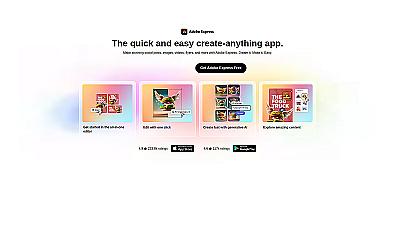
Adobe Express Free includes 345,000+ templates, 5,000+ Adobe Fonts, a background remover and image resizing, and scheduling to one account per social network. Generative AI runs on "free daily generations" rather than a monthly count, according to Adobe's plan table. One FAQ answer on the same page still calls background removal a premium feature, so check what your account shows. Brand kits and resizing one design to several formats at once need Premium.
Microsoft Designer is free with a Microsoft account. You choose what to create, such as an image, sticker, invitation, poster, greeting card or social post, and describe it in a prompt, or you start from a blank size preset. Editing tools include background removal and generative erase. The Designer FAQ says "A subscription may be required for those who want to create more frequently."

How AI limits work in each tool
All three tools ration AI, but they describe it differently. Plan for the limit you will hit first.
- Canva: Standard, Premium and Ultra AI tools share one monthly allowance. Free gets limited access to Standard and Premium tools and none to Ultra. Pro gets "10x more AI allowance than Canva Free" and Business 20 times more. On paid plans, Standard tools such as image creation do not count against the allowance, within fair-use limits. Canva does not publish the number of uses, and an AI Pass add-on sells more (Canva pricing FAQ).
- Adobe Express: Free uses daily generations. Premium includes "250 generative credits per month per user", and Adobe Firefly Pro (US$19.99 a month) includes 4,000 credits for premium video and audio features (Adobe Express pricing).
- Microsoft Designer: usage is tracked as AI credits or feature limits shared with Copilot, Photos, Paint and the Microsoft 365 apps. Microsoft's AI credits page, updated October 2026, lists "Standard usage" of image generation for Microsoft 365 Personal and Family and "Extensive usage" for Premium and Pro. It gives no number for free accounts.
Check commercial use before you post for a business
This is where the three differ most.
Microsoft Designer is for personal use. The FAQ states: "Designer is licensed for personal, non-commercial use with your Microsoft account." Invitations, cards and personal posts are fine. Ads, product images and client work are not covered. Our guide to AI tools for small business reaches the same conclusion.
Canva allows commercial use, with library limits. Canva's AI Product Terms, effective June 26, 2026, say you own your output and "may use your Output for any lawful purpose". If the AI edits a photo from Canva's library, you do not own the result; the library licence still applies. The Content License Agreement also forbids using library content "as part of a trade-mark, design-mark, trade-name, business name or service mark (excluding fonts)". So do not build a logo you plan to register from Canva stock elements.
Adobe Express allows commercial use on every plan. Its plan table marks commercial use for Free, Premium and Firefly Pro. The FAQ says "In general, you may use outputs from generative AI features commercially," except beta features that Adobe marks as not for commercial use. Adobe trains its own Firefly models on licensed content such as Adobe Stock and on public-domain content. Partner models from other companies are also offered, with their own terms; we cover that in free Midjourney alternatives.
Compare templates, brand kits and resizing
For non-designers, these three features save more time than any AI button.
Templates. Canva has the largest library: 1.6 million templates on Free and 3.6 million on paid plans. Adobe Express offers 345,000+ on Free and 730,000+ on Premium. Designer works differently: you start from a prompt or a blank size preset rather than browsing a large template library.
Brand kits. A brand kit stores your logo, colors and fonts so every design starts on brand. Canva Free allows one kit with three colors, and Pro allows five kits. Adobe Express keeps brand kits for Premium, which can also extract colors, fonts and logos from an image or PDF. Designer's FAQ says "only one brand kit can be saved at a time," and its brand kit can generate a logo, palette and fonts for you.
Resizing. Turning one design into an Instagram post, a story and a LinkedIn banner is a paid feature in both Canva (Magic Resize) and Adobe Express (resize for multiple formats). If you only need to resize finished images, our free Image Resizer has presets for the main social networks and works without uploading your files.
Image Resizer, Compressor & Converter Resize, compress and convert JPEG, PNG and WebP images in your browser.When to look beyond these three
The big three cover most needs. A few narrower tools in our directory do one job better:
- Picsart for photo editing and effects on a phone.
- VistaCreate for another template-based editor for social posts and marketing graphics.
- Visme for presentations, infographics and one-pagers.
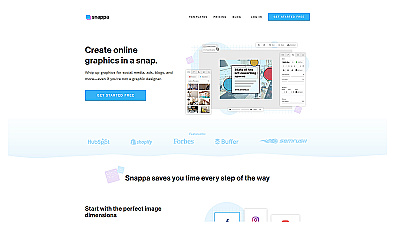
- Snappa for simple social graphics with less to learn.
- Recraft and Adobe Firefly when the main job is generating images, icons or vector art rather than laying out a design.

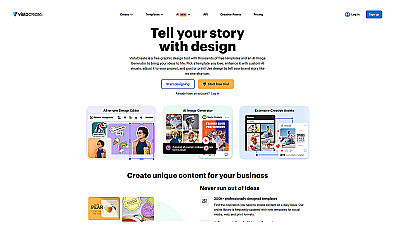
Create stunning graphics effortlessly with customizable templates.
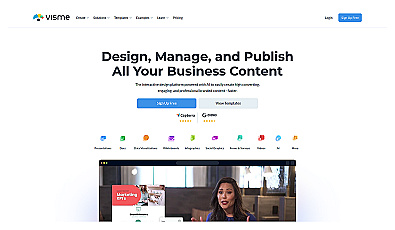

AI-powered creative suite for generating images, video, audio, and media
To cut out product photos, see our comparison of free background removers. For a full posting and scheduling workflow, see AI tools for social media managers, and browse the Design and Social Media categories for more.
How to choose in one hour
Run the same test in each tool on its free plan. Use your real logo and a real message.
- Make a square social post for a sale or an event, starting from a template or a prompt. Note how long it takes to get a version you would publish.
- Add your logo and brand colors, then change the headline. See how well the layout holds.
- Turn the post into a story-sized version. Note whether the tool resizes it or makes you rebuild it.
- Generate one image or background with AI, then try two edits to it. Note when you hit a limit.
- Export as PNG and PDF, and check the files on your phone.
- Read the commercial-use line for your plan before you post anything for a business.
Most people know after step 3. If you work with a team or a client, also invite one person and see how sharing and comments work.
FAQ
Is Canva or Adobe Express better for beginners?
Both are built for beginners. Canva has more templates and formats, so you are more likely to find a close starting point. Adobe Express has a cheaper paid plan and includes a background remover and commercial-use AI on the free plan.
Can I use Microsoft Designer for my business?
Microsoft's Designer FAQ says it is "licensed for personal, non-commercial use with your Microsoft account." Use Canva or Adobe Express for business graphics.
Is Adobe Express really free?
Yes. The free plan needs no credit card and includes templates, a background remover, resizing and daily AI generations. Brand kits, premium templates and 250 monthly generative credits come with Premium at US$9.99 a month.
How much does Canva Pro cost?
Canva's US pricing page showed US$18 a month for one person on November 19, 2026. New monthly subscribers in some countries got a limited-time 50% discount on the first three months. Prices differ by country.
Do I own designs I make with AI in Canva?
Canva's AI Product Terms say you own your output and may use it for any lawful purpose, except where the AI edits Canva library content, which stays under the library licence.