HeyGen vs Synthesia, and Cheaper AI Avatar Video Tools
Both turn a script into a video with a talking presenter. Here is what each free plan allows, what the first paid plan costs, how custom avatars and consent work, and five cheaper tools to try first.
 Roman Shalabanov
Published
11 min read
HeyGen and Synthesia both turn a written script into a video with a talking AI presenter, and both let you build an avatar of yourself. The difference is who they are built for. HeyGen leans toward creators and marketers: short social videos, ads, translation with lip sync and 4K export. Synthesia leans toward companies that make training and internal videos: SCORM packages for a learning platform, interactive quizzes, brand kits and team workspaces.
If you only need a few short videos, neither is your only choice. Several smaller tools charge less per finished minute, and two have free plans that cover a short test. This guide compares the two leaders and five cheaper alternatives by what the vendors publish: free limits, the first paid plan, video length, custom avatars and consent rules. Prices were read on each vendor's pricing page on November 19, 2026. We did not render videos with these tools, so the last section tells you what to test on the free plans.
HeyGen vs Synthesia at a glance
HeyGen vs Synthesia, checked November 19, 2026
| HeyGen | Synthesia | |
|---|---|---|
| Free plan | Up to 3 videos a month, 1 minute each | 10 minutes of video a month |
| Watermark on free plan | Yes | Yes |
| How free videos are shared | 720p share link | Share link only, no download |
| First paid plan | Creator, $29/month or $24 billed yearly | Starter, $19/month or $14 billed yearly |
| Usage on first paid plan | 600 credits a month | Up to ~12 extra minutes a month, on top of the free 10 |
| Longest video | 30 min (Creator, Pro), 60 min (Business) | Not listed for Studio videos; 60 min for Syren agent videos on paid plans |
| Export resolution | 1080p on Creator, 4K on Pro ($49) | 1080p |
| Your own avatar | 1 even on Free, 5 on Business | 3 on Starter, 5 on Pro |
| Stock avatars | 700+ on paid plans | 125+ on Starter, 180+ on Pro |
| Languages | 175+ languages and dialects for translation | 140+ languages and voices |
| SCORM export for a learning platform | Business, $149/month | Business, $99/month |
Two things in that table need context. First, HeyGen counts in credits, and its help center says usage varies by feature, model and duration, with the cost shown in the app before you generate. So you cannot turn 600 credits into minutes from the pricing page alone. Second, Synthesia's prices on November 19, 2026 carried a Black Friday discount; the table shows the regular prices from the same pricing page.
HeyGen's own article on commercial use, updated November 4, 2026, says free output "is licensed only for personal, non-commercial and internal evaluation use". Creator, Pro and Business include commercial use, client work included. If you plan to publish a test video, render it again after you upgrade. Synthesia's pricing page does not spell out commercial rights per plan, and its free plan cannot download files, so plan on a paid tier for anything you publish.
When HeyGen is the better fit
HeyGen's pricing page is built around volume and variety. Each plan adds more credits and newer models rather than team features.
- Your own avatar costs nothing to try. The free plan includes one custom video avatar and one voice clone, so you can test how your digital twin looks before you pay.
- Translation is the strongest feature. Paid plans translate into 175+ languages and dialects with lip sync, and Pro lets you edit and proofread the translated script before it renders.
- Higher resolution and other models. Pro, at $49 a month, exports in 4K, includes HeyGen's Avatar 6 Pro, and gives access to outside video models such as Seedance 2.5 and Veo 3.1 inside the same account.
- Credits roll over. Monthly subscribers keep unused credits for one extra month; yearly subscribers keep them until renewal.
The trade-off is planning. Because credit use depends on the model, a 3-minute video can cost a different number of credits than another 3-minute video. Check the estimate in the editor before you render a long one.
When Synthesia is the better fit
Synthesia sells to companies that publish many training and internal videos, and its plans read that way.
- Learning platform features. Its pricing page lists interactive videos with quizzes and branching, a multilingual video player and auto-generated closed captions. SCORM export, which packages a video for a learning management system (LMS), starts on Business.
- Minutes you can predict. Synthesia also uses credits, but its table translates them into minutes: Starter adds up to about 12 minutes a month on top of the free 10, and Pro adds up to about 60.
- Several personal avatars sooner. Starter includes 3 personal avatars and Pro 5. Business, at $99 a month or $79 billed yearly for the first member and $20 for each extra seat, allows unlimited personal avatars "subject to reasonable consumption and compute".
- Content moderation on every video. Synthesia states that it applies moderation to all videos, which matters to compliance teams.
The trade-offs: exports top out at 1080p, and the free plan cannot download files. Pro costs $89 a month, or $59 billed yearly.
Cheaper AI avatar video tools
If you need a presenter for a few explainers a month, these tools cost less or have a usable free plan. All figures come from each vendor's pricing page on November 19, 2026.
Cheaper avatar video tools, checked November 19, 2026
| Tool | Free option | Cheapest paid plan | Minutes included | Custom avatar | Watermark |
|---|---|---|---|---|---|
| D-ID | 14-day trial, 3 minutes, full-screen watermark | Lite $4.70/month billed yearly | 10 min/month on Lite, 15 on Pro | 1 on trial and Lite, 3 on Pro | D-ID logo on Trial and Lite, "AI" mark on Pro |
| AI Studios by DeepBrain AI | 3 one-minute videos a month, watermarked | Personal $29/month, $24 billed yearly | About 77 min/month (700 credits) | 3 custom avatar slots | Free exports only |
| Elai | 1 minute | Creator $29/month, $23 billed yearly | 15 min/month | Selfie avatar from Team ($125/month) | Not stated |
| Colossyan | Free Starter plan, 20 min/month | Professional $59/month billed yearly | 30 min/month | 15 even on Free | Removed on Professional |
| Vidnoz | 30 credits a day (60 seconds), 3 min per video, 720p | Starter $26.99/month | 450 credits/month, up to 60 min per video | Photo avatars daily; voice clone on Business | Removed on Starter |
- D-ID is the cheapest entry, but check the licence. Its pricing page lists the Trial and Lite plans for personal use only; the commercial licence starts on Pro, at $16 a month billed yearly. Minutes are rounded up to the next 15 seconds.
- AI Studios by DeepBrain AI publishes its maths: avatar video uses 9 credits per minute, so 700 credits make about 77 minutes a month (pricing). That is the lowest list price per minute in this guide. Personal videos can run up to 30 minutes and export in 1080p.
- Elai suits short training videos. Its pricing page prices Creator at $1.53 per minute on yearly billing, and Team adds 4K and a selfie avatar with a voice clone.
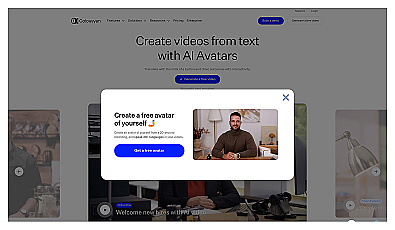
- Colossyan has the most generous free plan for training content: 20 minutes a month and up to 15 custom avatars, with downloads and watermark removal on Professional (pricing). Colossyan also states that it does not train AI models on customer content.
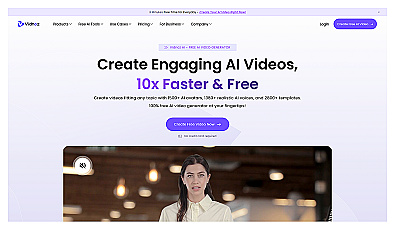
- Vidnoz refreshes free credits daily, enough for a one-minute 720p video, which is handy for quick tests (pricing).
Create engaging AI-driven avatar videos in any language.
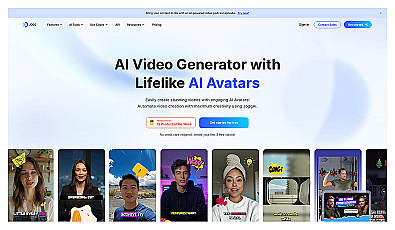
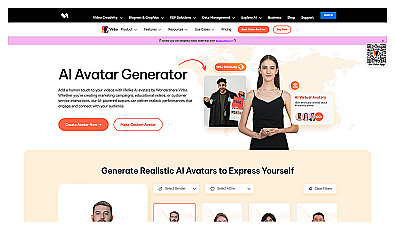
For short vertical ads rather than training videos, a separate group of tools puts avatars in a "user-generated" style. Creatify builds ads from a product link, and Arcads and Jogg AI make avatar ads. Captions is a phone and desktop video editor with AI avatars, and Wondershare Virbo offers a stock avatar library. Check each one's ad policy and licence before you spend money on paid placement.

Create lifelike videos with realistic avatars for various needs.
The full list of similar products is on the HeyGen alternatives page and in the Video category.
What a minute of avatar video costs
Credits make plans hard to compare, so here is a labelled worked example. It divides each list price by the minutes the vendor says the plan includes, using yearly billing where offered and prices read on November 19, 2026. It ignores taxes, promotions and the extra features each plan includes.
Source: Vendor pricing pages, checked November 19, 2026
Show data
| Price per minute | |
|---|---|
| AI Studios Personal | $0.3 |
| Synthesia Starter | $0.6 |
| D-ID Pro | $1.1 |
| Elai Creator | $1.5 |
How the numbers work: AI Studios is $24 for about 77 minutes. Synthesia Starter is $14 for about 22.5 minutes (the free 10 plus about 150 minutes a year spread over 12 months). D-ID Pro is $16 for 15 minutes. Elai's figure is its own. HeyGen is missing because it does not publish credits per minute. Colossyan is missing because its Professional plan splits minutes between two avatar engines (30 with NEO, 10 with NEO2). Treat the chart as a starting point, then check the real credit cost of your own script in each app.
Custom avatars need the real person's consent
Neither leader lets you build an avatar of someone else on your own: both put a consent check into the product.
- HeyGen requires a short consent video for every video-based avatar. The help center says the person must read the provided text "exactly as written", keep the clip under 30 seconds, and submit it with the avatar footage. If you make an avatar for a colleague, "that person must record their own consent video."
- Synthesia says "consent footage must be recorded live" and "must include the on-screen passcode", so a pre-recorded clip is not accepted (help center). The person in the avatar records it themselves; the footage itself should be a single take of 1 to 5 minutes, and processing usually takes about one business day.
A recorded consent clip proves the person agreed to an avatar, not to every script. For a colleague or a hired presenter, also agree in writing on what the avatar may say, in which languages, for how long, and what happens when they leave the company. Laws on likeness and voice differ by country, so treat this as a practical checklist, not legal advice. Our guide to ElevenLabs alternatives covers the same rules for cloned voices.
Label realistic avatar videos where you publish them
A realistic AI presenter can be mistaken for a real person on camera, and the big platforms have rules for that.
- TikTok says in its Community Guidelines: "we require creators to label AI-generated or significantly edited content that shows realistic-looking scenes or people." Unlabeled content may be removed, restricted or labelled by TikTok. Its help center adds that AI content using the likeness of an adult private individual without permission, or of anyone under 18, is not allowed even with a label.
- Meta said in its 2024 announcement that people must use its disclosure tool on Facebook, Instagram and Threads for "a photorealistic video or realistic-sounding audio that was digitally created or altered", and that it "may apply penalties" if they do not.
- YouTube requires disclosure of realistic AI content, such as a real person appearing to say something they did not. Our guide to AI tools for YouTubers walks through the setting in YouTube Studio.
An avatar of yourself reading your own script is a grey area on some platforms. When in doubt, label it. YouTube says disclosure alone won't limit a video's audience, and TikTok says its AI-generated setting does not affect distribution as long as the video follows its rules.
How to choose in one afternoon
- Write one 60-second script that matches your real use: a product demo, a training module or an ad.
- Render it on the free plans of HeyGen, Synthesia and one cheaper tool from the table. Use a stock avatar first, so you compare the engines, not your recording.
- Watch each result on a phone and a laptop. Check lip sync on numbers and names, hand movement and the voice in your second language.
- If you need your own avatar, record the footage once following the vendor's guide, then try it on the tool you prefer. HeyGen's free plan allows one custom avatar.
- Before you pay, re-check commercial use and watermarks for the plan you chose, and estimate a month of minutes from the credit cost the app shows.
If none of these fit, the AI Tool Finder pulls video tools from our directory by budget, with free plans first if you ask for them.
AI Tool Finder Answer three questions and get matching tools from our directory.FAQ
Is HeyGen or Synthesia better?
HeyGen fits creators and marketers who want translation, social formats and 4K export. Synthesia fits companies making training videos, with SCORM export, interactive quizzes and predictable minutes. Run the same script on both free plans before you decide.
Is HeyGen cheaper than Synthesia?
Not at the entry level. As of November 2026, Synthesia Starter costs $19 a month ($14 billed yearly) and HeyGen Creator costs $29 ($24 billed yearly). HeyGen includes a custom avatar even on its free plan, and its Pro plan adds 4K for $49.
Can I use free plan videos commercially?
Not on HeyGen: its free output is licensed only for personal, non-commercial and internal evaluation use. Synthesia's free plan cannot download videos at all. D-ID's Trial and Lite plans are personal use only. Plan on a paid tier for anything you publish for a business.
Can I make an AI avatar of someone else?
Only with their consent, and both HeyGen and Synthesia make the person record their own consent video. Agree in writing on how the avatar will be used, and check the law where you publish.
What is the cheapest AI avatar video generator?
By list price per included minute, AI Studios by DeepBrain AI's Personal plan was the lowest we found, at about $0.31 a minute on yearly billing. For occasional tests, Colossyan's free plan and Vidnoz's daily free credits cost nothing.