Midjourney Alternatives with a Free Plan: Limits and What You Can Sell
Midjourney stopped offering a free trial on its website and Discord. Here are the image generators that still have a free tier, what each one allows, and whether you may use the pictures commercially.
 Roman Shalabanov
Published
11 min read
Midjourney does not have a free plan. Its help center says no free trial is currently available on midjourney.com or in Discord; the only trial is a limited one inside the niji·journey app for iOS and Android. If you want to make images without paying, you need another tool, and there are good ones.
The best free option depends on what you will do with the pictures. For quick images inside a chat, use ChatGPT or Gemini. For a Midjourney-style studio with styles and a gallery, try Leonardo.Ai or Ideogram, but expect your free images to be public. For social posts and slides you may sell, Canva and Adobe Firefly have the clearest commercial terms. And if you have a decent graphics card, an open model in ComfyUI costs nothing per image. Every limit below comes from the vendor's own pages, checked in November 2026 unless a line gives an October date.
What Midjourney costs in November 2026
Midjourney sells four subscriptions: Basic at $10 a month, Standard at $30, Pro at $60 and Mega at $120, with 20% off when you pay for a year upfront (Midjourney plans). Its free trials page confirms there is no trial on the web or in Discord.
The commercial terms are generous once you pay. The Terms of Service let subscribers own their images, with one exception. A company with more than $1,000,000 a year in revenue, or an employee of one, must be on Pro or Mega to own them.
If you are open to paid tools too, our Midjourney alternatives page lists every similar product in the directory. This guide covers only the ones you can use for free.
Free Midjourney alternatives compared
Free image generators, checked November 5, 2026
| Tool | Free allowance | Commercial use on the free tier | The catch | Cheapest paid plan |
|---|---|---|---|---|
| Leonardo.Ai | 150 tokens a day | Licence to use commercially, Leonardo keeps rights | Free images are public | Essential, $12/month (as of October 23, 2026) |
| Ideogram | Weekly credits for eligible accounts | Yes | Private generation is a paid feature | Plus, $20/month ($15 yearly) |
| Krea | 100 compute units a day | No | Commercial licence starts on Basic | Basic |
| Recraft | 3 generations per style a day | No | Free images are public and owned by Recraft | Basic, $10/month billed yearly |
| ChatGPT | "Limited image creation" | ✓ (you own the output) | Limit is not published | Go, $8/month |
| Gemini | Image generation without a plan | Google does not claim ownership | Limits refresh every 5 hours, with a weekly cap | Google AI Plus |
| Bing Image Creator | 10 Fast creations, unlimited Standard | Not restricted; "for entertainment purposes" | Microsoft gets a licence to your prompts and images | None; Microsoft Rewards adds credits |
| Canva | Limited AI uses, reset monthly | ✓ (you own the output, per terms as of October 23, 2026) | Allowance is shared by all Canva AI tools | Canva Pro |
| Adobe Firefly | Daily free generations | ✓ for Firefly models | Partner models are your responsibility | Firefly Standard |
| ComfyUI + open model | Unlimited, on your hardware | Depends on the model licence | Needs a capable GPU or Apple silicon Mac | Free |
Canva and Adobe show prices in your local currency, so they are not listed here. The rest of this guide explains each row and what to test.
Web studios closest to Midjourney
These four work most like Midjourney: a web studio with style options, several models and, on the free tier, a public gallery.
Leonardo.Ai
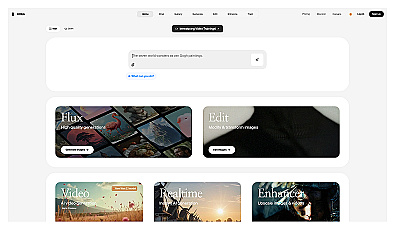
Leonardo.Ai's free plan gives you 150 tokens a day, and your creations are public. The rights are unusual. Leonardo's help center says you can use your images commercially, but for images that are made public it keeps "worldwide perpetual rights to use, copy, reproduce" them. Paid plans make your images private and yours; they started at $12 a month on the pricing page as of October 23, 2026.
Ideogram
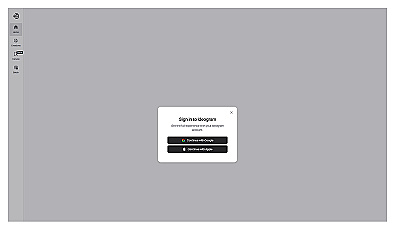
Ideogram puts text inside images at the center of its product, with editable text layers and print-on-demand workflows, so try it first for posters, covers and logos. Its plans page says free accounts get weekly credits if they sign in with Google, Apple or Microsoft; accounts created with an email and password get none. Its Terms of Service say Ideogram does not claim ownership of your images and does not restrict using them "for your own purposes (including for commercial purposes)". Private generation is a paid feature, and on the free plan "everything you generate is public".
Krea
Krea gives free users 100 compute units a day with access to its image, video and real-time models. The free plan does not include the commercial licence; Krea's FAQ says the licence comes with Basic, Pro, Max, Business and Enterprise. Use the free tier to explore, then pay before a client project.
Recraft
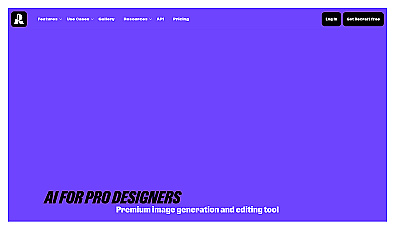
Recraft is aimed at designers who need vector graphics, icons and brand styles. Its free plan is the strictest here: "personal use only", three generations per style a day, Recraft's own models only, and "All images are public". The pricing FAQ states that images made on the free plan "are owned by Recraft" and are not licensed for commercial use. Basic costs $10 a month billed yearly and adds commercial rights and private generation.
Chat assistants that draw for free
If you need one picture for a slide or a post and do not care about style presets, an assistant you already use is the fastest route. You describe the image in a sentence, ask for changes in plain words, and the picture stays in your chat.
- ChatGPT: the pricing page lists "Limited image creation" on the free plan and does not publish the number. OpenAI's Terms of Use say you "own the Output" and assign you OpenAI's rights in it.
- Gemini: image generation with Nano Banana 2 is available without a Google AI plan. Gemini uses compute-based limits that refresh every 5 hours until you reach a weekly limit, and image requests use more of it than text (Gemini Apps Help). Google's Terms of Service say Google won't claim ownership of content you generate.
- Bing Image Creator: signed in, you get 10 free creations in Fast mode and unlimited ones in Standard mode, with more through Microsoft Rewards (Bing Image Creator). The terms do not forbid commercial use, but they call the service "for entertainment purposes", give Microsoft a licence to use your prompts and creations, and make no promise that outputs do not infringe anyone's rights. Microsoft Designer offers image creation in a design app as well.
For a wider look at free assistants, see our guide to free ChatGPT alternatives.
Design tools with commercial-friendly terms
If the image ends up in an ad, a product page or a client deck, the terms matter more than the style. Two design tools spell them out clearly.
Canva gives the free plan "limited access to Standard and Premium AI tools" from one allowance that is shared across all of its AI features and resets monthly, without a published number of uses (Canva pricing). As of October 23, 2026, Canva's AI Product Terms said you own your output and "may use your Output for any lawful purpose", with one exception: if the AI edits a photo from Canva's library, the library licence still applies to that photo.
Adobe Firefly offers "free daily generations across image, video, and audio" without a plan, and the limits refresh every day (Firefly plans). Adobe says outputs from its own Firefly models are safe for commercial use because they are trained on licensed and public-domain content. Firefly also offers partner models such as Nano Banana, and for those Adobe says you are responsible for deciding whether the output suits your project. Firefly attaches Content Credentials to its images, which matters if a platform asks you to label AI content.
Run an open model on your own computer
Generating locally is the only option with no account, no queue and no usage cap. You install an interface, download a model once and work offline. Two maintained interfaces are listed in our directory:
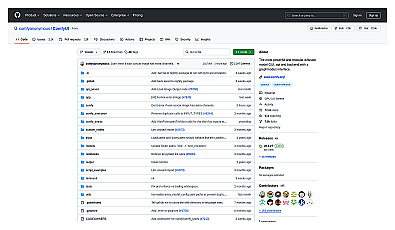
- ComfyUI builds images from a graph of nodes. Its README lists Stable Diffusion 3.5, FLUX.1, FLUX.2, Qwen-Image and HiDream among supported models, says the core "does not download anything unless you request it", and offers an
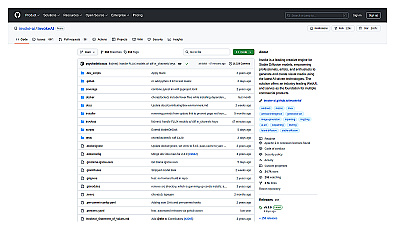
--offlineswitch that turns off its optional paid API nodes. It is licensed under GPL-3.0. - InvokeAI runs a local web interface with a unified canvas for inpainting and outpainting, closer to an image editor, under Apache 2.0.
The model, not the interface, decides what you may do with the images. These are the licences on each model's official Hugging Face page, checked November 5, 2026:
Open image models and their licences
| Model | Licence | Commercial use |
|---|---|---|
| FLUX.1 [schnell] | Apache 2.0 | Yes |
| FLUX.2 [klein] 4B | Apache 2.0 | Yes |
| Qwen-Image | Apache 2.0 | Yes |
| HiDream-I1 | MIT | Yes |
| Stable Diffusion 3.5 | Stability AI Community License | Free under $1M annual revenue |
| FLUX.1 [dev], FLUX.2 [dev], FLUX.2 [klein] 9B | FLUX.1 [dev] Non-Commercial License, FLUX Non-Commercial License | Model use is non-commercial; read the output clause |
Two rows need a note. Stability AI's licence page says its Core Models are free for commercial use by individuals and organizations under $1M in annual revenue; above that, you need an enterprise licence. The FLUX non-commercial licences say Black Forest Labs claims no ownership of outputs and that you "may use Output for any purpose (including for commercial purposes)". They also require content filters or a review of outputs for unlawful content, and they forbid using outputs to train a competing model. If you plan to sell images, the Apache 2.0 and MIT models are the simple choice.
Hardware is the real cost. Image models usually need a recent graphics card or an Apple silicon Mac with enough memory, and each model card lists its requirements. Our guide to running AI models locally covers the same trade-offs for text models.
Who owns an AI image you make for free
Vendor terms decide what the vendor may do with your image. They cannot give you a copyright that the law does not recognize.
The US Copyright Office's report on copyrightability, published in January 2025, concludes that "prompts alone do not provide sufficient human control" to make you the author of the output. Your own contribution can be protected: a drawing you upload and that remains visible, or a creative arrangement or edit of the result. In practice this means a competitor may be free to copy a purely generated image, even when the terms say you own it.
So read each tool's terms for three things before you use an image commercially:
- The licence direction. Do you own the image (ChatGPT, Canva, Ideogram), or does the vendor keep rights and license them back (Leonardo free), or is commercial use excluded (Recraft free, Krea free)?
- Visibility. Is the free image public in a gallery? If so, others may see it before your launch.
- Size limits on your business. Midjourney and Stability AI both set a $1M revenue threshold for certain rights.
This is a summary of published terms, not legal advice. If an image is central to a product or a brand, ask a lawyer in your country.
How to choose and test in ten minutes
Sample galleries show each tool at its best, so test with your own prompt instead.
- Write one prompt for the image you really need. The AI Image Prompt Builder gives you the same prompt in sentence form for ChatGPT, Gemini and Firefly, and with
--arparameters for Midjourney-style tools. - Run it in three free tools from different rows of the table: one assistant, one studio and one design tool.
- Check hands, text inside the image and how well each tool follows the aspect ratio you asked for.
- Ask for one change in plain words, such as "make the background darker", and see which tool keeps the rest of the picture intact.
- Before you publish, re-read the commercial-use row for the tool that won.
For the vocabulary that changes results most, such as lighting, lens and shot terms, read how to write image prompts. If you publish images where viewers might mistake them for photos, our checklist on how to spot AI images explains the labels and metadata platforms look for. You can browse more generators in the Images category.
AI Image Prompt Builder Combine subject, style, lighting, camera and composition into an image prompt.FAQ
Is there a free version of Midjourney?
No. As of November 2026, Midjourney's help center says no free trial is available on midjourney.com or in Discord. A limited trial is offered only in the niji·journey app for iOS and Android. The cheapest plan, Basic, costs $10 a month.
Which free Midjourney alternative allows commercial use?
On their free tiers, ChatGPT, Ideogram and Canva let you use images commercially, and Adobe says the same for its own Firefly models. Leonardo grants a commercial licence but keeps rights to free users' images. Recraft and Krea exclude commercial use until you pay.
Are images from free AI generators public?
On some. Leonardo's free creations are public, Recraft says all free images are public, and Ideogram lists private generation as a paid feature. Assistants such as ChatGPT and Gemini keep images in your own chats.
Can I run a Midjourney-like model for free on my computer?
Yes, if your hardware allows it. Install ComfyUI or InvokeAI and download an open model. FLUX.1 [schnell], FLUX.2 [klein] 4B and Qwen-Image use the Apache 2.0 licence, which allows commercial use.
Can I copyright an image I generated for free?
In the US, generally not if it came from a prompt alone. The Copyright Office says prompts do not give enough control, though your own visible artwork or creative edits can be protected.