How to Keep a Character Consistent Across AI Images
A repeatable method for the same character in every picture: a written character sheet, one master reference, the reference feature of your tool (Midjourney, ChatGPT, Gemini, Ideogram, Leonardo) and, for long series, a trained model.
 Roman Shalabanov
Published
10 min read
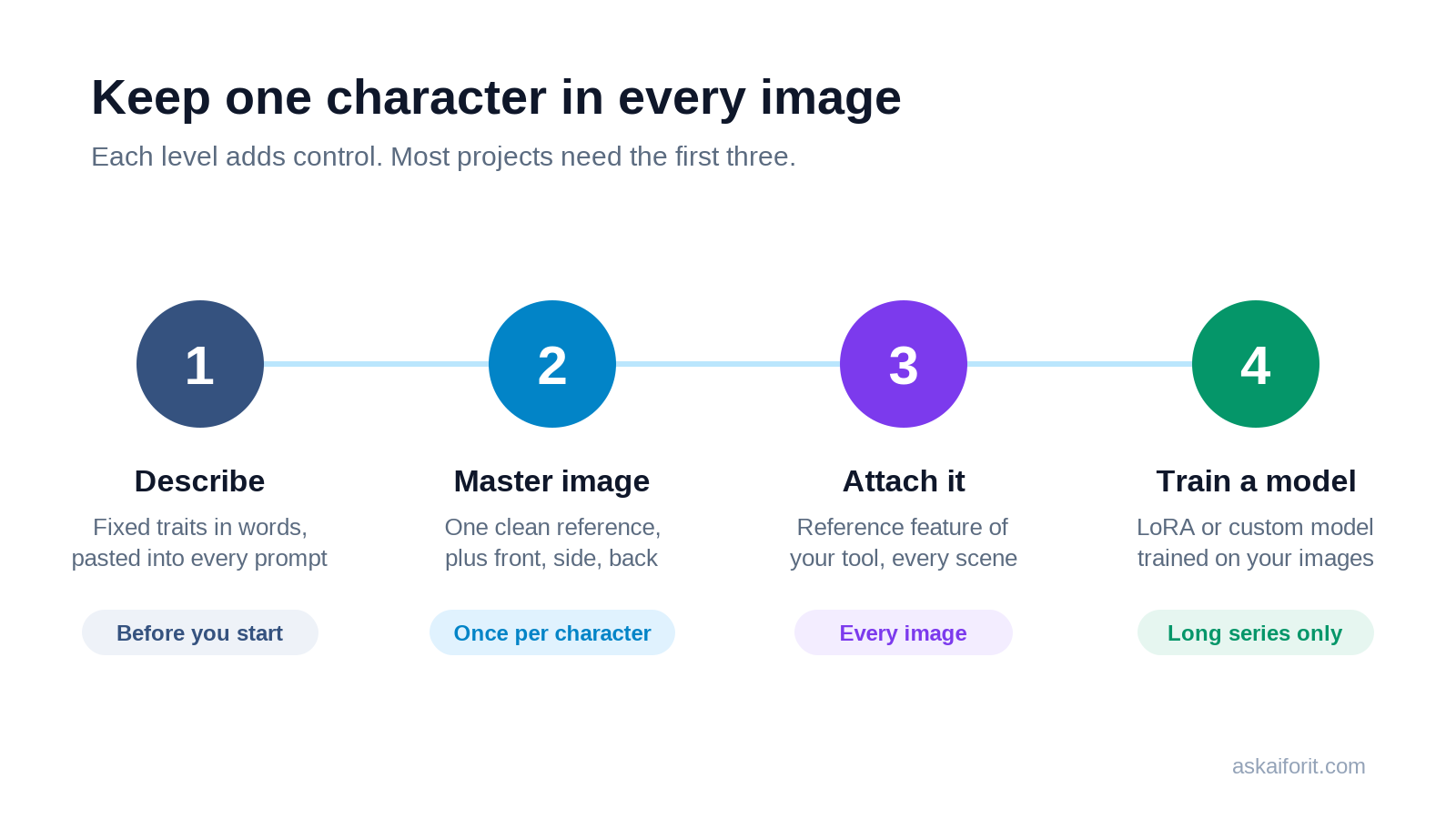
To keep a character consistent across AI images, give the generator a picture of the character every time, not just a description. Make one clean master image of your character, then attach it through your tool's reference feature for each new scene. That is the Edit Model in Midjourney, a saved reference photo in ChatGPT, and reference images in Gemini, Ideogram or Leonardo. Keep the written description, the style and the model the same, and change only the scene.
If you need the same character in more than a few dozen images, train a small model on it. A LoRA or a custom model learns the face and outfit from a small set of pictures and recalls them from a single trigger word. Below is the full workflow, with each vendor's feature named as its documentation names it on November 19, 2026. These features change often, so check the linked page before you start.
Why the same prompt gives you a different character
An image model starts each picture from random noise. The words steer the result, but "a red-haired woman in a green coat" fits millions of faces, and the model picks a new one every time.
A fixed seed does not solve this. Midjourney's seed documentation says seeds "only influence the initial layout of noise" and recommends reference features for consistency instead. Change one word of the prompt and the face changes too.
What does work is showing the model the character. Every major generator now accepts reference images, and that is the core of the method below. For the general vocabulary of prompts (lighting, lenses, composition), see our image prompt guide; this article covers only what keeps one character stable.
Step 1: Write a character sheet in words
Before you generate anything, fix the description. Write the traits that must never change and paste the same block into every prompt. Put the subject first, because generators pay most attention to the start of a prompt.
Character: Mara, a woman in her early 30s
Face: oval face, light olive skin, dark brown eyes, small scar above the left eyebrow
Hair: shoulder-length copper-red hair, straight, middle parting
Build: tall and slim
Outfit: dark green wool coat, cream turtleneck, black jeans, brown ankle boots
Always: silver ring on the right hand
Style: soft watercolor illustration, muted colors
Keep the list short and concrete. "Small scar above the left eyebrow" survives from image to image better than "a mysterious look". Name colors exactly, and decide on one outfit per story arc.
Our free AI Image Prompt Builder keeps the subject, style, lighting and camera blocks separate, so you can reuse the character block and change only the scene.
AI Image Prompt Builder Combine subject, style, lighting, camera and composition into an image prompt.Step 2: Make one master reference image and a turnaround sheet
Generate the character until you get a version you like, then stop and treat that image as the master. Everything after this copies from it.
A good master reference is:
- Full body or at least waist up, so the outfit is visible.
- On a plain, light background, so the model does not copy a room into every scene.
- Evenly lit and front-facing, with the face large enough to read details.
- Free of other people, unless you are building a multi-character scene on purpose.
Then ask for a turnaround sheet: the same character from the front, three-quarter, side and back, in one image. Ask with a prompt such as "character reference sheet of [character block], front view, three-quarter view, side view, back view, neutral pose, plain white background". Leonardo's Nano Banana prompt guide calls a "360-degree character sheet" the most reliable way to keep a character consistent with Nano Banana, and then uses the sheet as the reference for new scenes. Check that the sheet matches the master, crop the views you need, and keep them in one folder.
Step 3: Attach the reference with your tool's character feature
This is the step that does the work. The names and limits below come from each vendor's documentation, checked on November 19, 2026.
Character reference features, checked November 19, 2026
| Tool | Feature, as the vendor names it | How many references | Where it works |
|---|---|---|---|
| Midjourney | Edit Model (V8.1, V8.2). Omni Reference --oref (V7). Character Reference --cref (V6) |
Up to 4 images | Web; --edit in Discord |
| ChatGPT | ChatGPT Images 2.6, saved reference photo called with @name | Saved photos, called by name | Web, iOS and Android |
| Gemini app | Nano Banana 2 and Nano Banana Pro 2, plus an avatar of your own face | Multiple uploads | Users 18 and over |
| Gemini API | Nano Banana 2.1, Nano Banana Pro | Up to 4 characters (2.1) or 5 (Pro), 14 images in total | Developers |
| Ideogram | Ideogram 4.5 reference images; Ideogram 3.0 Character with saved characters | 1 to 5 images (4.5); 1 saved photo (3.0 Character) | Image app; Character app where available |
| Leonardo.Ai | Image references, Consistent Character and Multi Character Scene Builder blueprints | One or several; up to 5 characters per scene | Image generation and Blueprints |
| FLUX.2 | Multi-reference image editing | Up to 8 via API, 10 in the playground | API and playground |
Midjourney. The current default version is V8.2, released July 24, 2026 (Version). Its Edit Model can "generate new images using up to 4 reference images (replacing Omni Reference and Character Reference)". On the web, drag your master image into the Attach to prompt section; in Discord, add --edit followed by the image URLs. On V7 you still use Omni Reference with --oref, which accepts one image and costs twice the GPU time. Character Reference (--cref) is now listed under Legacy Features and works with version 6 only. If traits of two characters get mixed up, Midjourney suggests combining them into a single reference image.
ChatGPT. OpenAI's Images in ChatGPT page says ChatGPT Images 2.6 "does a better job of keeping details consistent from one edit to the next". Upload your master image, ask ChatGPT to save it as a reference and give it a name. In later chats, type @ and the name, for example "Mara walking through a night market in the rain, @Mara".
Gemini. The Gemini Apps help page says you can upload images as a reference, and that Nano Banana 2 "can accept multiple reference images". You can also record your face and voice to create an avatar and put yourself into images without uploading a photo each time. Image generation and editing require users to be 18 or over. In the Gemini API, Nano Banana 2.1 takes up to four character images and Nano Banana Pro up to five.
Ideogram. Ideogram's reference images guide has a section on keeping a character consistent with Ideogram 4.5, which accepts one to five clear images attached each time. If the Ideogram 3.0 Character app is available in your workspace, you can save a character from one photo under Library → Characters and reuse it (Characters).
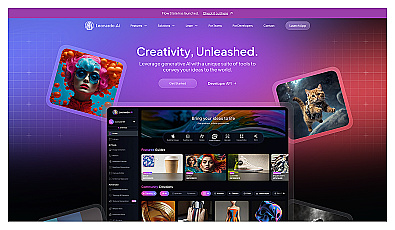
Leonardo.Ai lets you upload one or several reference images and offers two ready-made workflows it calls blueprints: Consistent Character and the Multi Character Scene Builder, which "combine up to five characters into one scene" (Leonardo).
FLUX.2 from Black Forest Labs supports multi-reference editing with "up to 8 via API, up to 10 in the playground" (FLUX.2 docs). It suits developers who build character pipelines into an app.
Generate unique and imaginative visuals through AI-driven creativity.
AI-powered creative suite for generating images, video, audio, and media
Step 4: Keep everything else fixed
A reference holds the face. The rest of the prompt can still pull the character apart. Lock these as well:
- Model and version. A new model version draws faces differently. Finish a series on the version you started with.
- Style. Keep the same style words, or use a style reference such as Midjourney's
--srefor a style image in Ideogram 3.0. A style change alone can make the character look like someone else. - Framing. Faces hold up best in close and medium shots. In wide shots the face is small and fine details are easy to lose, so add a close-up panel when the face matters.
- One change per image. Change the scene or the pose or the outfit, not all three. If the result drifts, you know which change caused it.
- Always go back to the master. Generate each new scene from the master reference, not from the last image. Copies of copies drift a little more every time.
Train a LoRA or custom model for a long series
References work well for a handful of scenes. For a children's book, a webcomic or a brand mascot that appears in hundreds of images, a trained model is usually more reliable. A LoRA (low-rank adaptation) is a small add-on file that teaches a base model one subject, called up by a trigger word in the prompt.
- Adobe Firefly offers Custom Models, "currently in beta for individual and teams users". You upload 10 to 30 images, give the subject a Concept ID to use in prompts, and training takes "30 minutes to several hours" (Adobe Help).
- Krea has a Train Lora page: "Upload images of one subject, and in a few minutes your Lora is ready to use in image and video models" (Krea).
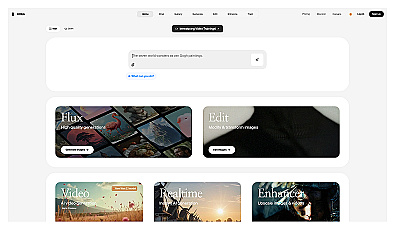
- Higgsfield calls its version Soul ID Character: you upload photos from multiple angles to train the character, then reuse it in images and videos (Higgsfield).
- OpenArt has a Character Builder for consistent characters across scenes (OpenArt).
- On your own computer, ComfyUI runs open models with LoRAs and image adapters. Black Forest Labs' training guide covers LoRA training of its open-weight FLUX.2 [klein] models for "character consistency". The 4B model is under Apache 2.0 and the 9B model under a non-commercial licence, and the open-source AI-Toolkit it lists is "optimized for consumer GPUs with 12GB+ VRAM".
Build the training set from your master and turnaround images plus varied scenes. Adobe's guidance points the same way: include "different perspectives, compositions, or backgrounds", so the model learns the character rather than one pose or room.
Use real faces only with consent
Character features work just as well on photos of real people, and vendors set rules for that. Midjourney's rules for uploaded images say "You must have the necessary rights to use the images you upload" and forbid manipulating images of people in abusive ways, "this includes sexualized deepfakes". Gemini's avatar feature is built around your own recorded face, and image editing there is limited to users 18 and over.
Use your own face, a person who has agreed in writing, or an invented character. If you publish realistic images of a real person, label them as AI-made. For how platforms and viewers detect such images, see how to spot AI images. For who may use the images commercially on each generator's free plan, see free Midjourney alternatives.
FAQ
Does a fixed seed keep my character the same?
No. A seed only fixes the starting noise. Midjourney's documentation says seeds cannot keep a character across different prompts and recommends reference features instead.
What replaced Midjourney's --cref?
In V8.1 and V8.2, the Edit Model replaces both Character Reference (--cref) and Omni Reference (--oref). It accepts up to four reference images. --oref still works with V7.
How many reference images should I use?
Start with one clean master image, then add a side or back view if poses drift. Midjourney's Edit Model takes up to four, Ideogram 4.5 up to five, and Nano Banana 2.1 in the Gemini API up to four character images.
How many images do I need to train a character LoRA?
Vendors ask for a small set. Adobe's Firefly Custom Models take 10 to 30 images, and Krea's trainer starts from "a handful". Vary the angles and backgrounds and keep the character the same.
Can I keep two characters consistent in one image?
Yes, with limits. Attach a reference for each character, or combine them into one reference image, which Midjourney recommends when traits get mixed. Leonardo's Multi Character Scene Builder handles up to five characters.