Gamma Alternatives: AI Presentation Makers Compared
Gamma makes good web-style decks, but many teams need slides that live in PowerPoint or Google Slides. Here is how the other AI presentation makers compare on free limits, export, branding and price.
 Roman Shalabanov
Published
9 min read
The best Gamma alternative depends on where your deck has to live. If your company presents from PowerPoint or Google Slides, use the AI built into those apps: Copilot in PowerPoint, Gemini in Google Slides, or the Plus AI add-in if you use both. That saves an export step and the formatting fixes that come with it. If you want a designed deck with locked brand styles, Beautiful.ai and Pitch work most like Gamma: their own editors with brand themes. For a free first draft, Pitch, Presentations.AI, SlideSpeak, Canva and Claude all have free routes.
Gamma itself is still a strong choice for decks you share as a link. This guide compares the alternatives on what vendors document: free limits, export to PowerPoint, branding and price, checked on November 19, 2026. We did not rate design quality, which is a matter of taste; the last section shows you how to judge it on your own outline.
What Gamma includes, and why people look elsewhere
Gamma builds presentations, documents and simple web pages from a prompt or a pasted document. Its help center lists five plans as of November 2026: Free, Plus, Pro, Ultra and Business.
- Free: 400 AI credits at sign-up that do not refresh, basic image models and up to 10 slides per prompt.
- Plus: 1,500 credits a month and no "Made with Gamma" badge on shared or exported content.
- Pro: 4,000 credits a month, premium image models and custom branding.
- Ultra: 20,000 credits a month and the most advanced models.
Annual plans give the same monthly credits at a 28% discount, according to the help center; Ultra is sold monthly only for now. Gamma's pricing page did not load for our check, so see gamma.app/pricing for the dollar amounts in your region.
The usual reasons to look elsewhere are export and branding. Gamma exports to PDF, PNG, PowerPoint and Google Slides. But its export guide notes three catches. Exports from a Free workspace carry the Gamma badge. PowerPoint and Google Slides files have no slide master layout. And Google Slides replaces Gamma's embedded fonts with its own. If your company template has to survive, that matters.
Gamma alternatives compared
AI presentation makers, checked November 19, 2026
| Tool | Works inside | Free option | PowerPoint file | Paid from |
|---|---|---|---|---|
| Gamma | Its own web app | 400 credits once, 10 slides per prompt | ✓ (badge on Free) | See vendor page |
| Copilot in PowerPoint | PowerPoint | No | Native | Microsoft 365 Personal, $99.99/year |
| Gemini in Google Slides | Google Slides | No | Via Google Slides download | Google AI Pro or Workspace Business Standard |
| Plus AI | PowerPoint and Google Slides | 7-day trial, card required | Native | $10/user/month billed annually |
| Beautiful.ai | Its own app, PowerPoint add-in | 14-day trial, card required | ✓ (editable export) | $14.50/month billed annually |
| Pitch | Its own app | Free plan, 500 AI credits once | Paid plans (see below) | €10/seat/month billed yearly |
| Presentations.AI | Its own app | 200 credits, up to 20 slides | Pro plan | $20/month billed annually |
| SlideSpeak | Its own app | 100 credits at sign-up, about 3 decks | Paid plans | See vendor page |
| Claude | Chat, as a .pptx file | Free plan | Yes | Free |
Prices are as shown on November 19, 2026. Pitch bills in euros in Europe, pounds in the UK and dollars elsewhere (Pitch Help), and its pricing page showed euros for our check. Google and Microsoft prices vary by country.
Keep your deck in PowerPoint or Google Slides
When the final deck lives in your company's template, generating it in place avoids a round trip.
Copilot in PowerPoint. Microsoft's plan comparison lists Copilot in Word and PowerPoint on Microsoft 365 Personal ($99.99 a year, or $69.99 for the first year), Family ($129.99 a year) and Premium ($199.99 a year, or $139.99 for the first year), as of November 19, 2026. Usage is limited: "higher than free" on Personal and Family, "extensive" on Premium. AI features are only for the subscription owner and are not shared with family members. At work, Microsoft sells Microsoft 365 Copilot as the Microsoft 365 Copilot Business add-on, listed from $21 per user a month paid yearly, or $18 for the first year if you subscribe by December 31, 2026 (Microsoft).
Gemini in Google Slides. Since a rollout that began on June 29, 2026, Gemini can create a full, multi-slide presentation inside Slides. You can ground it in Drive files, attach a deck as a style reference and approve the outline before slides are made. Google's announcement lists Workspace Business Standard and Plus, Enterprise Standard and Plus, Google AI Pro and Ultra, and says it launched in English (United States) only. See Gemini in our directory.
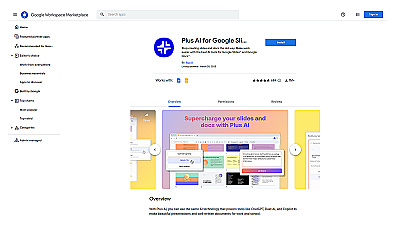
Plus AI is an add-in that works in both PowerPoint and Google Slides. Its pricing page lists Basic at $10 per user a month billed annually ($15 billed monthly) with 1,500 AI credits a month. A typical task uses 40 to 170 credits. There is no free plan, only a 7-day trial with 1,000 credits, and the trial needs a card.
Brand-controlled decks: Beautiful.ai and Pitch
Beautiful.ai builds slides from more than 300 "Smart Slide" layouts that format themselves as you add content, which helps a team stay on brand. Its pricing page lists Pro at $14.50 a month billed annually, unlimited AI content generation, PowerPoint import and export, and a 14-day free trial that needs a credit card. There is no free plan, except a free year of Pro for students with a verified .edu address (Beautiful.ai for education). A single month for a one-off project costs $45. If your team works in PowerPoint, there is also a PowerPoint add-in.
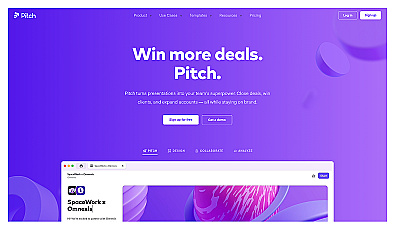
Pitch is a collaborative presentation app with a free plan. As of November 19, 2026, its pricing page showed:
- Free: unlimited presentations and 500 AI credits that do not renew. PDF exports and embeds carry Pitch branding.
- Plus: 750 AI credits a month, custom fonts and video uploads, at €10 per seat a month billed yearly. The Plus card also lists PowerPoint exports "with no added Pitch branding", but the comparison table on the same page shows PowerPoint export only from the Team plan (€15 per seat), so confirm before you buy Plus for it.
- Extra credits: $0.004 each, with a budget you can set.
Free and low-cost ways to make a first draft
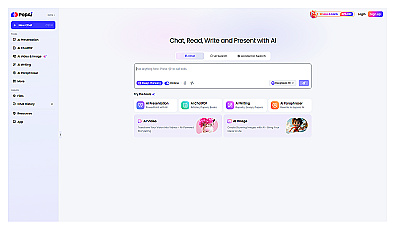
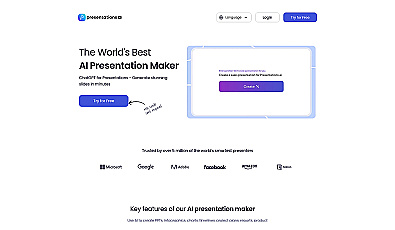
Presentations.AI has a free Starter plan with 200 credits and decks of up to 20 slides. Pro, at $20 a month billed annually ($240), adds 5,000 credits, PowerPoint export and brand customization (pricing).
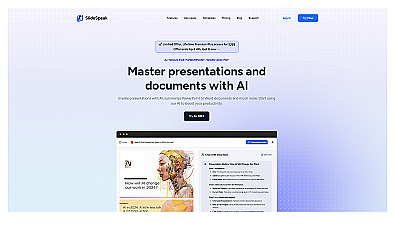
SlideSpeak turns text and PDF documents into slides. The free plan gives 100 credits at sign-up, which the vendor estimates at about three presentations, and export to PDF and PowerPoint is listed on its paid plans (pricing).
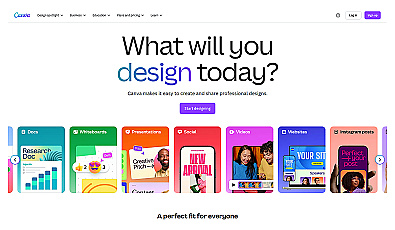
Canva can generate a presentation from a prompt with Canva AI, and you can add your own files to the prompt as context (Canva Help). AI use on the free plan is limited, so expect to hit a cap on a busy week. For a full comparison of Canva with Adobe Express and Microsoft Designer, see Canva vs Adobe Express vs Microsoft Designer.
Claude can write a real PowerPoint file in chat. Its help center says file creation is available on every plan, including Free, after you switch on code execution and file creation under Settings, Capabilities. Files can be up to 30 MB, and creating them uses more of your usage limit than a normal chat (Claude Help). Ask for a plain layout with speaker notes, then move the content into your own template.

Create visually appealing presentations in minutes with AI support.
AI-driven presentation creator that streamlines document to slide conversion.
What happened to Tome
Tome was one of Gamma's best-known rivals, and it still appears in older lists. It no longer makes general presentations. By April 2025 its homepage described Tome as "The AI assistant for sales". Its presentation page was aimed at sales teams, with AI template fill "for Enterprise only" (Internet Archive copies of tome.app from April and May 2025). On November 19, 2026, tome.app returned an error page. If you had decks there, look for exports you made; for new decks, pick one of the tools above.
How to get a better first draft from any of them
AI presentation makers fail in the same ways: too much text per slide, generic stock images and confident numbers that nobody checked. A better prompt fixes the first two; only you can fix the third.
- Write the outline yourself: one sentence per slide that says what the audience should remember. Ten slides need ten sentences, not ten topics.
- Paste your own material: the report, the data, last quarter's deck. Most of the tools above accept a file or pasted text as the source.
- Say who the audience is, how long you speak and what they should decide or do at the end.
- Ask for one message per slide, at most three bullets and speaker notes for the details.
- Check every number, name and claim against your source before you present. Generated decks can invent figures that look right.
- Export to PowerPoint once early and open it, to see what survives in your template.
A reusable prompt for the first draft:
Create a [10]-slide presentation for [audience] who need to [decide or learn what].
I will speak for [15] minutes.
Use only the facts in the material below; if something is missing, write [TBD].
One message per slide, stated as a full-sentence title. At most three bullets per slide.
Put details in speaker notes. Final slide: the decision or next step I am asking for.

"""
[paste your outline and source material]
"""
The AI Prompt Builder turns this into a template you can fill in for each new deck. For more prompts for work documents, see 50 prompt templates for everyday work.
AI Prompt Builder Build a clear prompt from role, task, context and format, or start from a template.FAQ
Is there a free alternative to Gamma?
Yes. Pitch has a free plan with 500 one-time AI credits, and Presentations.AI has a free Starter plan for decks up to 20 slides. SlideSpeak gives 100 credits at sign-up, Canva's free plan includes limited AI design generation, and Claude can create a .pptx file on its free plan.
Can I make AI presentations directly in PowerPoint?
Yes. Copilot in PowerPoint comes with Microsoft 365 Personal, Family and Premium for the subscription owner, and with Microsoft 365 Copilot at work. The Plus AI add-in also works inside PowerPoint and Google Slides.
Does Gamma export to PowerPoint?
Yes, to PowerPoint, Google Slides, PDF and PNG. Exports from a Free workspace carry the "Made with Gamma" badge, and the files have no slide master layout.
Is Tome still available?
Not as a general presentation maker. By 2025 its site sold an AI assistant for sales teams, and on November 19, 2026 tome.app returned an error page.
Which AI presentation tool keeps my company template?
Tools that work inside your presentation app: Copilot in PowerPoint, Gemini in Google Slides and Plus AI. Pitch, Beautiful.ai and Gamma let you build your own branded theme or template.