Runway Alternatives for AI Video Generation: Free Plans, Commercial Rights and Open Models
Pika, Luma, Adobe Firefly, Google Flow, LTX Studio, Krea and open-weight models such as Wan 2.2, compared by what the free plan allows, when you may use clips commercially, and what a month of paid video actually buys.
 Roman Shalabanov
Published
11 min read
The best Runway alternative depends on why you are looking. If you want to try AI video without paying, Krea and Adobe Firefly have free tiers that refresh, unlike Runway's one-time credits. Google AI Plus adds video generation for $4.99 a month in the US. If you need clips for client work or ads, Krea, Adobe Firefly and Pika have the cheapest paid plans with a commercial licence. Moonvalley says its Marey model is trained on licensed data. If you want no subscription at all and own a strong graphics card, open-weight models such as Wan 2.2 run on your own machine.
One thing has changed how to compare these tools: the app and the model are no longer the same thing. Runway now sells Kling and Seedance generations next to its own Gen-4.5, and Luma, Pika and LTX Studio do the same with Veo, Kling, Seedance and MiniMax models. This guide compares apps by what their pricing pages said on November 19, 2026: free allowance, cheapest paid plan, commercial terms and models offered. We did not rate video quality, so the last section explains how to test it on the free tiers.
What Runway gives you, and where it stops
Runway's pricing page lists four individual plans:
- Free: 125 credits, once, not monthly, for "a selection of generative creative models". Gen-4.5 uses 12 credits per second of video, so 125 credits would cover about 10 seconds of it. Runway's help center says free-plan videos carry a Runway watermark.
- Standard: $15 a month, or $12 billed yearly, for 625 credits a month. Runway translates that into 52 seconds of Gen-4.5 or 104 seconds of Gen-4 Turbo. No watermark, plus 4K upscaling.
- Pro: $35 a month, or $28 yearly, for 2,250 credits, a custom voice clone and unlimited 4K upscaling.
- Max: $95 a month, or $76 yearly, for 9,500 credits. It is the only plan whose unused credits roll over, for one month.
On commercial use, Runway's terms of use say the company "does not claim ownership" of your outputs and "does not restrict your commercial use" of them. The same terms let Runway use your inputs and outputs to train its models. The catch is volume. At 52 seconds of its newest model a month, Standard covers a few test shots, not a finished one-minute video with retakes. Our Runway alternatives page lists more video tools from the directory; the sections below narrow the choice by budget and licence.
Runway alternatives compared
AI video generators, checked November 19, 2026
| App | Free option | Cheapest paid plan | Commercial use | Models offered |
|---|---|---|---|---|
| Runway | 125 credits once | Standard $15/month, $12 yearly | Terms: no restriction on commercial use | Gen-4.5, Aleph 2.0, Kling 4.0, Seedance |
| Pika | No monthly credits; credit packs from $25 | Starter $10/month, $8 yearly | From Starter | Pika 2.5, Kling 4.0, Seedance 2.5, MiniMax H3, Wan 3.0 |
| Adobe Firefly | Limited daily generations | Standard $9.99/month, about 20 five-second videos | Firefly's own models: "safe for commercial use" | Firefly plus partner models |
| Luma | No free plan listed | Plus $30/month, $300 yearly | From Plus | Ray3.2, Veo 3.1, Kling 4.0, Seedance 2.5, MiniMax H3 |
| Google Flow | Flow included in Gemini's free plan; video from AI Plus | Google AI Plus $4.99/month (US), 200 Flow credits | See Google's terms | Gemini Omni Flash; Veo 3.1 on Ultra |
| LTX Studio | 800 credits once, personal use only | Lite $15/month, $12 yearly | Licence listed from Standard ($35, $28 yearly) | LTX-2.5, Veo 3.1, Kling, Seedance |
| Krea | 100 compute units a day | Basic $9/month | Paid plans only | Many image and video models |
Credits are not comparable across apps, because each model costs a different number of credits per second and resolution. The table after the next two sections converts the cheapest plans into seconds of video, as each vendor or its rate card states them.

AI-driven image and video generator for creative projects.

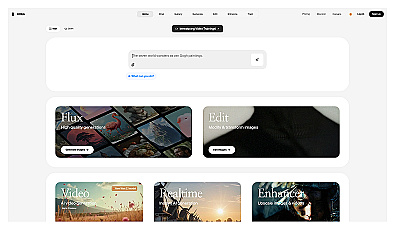
AI-powered creative suite for generating images, video, audio, and media
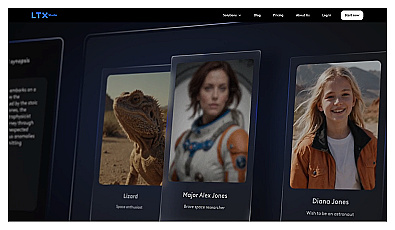
Create captivating videos with intuitive storyboarding and editing.
Best for free experiments
If you want to learn prompting before you pay, start with these free options. Krea and Firefly refresh daily; LTX Studio gives one-time credits.
- Krea gives 100 compute units a day with no credit card (pricing). The free column crosses out the commercial licence; it starts on Basic.
- Adobe Firefly includes limited daily generations on its free plan, with limited access to partner models (Firefly plans).
- Google Flow is included in the free Gemini plan with limited access, according to Google's subscriptions page. Video generation starts on Google AI Plus, at $4.99 a month in the US, with 200 Flow credits.
- LTX Studio gives 800 credits once and labels the free plan "For personal projects only. Cannot be used for business, marketing, or paid work." (pricing).
Pika is not on this list on purpose. Its pricing page shows 0 monthly credits on the free plan: you buy credit packs instead, at 60 credits per dollar, starting with 1,500 credits for $25. Free-plan exports carry no watermark but no commercial licence either.
Best when you need commercial rights
For ads, client work or anything you sell, read the commercial-use column before the price.
Adobe Firefly is the cautious choice for brands. Its plans page says "Outputs from Adobe Firefly AI models are safe for commercial use", explains that Adobe trains them on licensed and public-domain content, and attaches Content Credentials automatically. The same page adds that you are responsible for checking whether outputs from partner models suit your project. Standard costs $9.99 a month for 2,000 credits, up to about 20 five-second videos; Pro is $19.99 and Pro Plus $49.99, with discounts on the first six months that end December 6, 2026.
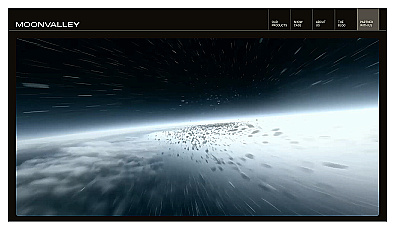
Moonvalley builds its Marey model for filmmakers. Its site describes Marey as "Trained on licensed data" and "Commercially safe", for both text-to-video and image-to-video.
Pika, Luma, Krea and LTX Studio grant commercial use on paid tiers: Pika from Starter at $10 a month, Luma from Plus at $30 (Luma pricing), Krea from Basic, and LTX Studio from Standard, according to their pricing pages. When an app resells a partner model, check whose terms cover the clip; Adobe, for one, leaves that check to you.
What the cheapest paid plan buys
Here is a labelled worked example. It takes each app's cheapest paid plan with a commercial licence and converts the monthly allowance into seconds or clips of video. Where the vendor gives its own figure, we use it; otherwise we use its rate card. Models and resolutions differ, so read it as a rough guide to volume, not quality.
Video per month on the cheapest commercial plan (worked example, November 19, 2026)
| Plan | Price | Model and resolution | Video a month | How we got it |
|---|---|---|---|---|
| Adobe Firefly Standard | $9.99 | Firefly video, five-second clips | About 100 s | Adobe: up to 20 five-second videos |
| Krea Basic | $9 | Seedance 2.0 Fast | About 31 clips | Krea's plan-card estimate for 5,000 units; clip length depends on settings |
| Pika Starter | $10 | Seedance 2.5, 720p | About 20 s | 600 credits buy four 5 s clips at 122 credits each (Pika's estimate) |
| Runway Standard | $12 yearly, $15 monthly | Gen-4.5 | 52 s | Runway's figure for 625 credits |
| Luma Plus | $30 | Ray3.2, 1080p, from a start frame | 125 s | 10,000 credits ÷ 400 credits per 5 s |
| Luma Plus | $30 | Ray3.2, 720p, from a start frame | 500 s | 10,000 credits ÷ 100 credits per 5 s |
Two lessons follow. Resolution changes the bill more than the app: on Luma, a 1080p Ray3.2 clip costs four times as much as a 720p one, and a prompt without a start frame adds 30 credits per clip. And retakes are the real cost. If one usable clip takes four tries, divide every number in the table by four.
One subscription, many models
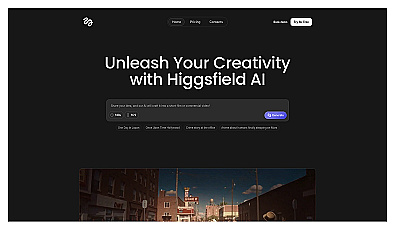
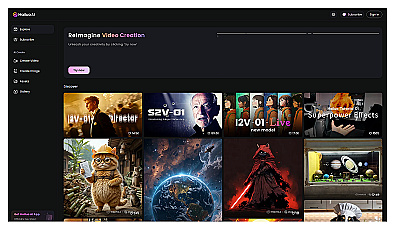
Runway, Luma, Pika, LTX Studio, Krea, Higgsfield and Adobe Firefly all let you pick between several companies' models inside one app. That has two practical effects.
First, you can try other companies' models without opening an account with each one. Kling 4.0 is listed on Runway's, Luma's and Pika's rate cards. MiniMax's H3 model, which powers its Hailuo app, is on Luma's and Pika's. Google's Veo 3.1 is on Luma's and in LTX Studio's Pro plan.
Second, the same model costs a different number of credits in each app. Compare the price of the model you actually use, at the resolution you need, rather than the plan headline.
One closure is worth knowing if you are coming from OpenAI. According to its help center, OpenAI shut down the Sora app and website on April 26, 2026. Its API documentation says the Sora 2 models and the Videos API were shut down on September 24, 2026, with no one-to-one replacement.
Open-weight video models you can run yourself
An open-weight model runs on your own GPU, usually through ComfyUI or the project's own scripts. There are no credits and no watermark, and your prompts and reference images never leave your machine. You pay in hardware and time instead. These are the licences and requirements on each project's official page, checked November 19, 2026:
Open-weight video models
| Model | Licence | Commercial use | What the project says about hardware |
|---|---|---|---|
| Wan 2.2 (TI2V-5B) | Apache 2.0 | Yes | 720p at 24 fps on a 24 GB card such as an RTX 4090 |
| HunyuanVideo 1.5 (8.3B) | Tencent Hunyuan Community License | ✓ outside the EU, UK and South Korea | 14 GB minimum with model offloading |
| LTX-2.5 and LTX-2.3 | LTX-2 community licences | ✓ under $10M annual revenue; paid licence above | No minimum stated; FP8 and offloading options for smaller GPUs; up to 4K |
| Mochi 1 preview | Apache 2.0 | Yes | About 60 GB on one GPU in the reference code, under 20 GB in ComfyUI; 480p |
- Wan 2.2 from Alibaba's Wan team is the safest licence choice. The README says the 5B model generates a five-second 720p video "in under 9 minutes on a single consumer-grade GPU", and the team says it claims no rights over the content you generate. The README's commands for the larger 14B models call for 80 GB of VRAM.
- HunyuanVideo 1.5 from Tencent has an 8.3B-parameter model with 720p generation and an upscaler to 1080p. Its licence "does not apply in the European Union, United Kingdom and South Korea", and services with more than 100 million monthly active users must ask Tencent for a licence.
- LTX-2 from Lightricks, the company behind LTX Studio, publishes weights under its own community licences. Entities with annual revenues of at least $10,000,000 "are required to obtain a paid license", except for non-commercial research and testing.
- Mochi 1 from Genmo is Apache 2.0 but older: its README says it generates 480p video and works best on photorealistic styles.
How to choose in an afternoon
- Write down the one shot you need most, such as a five-second product turn or a slow push-in on a street at night. Note the length, aspect ratio and resolution.
- Make the first frame as a still image, so every tool starts from the same picture.
- Animate it on Krea's and Adobe Firefly's free tiers, and on one low-cost plan you are considering. Use the same motion prompt each time.
- Compare hands, faces, text in the frame and camera motion. Note how many tries each tool needed for one usable clip.
- Before you subscribe, check the commercial-use line for the plan, and price the model and resolution you will actually use. If you have a 24 GB GPU, try Wan 2.2 locally as the no-subscription baseline.
FAQ
What is the best free alternative to Runway?
For tests, Krea refreshes 100 compute units a day and Adobe Firefly includes limited daily generations. Krea's free tier does not include a commercial licence. If you have a strong GPU, Wan 2.2 is free to run under the Apache 2.0 licence.
Is there a cheaper alternative to Runway with commercial rights?
Yes. As of November 2026, Krea Basic costs $9 a month, Adobe Firefly Standard $9.99 and Pika Starter $10, all with commercial use, against Runway Standard at $15 a month or $12 billed yearly. Compare the seconds of video each plan buys at the model and resolution you need.
Can I use AI-generated videos commercially?
It depends on the plan and the model. Runway's terms say it does not restrict commercial use of your outputs, Pika and Krea include a commercial licence only on paid plans, and LTX Studio's free plan is for personal projects only. Open models follow their licence files.
Is Sora still available?
No. OpenAI shut down the Sora app and website on April 26, 2026, and the Sora API on September 24, 2026, according to its help center and API documentation. Several apps in this guide offer other companies' video models instead.
Can I run an AI video generator on my own computer?
Yes, with a capable GPU. Wan 2.2's 5B model runs at 720p on a 24 GB card such as an RTX 4090, and HunyuanVideo 1.5 lists 14 GB as the minimum with offloading. Expect minutes per clip rather than seconds.