How to Launch on Product Hunt: A Step-by-Step Playbook
Account rules, hunters, featuring criteria, every launch page field, timing, launch day and the rules that get launches removed, all taken from Product Hunt's own help center and launch guide.
 Roman Shalabanov
Published
11 min read
To launch on Product Hunt, join with a personal account months ahead, check your product against the featuring guidelines and hunt it yourself. Then fill in the launch page and schedule it for 12:01 AM Pacific, up to 30 days ahead. On the day, reply to every comment and share the link with people who care, asking for feedback rather than votes. Product Hunt recommends joining "three months or more" before launch, and a new account cannot post for its first week.
Every rule in this guide comes from Product Hunt's help center and launch guide, read on November 5, 2026. Where a help article shows a date, we give it. Product Hunt edits these pages often: it rewrote the help center's Launch Guide in the week before we checked. Reopen the pages in the week before your launch.
Check that your product can be featured
Featuring decides most of what happens on launch day. Featured launches appear on the homepage. The rest go to the "All" feed, which people reach through a link at the bottom of the homepage. So read the featuring guidelines (March 10, 2026) before anything else.
Product Hunt's "primary focus is on digital products and services" that are "currently available". Its team weighs four qualities: useful, novel, high craft and creative. A product does not need all four, since "often they spike in one or two of these".
These are not featured:
- Waitlisted products, unless "immediate access is provided"
- Directories, lists, templates, boilerplates, podcasts, courses, reports, events, books and services
- Stores, commerce sites and deal sites
- Off-topic, non-tech submissions
- Kickstarter projects, unless "fully functional and ready for use at launch"
- Hardware without a "prominent digital component"
The team also avoids "minimal, undifferentiated products" built mainly for quick revenue, and says "what was novel yesterday may be commonplace today". In "the vast majority of cases", featuring decisions "are final". A product that is not featured stays live and can still get comments and upvotes. People reach it through "See all of today's products" at the bottom of the homepage.
Set up your account weeks or months ahead
Product Hunt asks makers to join well before they launch, and it expects every account to belong to a real person.
- Use a personal account. "Company or branded accounts cannot post, vote, or comment on Product Hunt" (access article, July 30, 2025).
- Wait out the first week. "Once you've created a personal account, you will need to wait one week before you can post a product." Subscribing to the newsletter gives immediate access, the same article says.
- Join early. The launch guide's before-launch page recommends joining "three months or more" ahead and focusing on your first 100 true fans.
- Complete your profile. The community guidelines (April 11, 2025) say a profile must "represent an individual". It needs a first and last name, a real photo and a unique username. Incomplete profiles may face extra review or limited visibility.
- Take part. Comment on other launches and join discussions, but keep your own product out of your comments. "Self-promoting in comments will also be removed."
Hunt your product yourself
A hunter is "the person who posts a launch on Product Hunt", and makers are the people who built it (hunter vs makers). You do not need anyone else to post for you. The launch guide puts it plainly: "Hunting is just posting." It also says 79% of featured posts and 60% of #1 Product of the Day winners were self-hunted.
A few rules matter here:
- Never pay a hunter. Paying hunters or promoters goes against the guidelines. Launches can be unfeatured or removed, and makers "may be permanently banned from the site".
- Hunters are capped. Users "can schedule up to 2 hunts per day" (daily hunt limits, April 3, 2026).
If someone you trust wants to hunt your product, that is fine. Add yourself and your team as makers from "Hunter & makers" in the launch dashboard.
Prepare every field on the launch page
Start a new product post from the Submit button and save it as a draft while you work. These are the fields and limits Product Hunt documents in Build your product page (November 1, 2026) and its launch guide.
Product Hunt launch page fields, as of November 2026
| Field | Limit or format |
|---|---|
| Name | Up to 40 characters. Product name only, no tagline. Emoji only if part of the name |
| Tagline | Max 60 characters |
| Description | Up to 500 characters in the help center's Launch Guide and in the launch guide on producthunt.com |
| Logo (thumbnail) | Square, 240 × 240 recommended. JPG, PNG or GIF up to 2 MB in the help center (3 MB on producthunt.com). GIFs animate on hover |
| Gallery | 1270 × 760 recommended. The help center asks for at least 1 image, the producthunt.com guide for 2, so add 2 or more |
| Video | YouTube only, full URL, not private |
| Interactive demo | Links from tools such as Arcade, Storylane, Supademo, Hexus, Layerpath and ScreenSpace |
| Launch tags | Up to 3 |
| Shoutouts | Up to 3 per launch |
| Pricing | Free, paid, or paid with a free trial or plan |
| Promo | Offer, promo code and expiry date |
| Makers | Added by Product Hunt username |
| First comment | Your opening comment, up to 5,000 characters, shown below the gallery |
The URL must point to the product itself, not to press coverage, and the preparing for launch page says shortened and tracking links are not accepted.
The gallery does most of the selling. Put the clearest screenshot first, since it is the one most people see, and crop to the part of the interface that matters so the text stays readable on a phone. The Screenshot Mockup Generator has a Product Hunt preset at 1270 × 760 and runs in your browser.
Screenshot Mockup Generator Put a screenshot in a browser or phone frame on a background for launch posts.For the demo, a short screen recording made with Loom and uploaded to YouTube works, as does an interactive demo. Product Hunt names Supademo, Hexus and Layerpath among the tools whose demos you can add to the gallery, along with Arcade and Storylane. Canva is enough for a title image.
Write the first comment before the day. Say who you are, why you built the product, who it is for, what is new and what feedback you want. The launch guide notes that newsletter writers use first comments as material. Our guide to writing a product description for launch sites covers taglines and short descriptions.
Pick the date and schedule the launch
Product Hunt runs on 24-hour days in Pacific time, and launches go live at 12:01 AM. The launch guide calls 12:01 AM Pacific "the best time to launch" for makers who can plan ahead. That is 08:01 UTC while the US is on standard time and 07:01 UTC during daylight saving time.
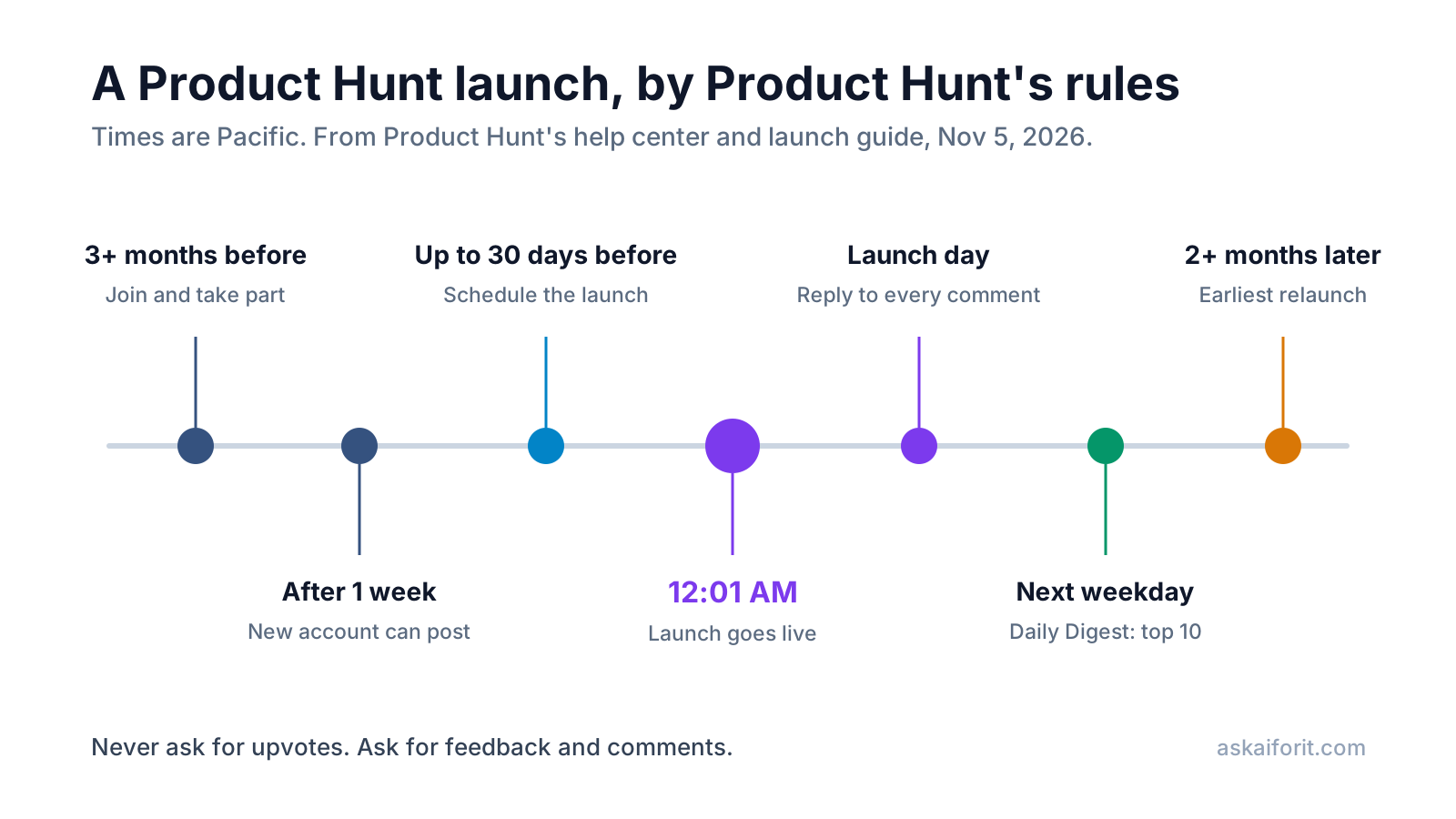
- Schedule up to 30 days ahead. Choose "Schedule Launch" and pick a date "within 30 days" (scheduling, February 2, 2026). Until then, the post is not indexed and nobody can upvote it, but you can still edit it.
- Use drafts. "Create Draft" has replaced "Launch Now" (help article, February 24, 2025). A draft is not indexed and can be shared with teammates.
- Share the scheduled page if you want. Scheduled launches are visible only to the makers and team by default. You can make the page public from the lock icon in its banner (sharing a scheduled launch, June 30, 2026).
- Choose the day you are most ready. Product Hunt names no best weekday: "The best day to launch is the day on which you're most prepared." Product of the Week counts launches from Monday to Sunday, and Product of the Month a calendar month.
- Avoid two launches from one company on one day. In rare cases, Product Hunt may move one of them to a later date.
Run launch day
Clear the whole day. Most of the work is answering people quickly and honestly.
- Just after 12:01 AM Pacific, open the live page. Check the links, the gallery order, the video and the pricing tag.
- Post your first comment if it is not already there.
- Share the launch page with your email list, your social accounts and the communities where you already take part. Ask for feedback and questions, not upvotes.
- Reply to comments "in real time or as close to it as possible", as the launch guide's sharing page puts it.
- Watch the launch dashboard, which tracks "your position, upvotes, comments, and reviews throughout the day".
- In the evening, thank people and say what you will fix first.
Upvotes do not map one to one onto ranking. "One upvote does not always equal one point," says the ranking article, and points depend on "featured status, overall community engagement" and factors Product Hunt does not disclose. Product Hunt also "actively filters out inauthentic activity", including "bot accounts, fake profiles, AI-generated actions", so points from such accounts disappear (points article). Product of the Day goes to the launch with the most points that day, and points combine "upvotes and meaningful engagement (like comments or shares)" (Product of the Day article).
The Daily Digest email goes out every weekday with the previous day's top 10 most upvoted products, and editors may add other launches (launch day page). Product Hunt gives its readership as more than 350,000.
For the sharing itself, these tools from our directory help: Hypefury schedules posts on X, Kit (formerly ConvertKit) sends the launch email, and DataFast shows which channel sent paying users.
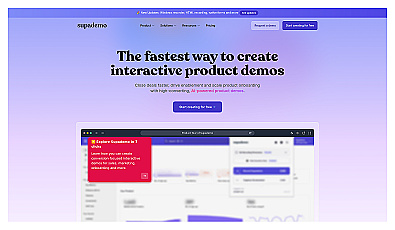
Create interactive demos to engage and onboard users effectively.
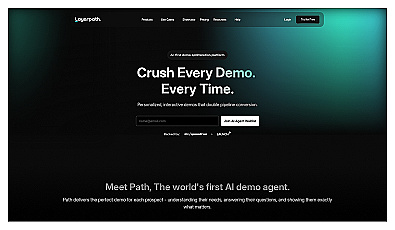
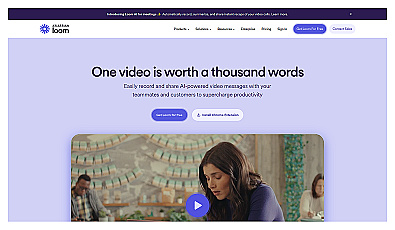
Record and share personalized video messages effortlessly.
Avoid what gets a launch removed
Product Hunt is strict about votes, and the penalties fall on the launch, the account or both.
Breaking the guidelines "may result in the removal or suspension of your account and/or products". What you can do is "spread the word and bring friends into the discussion". The sharing page also warns against suddenly spamming Reddit or Indie Hackers on launch day.
Follow up after launch, and plan the relaunch
The launch page keeps working after the day ends. Upvoters become followers of your product page, so claim the page ("Claim this page") as soon as you launch. Add the Product Hunt badge or embed from your launch dashboard to your site.
Then measure. Compare sign-ups from Product Hunt with your other channels using a tagged link from the UTM Builder, and follow up with new users while they remember you. The Product Launch Checklist covers the week after, and our product launch checklist guide explains why each step matters.
You can launch again, with limits. The relaunch article, updated on October 21, 2026, asks makers "to wait at least two months between posts for the same product or from the same company". Products on the same root domain follow the same gap. A relaunch also needs "a significant update", such as "a new mobile app or a complete product redesign with new functionality". New UIs and pricing changes do not count. To relaunch sooner, you submit a relaunch request, and approval does not guarantee a feature. An older homepage article (February 21, 2025) still says a product that was not featured can be resubmitted after six months.
Product Hunt is one launch among many. Our list of 26 Product Hunt alternatives compares the other places to launch, with prices, link types and review times.
FAQ
Is it free to launch on Product Hunt?
Yes. The launch guide says Product Hunt is "100% free" to use. You pay nothing to post, schedule or be featured.
What time should I launch on Product Hunt?
Schedule the launch for 12:01 AM Pacific time, when Product Hunt's day starts. That gives your launch the full 24 hours. Product Hunt names no best weekday and suggests the day you are most prepared.
Do I need a hunter to launch on Product Hunt?
No. Product Hunt encourages makers to hunt their own products and says 79% of featured posts were self-hunted. Paying a hunter is against its guidelines.
Can I launch a waitlist or a beta?
A waitlist that offers only an email sign-up is not eligible for the homepage, and pre-launch products are allowed only occasionally, with a detailed demo. A closed beta that nobody can join is usually not a good fit, says Product Hunt's Launch Guide. Launch when people can sign up and use it.
Why is my launch not on the homepage?
The homepage is curated, and Product Hunt does not feature every launch. Your post stays live in the All feed and can still collect comments and upvotes. Featuring decisions are usually final, so put the effort into the next significant update.
How soon can I relaunch on Product Hunt?
As of November 2026, wait at least two months between posts for the same product or company, and relaunch only with a significant update. Sooner relaunches need an approved relaunch request.