Open Graph Images That Get Clicks: Sizes, Templates and Common Mistakes
The size that works everywhere, what each platform actually documents, five templates that read at small sizes, and the mistakes that leave a shared link without a picture.
 Roman Shalabanov
Published
10 min read
Roman Shalabanov
Published
10 min read
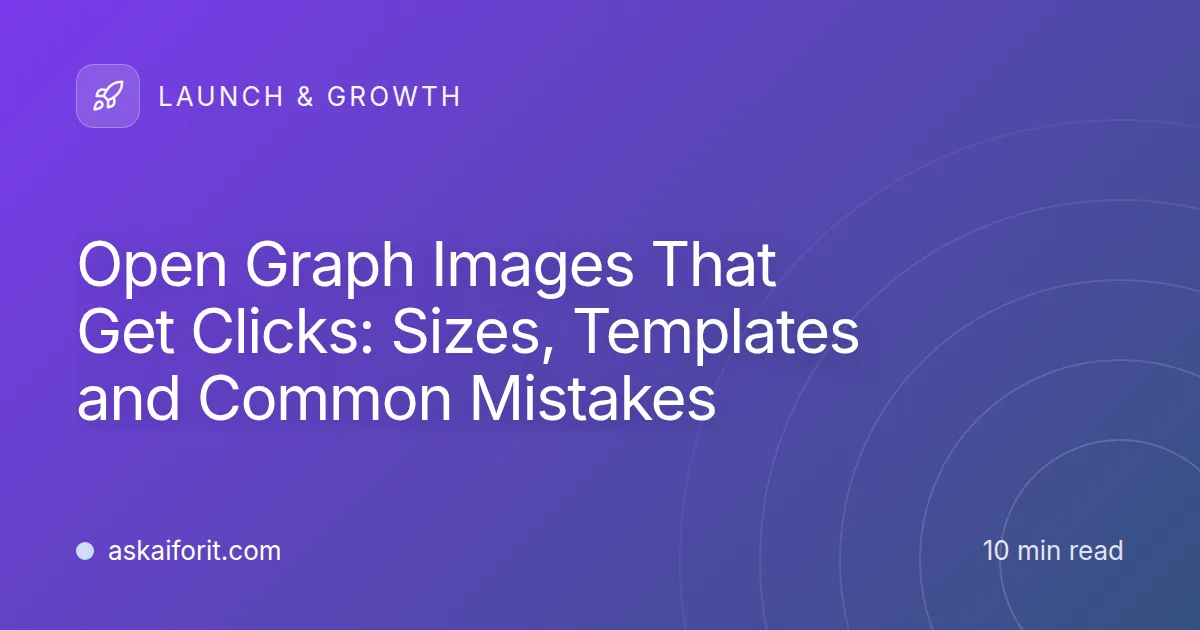
The best Open Graph image size is 1200 × 630 pixels, a ratio of 1.91:1. Facebook recommends at least that size for sharp previews on high-resolution screens, LinkedIn asks for at least 1200 × 627 at the same ratio, and X's large summary card accepts it at close to its 2:1 shape. Save it as PNG or JPEG and keep the file under 600 KB, the lowest limit a major platform publishes (WhatsApp's).
The size is the easy part. An image gets clicks when it still reads after a feed shrinks it, keeps the message in the middle where crops cannot reach it, and is served so that every crawler can fetch it. Below you will find what each platform documents as of October 2026, the tags to add, five templates that work for products, and the mistakes that leave a shared link without a picture.
Check what each platform publishes, and what it leaves out
The Open Graph protocol itself has no size. The protocol defines og:image as "an image URL which should represent your object" and adds optional width, height, type and alt properties. The numbers come from each platform's own documentation.
Open Graph image limits by platform (checked October 2026)
| Platform | Size it asks for | Ratio | File size | Formats |
|---|---|---|---|---|
| At least 1200 × 630; 600 × 315 for the large preview; 200 × 200 minimum | As close to 1.91:1 as possible | Up to 8 MB | Not listed | |
| At least 1200 × 627 | 1.91:1 | Up to 5 MB | Not listed for link previews | |
| X large card | 300 × 157 to 4096 × 4096 | 2:1 | Under 5 MB | JPG, PNG, WEBP, GIF (first frame), no SVG |
| Apple Messages | At least 900 px wide | Not given | 10 MB for all preview files | Not listed |
| At least 300 px wide | 4:1 or narrower | Under 600 KB | Not listed | |
| Slack, Discord | No published size | – | – | – |
Sources: Facebook's image guidelines, LinkedIn Help, X's card documentation, Apple's TN3156: Create rich previews for Messages and Meta's WhatsApp link preview guide. We found no preview image size in Slack's or Discord's documentation. Slack says its link previews read Open Graph and X card tags, and Discord's previews use the same tags in practice.
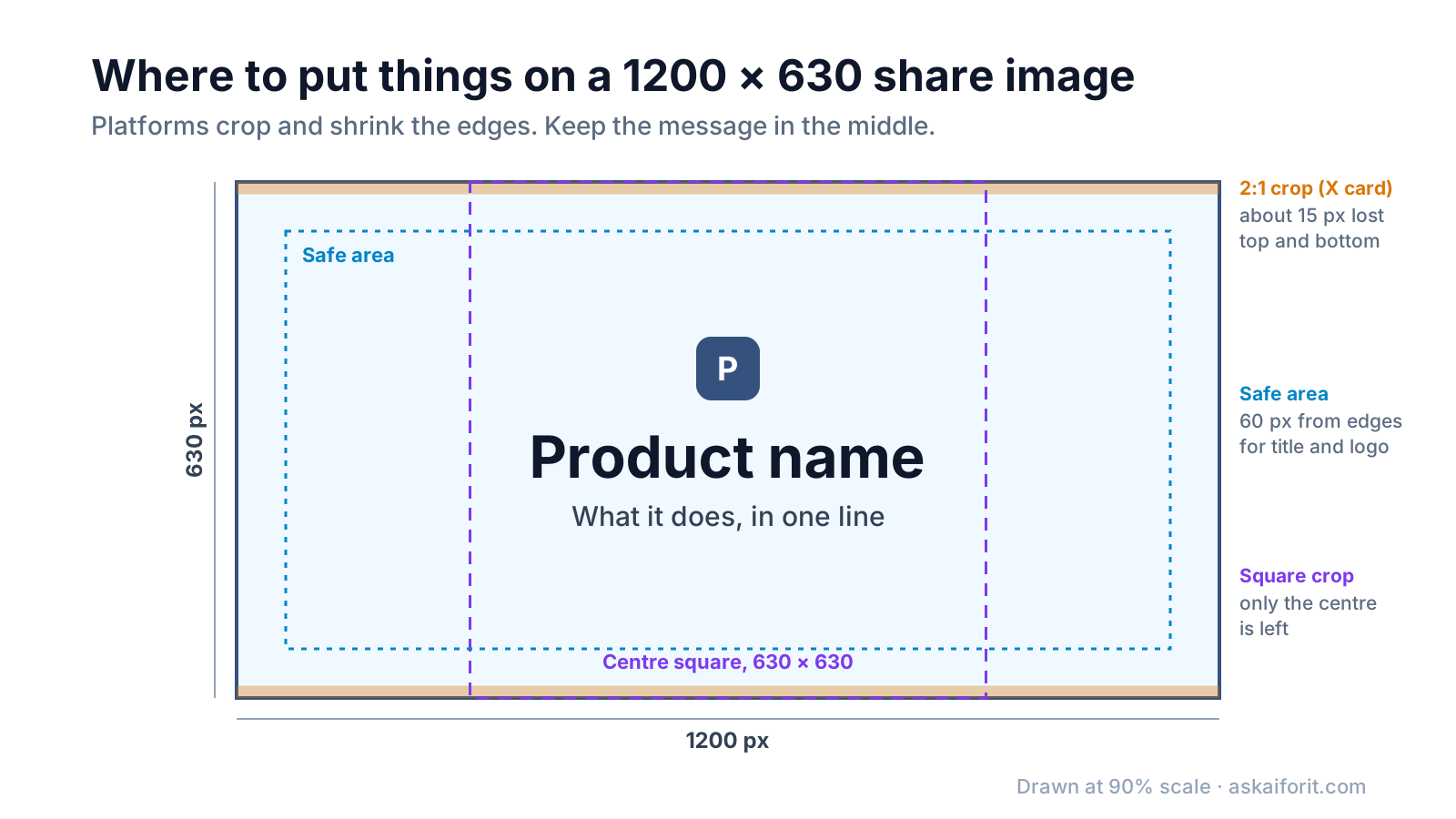
Two things follow from the table. First, 1200 × 630 clears every published minimum. Second, it is close enough to 2:1 that X loses only a thin strip: 1200 ÷ 2 = 600, so a centred 2:1 crop removes 30 px, about 15 at the top and 15 at the bottom.
Apple adds two details worth knowing. Images under 150 px wide "may be ignored or presented as icons", and Apple advises against text in preview images, because Messages shows them at different sizes on different devices. Most product sites still put a short title on the image, since in a feed the picture is the largest part of the card. If you do, keep the words few and large, as described below.
Add these tags to every page
<meta property="og:type" content="website">
<meta property="og:url" content="https://example.com/">
<meta property="og:title" content="Shared notebooks for small teams">
<meta property="og:description" content="Offline sync, a REST API and plans for teams of 2 to 50.">
<meta property="og:site_name" content="Example Notes">
<meta property="og:image" content="https://example.com/og/home-v2.png">
<meta property="og:image:width" content="1200">
<meta property="og:image:height" content="630">
<meta property="og:image:alt" content="Example Notes logo above the words Shared notebooks for small teams">
<meta name="twitter:card" content="summary_large_image">
What each part does:
- og:type, og:url, og:title and og:image are the four properties the Open Graph protocol requires. LinkedIn also lists og:description among the tags that must exist.
- og:image:width and og:image:height tell Facebook the size before it downloads the file. Facebook notes that its crawler has to see an image once before it can render it, so without these tags the first person to share a page may get a preview with no picture.
- og:image:alt describes the image for people who use screen readers. The protocol says a page that sets og:image should set it too. X uses it when twitter:image:alt is missing and allows up to 420 characters.
- og:site_name carries your brand name. Apple asks you not to put the site name in og:title, and Facebook describes og:title as the title "without any branding such as your site name".
- twitter:card is the one X tag you cannot skip. X falls back to og:title, og:description, og:image and og:image:alt. For the card type it only looks at og:type, and its documentation says a page without twitter:card may get the small summary card instead of the large image.
Open Graph tags use the property attribute; X's tags use name. Put all of them in the HTML your server sends. Apple states that link previews "do not follow meta redirects, nor run JavaScript", so tags that a script adds after the page loads are invisible to Messages. Assume other preview crawlers are just as limited, and check the result with the Meta Tags & Social Preview tool.
Make the image readable at less than half its size
A 1200 px image is rarely shown at 1200 px. In a phone feed or a chat window it is often shown around 500 px wide, which shrinks everything to about 42%. This example shows what that does to text:
Text in a 1200 px image shown 500 px wide (example)
| Text in the image | At full size | Shown 500 px wide |
|---|---|---|
| Title | 64 px | about 27 px |
| Tagline | 32 px | about 13 px |
| Small label or URL | 20 px | about 8 px |
The title survives, the tagline is borderline and the small label is gone. That gives you the rules for a card that works:
- One message. Product name and what it does, or the article title. Keep the title under about 60 characters and use the tagline only if it adds something.
- Large type. A title of 60 px or more in the full-size image stays legible in a feed.
- High contrast. Dark text on a light background or the reverse. Avoid text over a busy photo.
- A safe area. As a rule of thumb, keep text and logo at least 60 px from every edge. Crops and rounded corners take the edges first.
- A different image for each page. X's documentation says not to use "a generic image such as your website logo" that spans multiple pages. A card with the page's own title tells people what they will get.
Pick one of five templates that work for products
You do not need a new design for every page. Five layouts cover almost every product page, post and launch:
- Title card. Logo, product name and one line on what it does, on a brand-colour background. The default for a home page and a launch post.
- Screenshot card. A framed screenshot cropped to the one part that matters, with a short title above it. Crop hard: a full dashboard at 42% size is a grey blur.
- Split card. Title on the left, a visual on the right. It suits blog posts, comparisons and changelog entries.
- Announcement card. A label such as "New" or "Launching today" above the feature name. Swap it for a title card when the news is old.
- Quote card. A short customer quote with a name and role, for case studies. Use it only with the customer's permission.
The OG Image Generator has twelve templates, including a split layout, and exports a 1200 × 630 PNG in your browser. For a screenshot card, the Screenshot Mockup Generator has an Open Graph size preset. For layouts of your own, general design tools such as Canva or Adobe Express work fine; export at exactly 1200 × 630.
Avoid the mistakes that break link previews
Most broken previews come from a short list of causes:
- A relative image URL. Use the full address starting with https://. The protocol's own examples use absolute URLs, and a relative path leaves each crawler to work out where the file lives.
- An image the crawler cannot fetch. Files behind a login, blocked by robots.txt, protected against hotlinking or on a signed URL that expires all fail. LinkedIn's help page notes that when an image meets the requirements but does not appear, "your website may be blocking us from pulling the image".
- Changing the image but not its URL. Facebook caches images by URL, and they "won't be updated unless the URL changes". Version the file name: home-v2.png.
- The wrong format or a huge file. X does not support SVG, X and LinkedIn stop at 5 MB, and WhatsApp asks for less than 600 KB. A flat title card saved as PNG usually stays well below these limits.
- Several og:image tags by accident. The protocol allows more than one and gives the first tag preference. Themes and SEO plugins sometimes add their own, so the first one may not be yours. Check the page source.
- A small or oddly shaped image. Facebook shows images smaller than 600 × 315 "much smaller" in the post, and asks for a ratio as close to 1.91:1 as possible so the whole image shows without cropping.
Test the preview before you share the link
- Type the title, description and image address into the Meta Tags & Social Preview tool and check the lengths and the card layouts.
- Publish the page and open the image address in a private browser window. It should load without a login.
- Run the page through Facebook's Sharing Debugger and LinkedIn's Post Inspector to see what each platform reads. Facebook's debugger also fetches the page again, which refreshes its preview.
- Send the link to yourself in the chat apps your users rely on, such as Slack or Messages, and look at the card on a phone.
- If an old image still shows, rename the file, update og:image and run the debuggers again.
The share image is one of several files your page head needs before a launch. The favicon sizes checklist covers the icons, and the product launch checklist puts both in the order you will need them.
To build a set of 1200 × 630 templates in your brand colours, or to generate an image for every page, start with these:
FAQ
What size should an Open Graph image be?
1200 × 630 px, a ratio of 1.91:1. It meets Facebook's recommendation and LinkedIn's 1200 × 627 minimum, and X's 2:1 large card trims only about 15 px from the top and bottom.
Is 1200 × 627 or 1200 × 630 right for LinkedIn?
Either works. LinkedIn's 1200 × 627 is a minimum, and 1200 × 630 is three pixels taller at almost the same ratio, so one image covers LinkedIn and Facebook.
Do I need a separate twitter:image tag?
No. X uses og:image when twitter:image is missing. You do need twitter:card set to summary_large_image to get the large card.
Should I use PNG or JPEG?
PNG for title cards with flat colours and text, which stay crisp. JPEG for photos, where it gives smaller files. X also accepts WebP, but not every platform documents it, so PNG or JPEG is the safe choice.
Why does the old image still appear after I changed it?
Platforms cache previews. Facebook caches images by URL, so give the new image a new file name, then run the Sharing Debugger to fetch the page again.
Can I use an SVG as og:image?
No. X states that SVG is not supported, and the other platforms do not list it. Export a PNG instead.