How to Write an llms.txt File, with Examples from Real SaaS Sites
What goes in an llms.txt file, what real SaaS companies put in theirs, who actually reads it, and how to check your file before you upload it.
 Roman Shalabanov
Published
12 min read
Roman Shalabanov
Published
12 min read
To write an llms.txt file, create a plain-text Markdown file with your product name as an H1, a one-sentence summary as a blockquote, and a few ## sections that list your most useful pages as [Title](https://full-url): what the page covers. Put secondary links under ## Optional, save the file as UTF-8 and upload it so it opens at https://your-site.com/llms.txt. For a typical SaaS site, that is 20 to 40 lines and half an hour of work.
Before you spend that half hour, know what you get for it. llms.txt helps an AI agent that reads your site find the right pages quickly. It does not help your Google rankings, and no AI search vendor documents a ranking benefit either. Below you will find the format, a complete example for an invented SaaS company, excerpts from files that Vercel, Linear, Supabase and others published as of October 19, 2026, and the mistakes that make a file useless.
Know what llms.txt is and who reads it
Jeremy Howard published the llms.txt proposal in September 2024. The idea: web pages are built for people and wrapped in navigation, scripts and ads, while a language model works best with clean text and a short list of where to look. A file at a known address solves that, the same way robots.txt and sitemap.xml do for crawlers.
In August 2026 the proposal moved to v2. The change log says thousands of sites now publish a file, documentation platforms generate one automatically, and v2 adds standard link relations so an agent can find the file that covers a page. It also dropped the old context-expansion tooling; the Optional section is now just a convention.
What is known about who reads it, as of October 2026:
- Google Search does not. Google's AI optimization guide says creating these files "will neither harm nor help your site's visibility or rankings in Google Search, as Google Search ignores them." The same applies to AI Overviews and AI Mode.
- Lighthouse checks for it. Chrome's Lighthouse has an llms.txt audit in its agentic browsing category. A missing file is marked N/A; a server error when fetching it is flagged.
- Coding agents and docs tools. The proposal says the files are used most heavily for software documentation, where coding agents follow them to API references. OpenAI, Anthropic and Google publish llms.txt files for their own developer docs.
- AI search crawlers: undocumented. We found no page from OpenAI, Anthropic, Perplexity or Google saying their search crawlers read llms.txt to choose, rank or cite sources.
Follow the format, section by section
The proposal fixes the order of the parts. A parser can read the file with simple rules because of that order, so do not shuffle it.
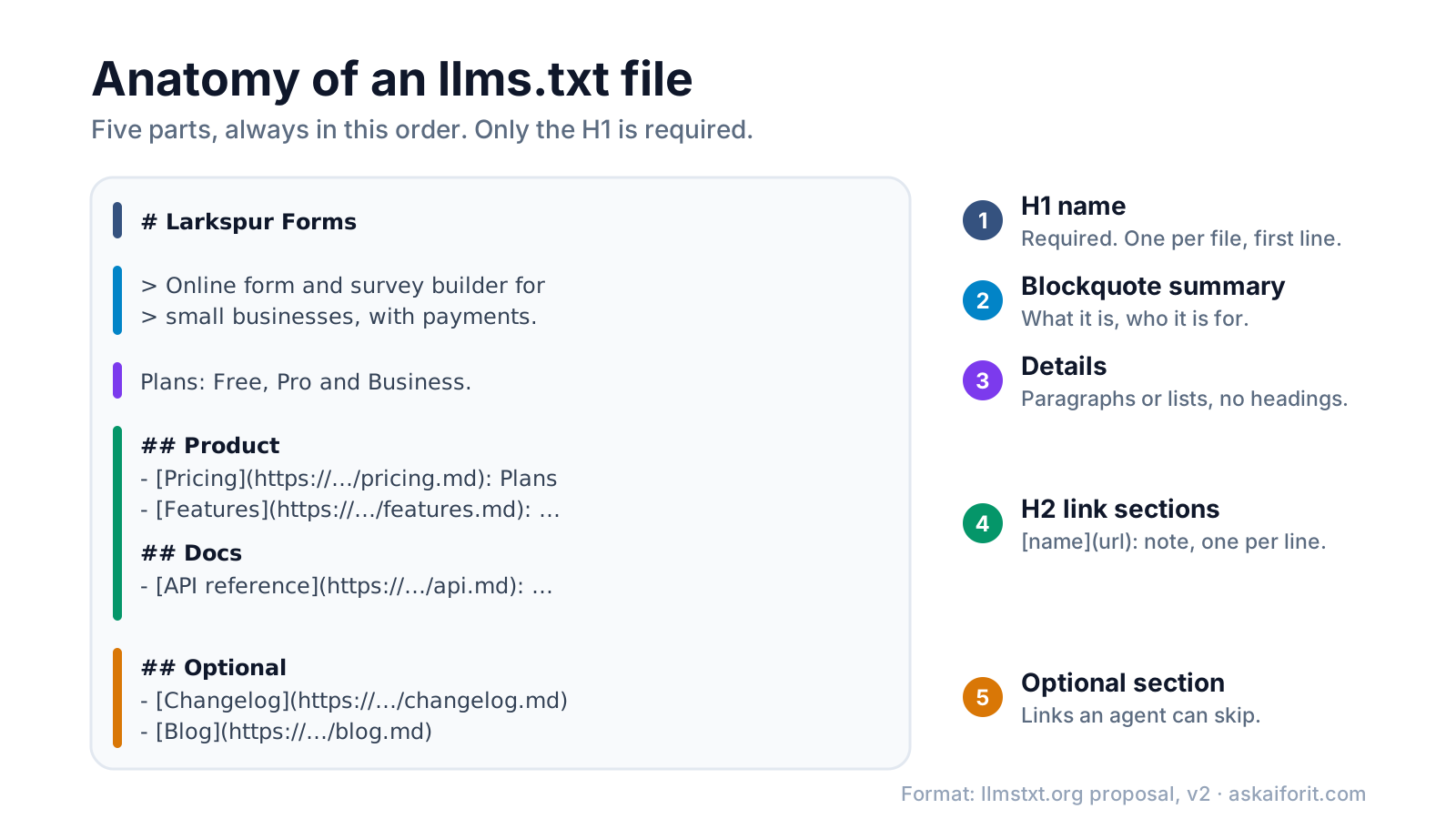
- H1 with the name of the site or product. This is the only required part. Use exactly one H1, on the first line.
- A blockquote summary. One or two sentences with the key facts a reader needs to understand everything below: what the product does and who it is for.
- Details, without headings. Optional paragraphs or lists: plans, platforms, what the product does not do, how to read the links.
- Sections that start with
##and contain lists of links. Each item is- [Name](URL), optionally followed by a colon and a short note. - An
## Optionalsection. By convention it holds secondary links that an agent can skip when it needs a shorter context.
The file can sit at the root or at any path. Under v2, /docs/llms.txt covers everything in /docs/, and when several files apply, an agent should use the most specific one. The proposal also suggests that pages agents need should have clean Markdown copies at the same URL, with .md added or swapped in for the extension, such as /docs/start.html.md or /pricing.md. That part is optional: an llms.txt that links to ordinary HTML pages is still valid.
Start from a complete llms.txt for a SaaS product
Here is a full file for Larkspur Forms, an invented form builder. The .example domain is reserved for documentation, so none of these links exist.
# Larkspur Forms

> Larkspur Forms is an online form and survey builder for small businesses. Forms work on any device, take card payments through Stripe and send responses to Google Sheets, Slack or a webhook.

Larkspur Forms is a web app; there is nothing to install. Plans: Free (3 forms, 100 responses a month), Pro and Business. Every plan includes unlimited fields and file uploads up to 10 MB.

For prices and limits, use the Pricing page below. It is the only page we keep up to date with plan details.

## Product

- [Features](https://larkspurforms.example/features.md): Field types, conditional logic, payments, file uploads and branding
- [Pricing](https://larkspurforms.example/pricing.md): Plans, response limits, overage rules and the annual discount
- [Integrations](https://larkspurforms.example/integrations.md): Google Sheets, Slack, Zapier, Make and webhooks
- [Security](https://larkspurforms.example/security.md): Data regions, encryption and the subprocessor list

## Docs

- [Getting started](https://larkspurforms.example/docs/start.md): Create a form, share it and read responses
- [Conditional logic](https://larkspurforms.example/docs/logic.md): Show or skip fields based on earlier answers
- [API reference](https://larkspurforms.example/docs/api.md): REST endpoints, authentication and rate limits
- [Webhooks](https://larkspurforms.example/docs/webhooks.md): Payload format, retries and signature checks

## Policies

- [Terms of service](https://larkspurforms.example/terms.md)
- [Privacy policy](https://larkspurforms.example/privacy.md)
- [Refund policy](https://larkspurforms.example/refunds.md): 14-day refunds on annual plans

## Optional

- [Changelog](https://larkspurforms.example/changelog.md): Release notes by month
- [Blog](https://larkspurforms.example/blog.md): Tutorials and customer stories
Three choices make this file useful. The summary states facts, not slogans. The details paragraph answers the questions people ask an assistant about a SaaS product: is there an app, is there a free plan, what are the limits. And each note tells the agent what it will find behind the link, so it can open one page instead of five.
Learn from what real SaaS sites put in theirs
We fetched these files on October 19, 2026. They change often, so treat the excerpts as a snapshot.
Six llms.txt files, as published on October 19, 2026
| Site | Blockquote summary | Links to .md pages | Links an llms-full.txt | Optional section |
|---|---|---|---|---|
| vercel.com | Yes | Yes | Yes | Yes |
| linear.app | Yes | Yes | No | No |
| supabase.com | No | Yes | Yes | No |
| docs.stripe.com | No | Yes | No | Yes |
| developers.openai.com | Yes | Yes | No | No |
| resend.com | Yes | Yes | No | No |
Vercel uses every part of the format and adds guidance for agents. Its file opens like this:
# Vercel

> Vercel is a cloud platform for building, deploying, and scaling web applications and AI workloads.

Use this index to find machine-readable documentation and platform resources. Follow the linked indexes when you need individual pages.

## When to use Vercel

- Deploy and scale web applications, APIs, and AI workloads from a Git repository or the Vercel CLI.
The "When to use Vercel" section is a plain list rather than links. The proposal expects links under ## headings, so a strict parser may skip it, but a language model reads it fine. Resend's file uses the same pattern, with a "When to use Resend" section.
Supabase skips the blockquote and points straight to its long version:
# Supabase Docs

For the complete documentation in a single file, see [Full Documentation](https://supabase.com/llms-full.txt).

## Documentation

- [Supabase - AI & Vectors](https://supabase.com/docs/guides/ai.md)
It also has a separate ## Pricing section linking to https://supabase.com/pricing.md, which is worth copying. Buyers often ask assistants what a product costs, and a plain pricing page answers that directly.
Linear links almost every item to a Markdown copy of a help page, such as [Start Guide](https://linear.app/docs/start-guide.md), and groups them with ### subheadings. Subheadings are not part of the proposal, but they keep a list of about 130 links readable.
OpenAI uses its root file as an index of indexes. Each item in "Documentation sets" links to another llms.txt, for example [OpenAI API guides and reference](https://developers.openai.com/api/llms.txt). That pattern suits large sites with several products. Stripe goes the other way: one file of about 740 lines that opens with instructions for agents, such as "always check the npm registry for the latest version rather than relying on memorized version numbers."
Decide whether you need llms-full.txt
llms-full.txt is not part of the llmstxt.org proposal. It is a convention that documentation platforms adopted: one file that contains the full text of your docs, so an agent can load everything at once instead of following links. Mintlify's documentation describes its generated version as a file that "combines your entire documentation site into a single file", with each page's title, URL, description and full Markdown.
Use it when you have real documentation, such as an API, an SDK or a long help center, and your docs platform can build it for you. Skip it for a marketing site with a dozen pages: the short llms.txt already covers them, and a hand-maintained full copy goes stale fast. If you publish one, link it from llms.txt, as Supabase and Vercel do, so agents know it exists.
Avoid these common mistakes
Watch for these mistakes before you upload:
- Relative links.
[Pricing](/pricing)cannot be resolved once the file is read outside your site. Use fullhttps://URLs. - Text before the H1, or two H1s. The name must come first, and there is only one.
- Headings in the details block. Anything between the summary and the first
##section should be paragraphs or lists, not###headings. - A sitemap in disguise. Hundreds of links without notes tell an agent nothing a sitemap does not. Pick the pages that answer real questions.
- Marketing copy in the notes. "The best form builder on the planet" helps nobody. "Plans, response limits and overage rules" does.
- Links to pages agents cannot open. Pages behind a login, or blocked in robots.txt, stay blocked. llms.txt does not override robots.txt; set that with the AI crawler robots.txt generator and our guide on which AI bots to block.
- An HTML page at /llms.txt. Single-page apps often answer every unknown path with the app shell and status 200. Open the URL and check that you get your Markdown, not your homepage.
- A file nobody updates. Moved pages turn into 404s. Add llms.txt to the checklist you run when you rename or delete pages.
Validate and publish your file
- Build or paste your file in the llms.txt generator and validator. It flags missing or extra H1s, broken link syntax, relative URLs, headings in the wrong place and empty sections, each with a line number.
- Upload it to the root of your site, or to the path it covers, such as
/docs/llms.txt. - Check what the server returns. You want status 200, a text content type and your Markdown in the body.
- Open every link once. The validator checks the format only; it cannot tell whether a page exists.
- Test it the way the proposal suggests: give an assistant only your llms.txt and ask it questions about your product. Wrong answers point to missing pages or vague notes.
Two commands cover step 3:
curl -sIL https://your-site.com/llms.txt | grep -iE '^(HTTP|content-type)'
curl -sL https://your-site.com/llms.txt | head -n 3
The first should end with status 200 and a content-type such as text/plain or text/markdown. The second should print your # Name line and the summary. v2 also suggests two link relations: rel="alternate" type="text/markdown" for a page's Markdown copy, and rel="describedby" for the llms.txt that covers the page. You can send them as an HTTP header from your server or CDN, for example Link: </llms.txt>; rel="describedby".
Once the file is live, the more useful work is making sure assistants can reach and describe your product at all. Our guide to getting recommended by ChatGPT, Perplexity and AI Overviews covers that.
If you would rather not maintain the file by hand, these docs platforms and crawlers can generate it for you:
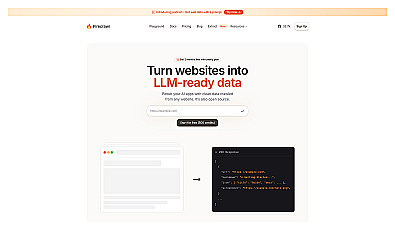
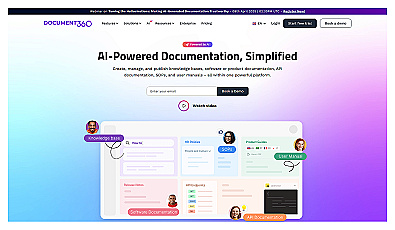
Create and manage a comprehensive knowledge base for users.
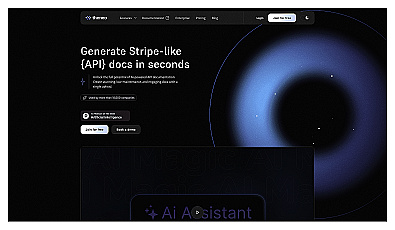
AI-powered API documentation generator with collaboration features.
FAQ
Is llms.txt an official web standard?
No. It is a community proposal hosted at llmstxt.org and on GitHub, open for comments. No standards body has adopted it, and no AI vendor is obliged to read it.
Will llms.txt improve my rankings in Google or ChatGPT?
There is no evidence that it does. Google says Search ignores the file, and as of October 2026 we found no AI search vendor that documents using it for ranking or citations.
Where should I put llms.txt?
At the root, so it opens at https://your-site.com/llms.txt. Under v2 you can also add files in subfolders such as /docs/llms.txt; each one covers the pages under its path.
What is the difference between llms.txt and llms-full.txt?
llms.txt is a short index of links with notes. llms-full.txt is a convention from documentation platforms: one large file with the full text of your docs. Only llms.txt is described in the proposal.
Do I need Markdown versions of my pages?
No. The proposal recommends them, because clean Markdown is easier for models to read, but a file that links to normal HTML pages is valid and still useful.
How often should I update llms.txt?
Whenever you add, move or delete a page it links to, and whenever plans or limits change. A short file with correct links beats a long one with dead ones.